DC.R340TT.MAN.001—01—User Manual SDT340TANKTEST EN
9/44
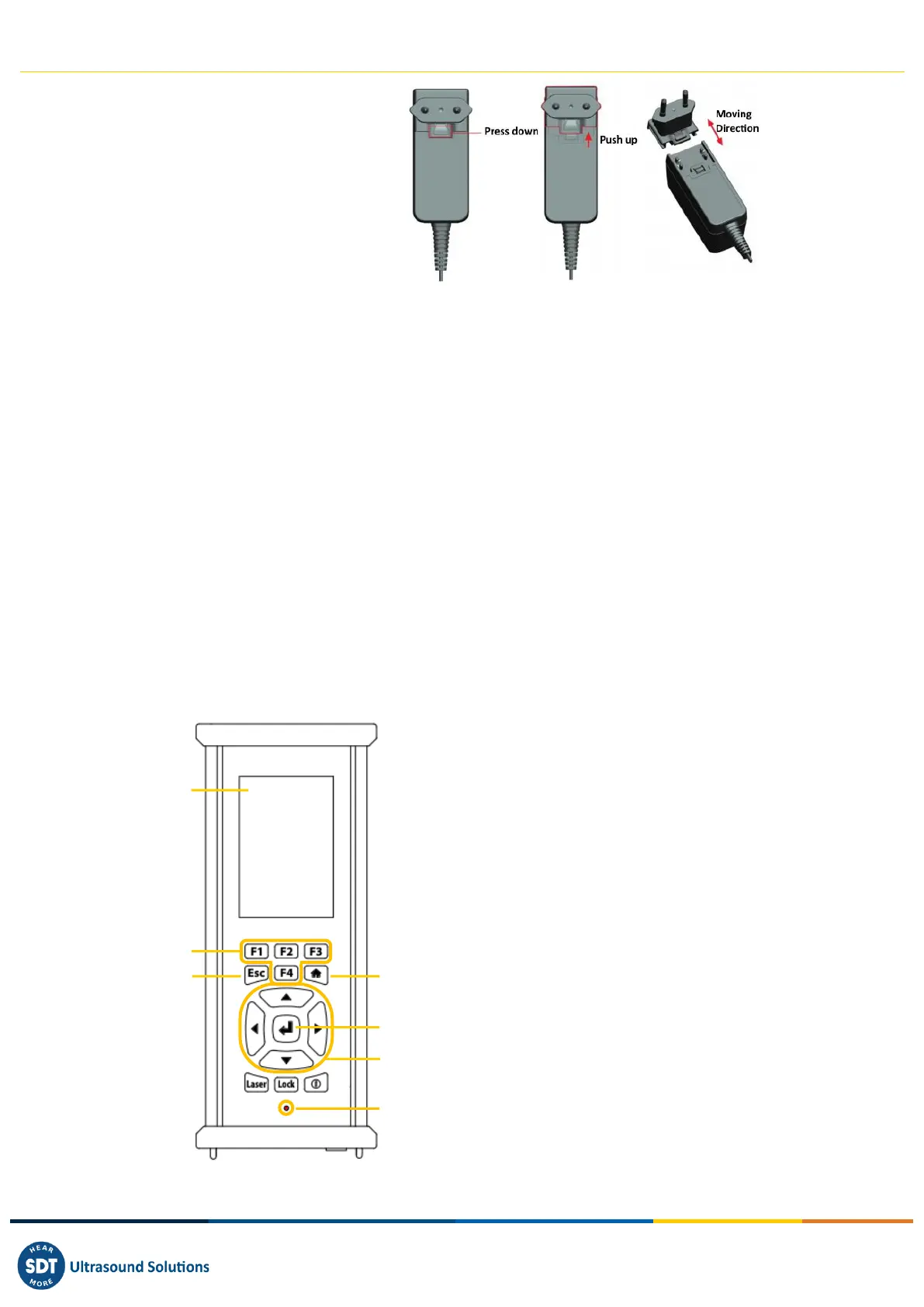
(*) The primary plug of the
power supply is interchangeable.
The procedure of changing is as
per the pictures.
The color of the docking station status LED ❹ shows:
• The LED flashes blue – the docking station is powered.
• The LED remains blue illuminated a few seconds when the battery is placed in the docking
station – the battery is detected.
If not, perform a force charge by inserting a needle in the force battery charge location ❷.
• The LED flashes green – the battery pack is charging.
• The LED is green lit continuously – the battery is fully charged.
• The LED flashes red – the docking station detect an abnormal current consumption or an
abnormal temperature. Disconnect and then reconnect the power supply from the main to
reset the docking station.
The SDT340 autonomy is typically 8 hours for a fully charged battery pack and the recharge time is
about 7 hours.
8. Controls and connections
❶ Display
❷ F1 to F4. Their respective function is indicated
in the bottom of the display
❸ Esc (Escape) for stopping a signal acquisition
and going back to the previous menu through
setting screens
❹ Home for displaying the main menu
❺ Enter to start the acquisition and validate
changes through setting screens
❻ Up, Down, Left and Right navigation keys for
the signal, audio amplification adjustment and
navigation through the settings screens
❼ Hold-on laser
❽ On/Off
❾ Status LED.



 To Next Page