DC.R340TT.MAN.001—01—User Manual SDT340TANKTEST EN
40/44
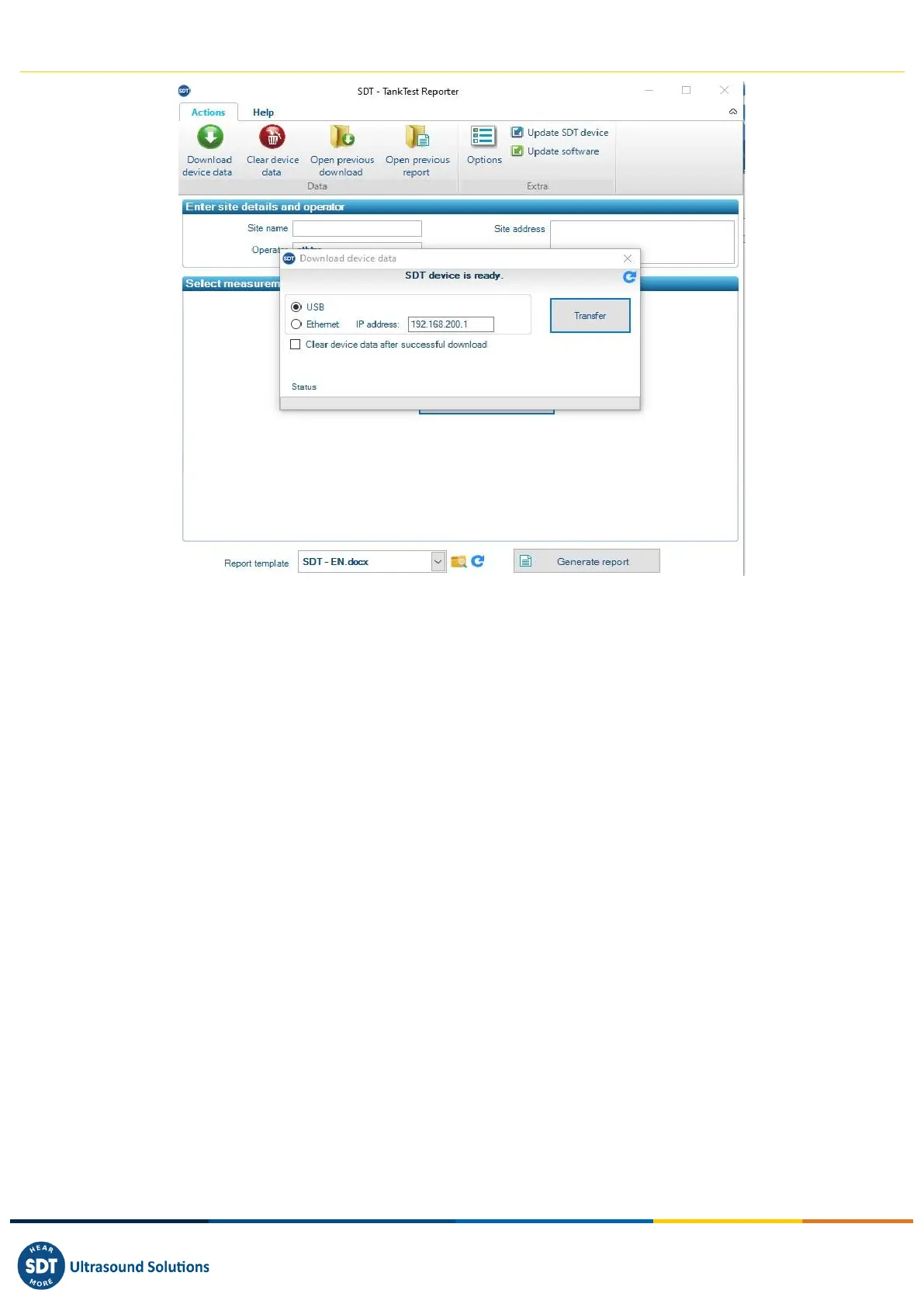
A pop-up window appears, inviting you to start the transfer, if the device is recognized by the
computer.
Click on "Transfer" to export your data from the SDT340 to the software.
After a few moments, the measurements made in guided mode are available in the software and can
be used for report creation.
Please note that the data remains in the device, as long as the user does not voluntarily decide to
delete it.
However, SDT recommends that the internal memory of the unit be regularly erased, limited to 50
nodes/tanks.
14.2. Cleaning the device memory
On the main screen, go to the option "Clear device data" and follow the instructions given.
Make sure you have exported your data to the software from the previous point before cleaning the
memory of the device.



 To Next Page