EasyManua.ls Logo

SDT SDT340 - Bluetooth; Date and Time Format

SDT SDT340
44 pages
Print Icon
To Next Page IconTo Next Page
To Previous Page IconTo Previous Page
Loading...
DC.R340TT.MAN.00101User Manual SDT340TANKTEST EN
37/44
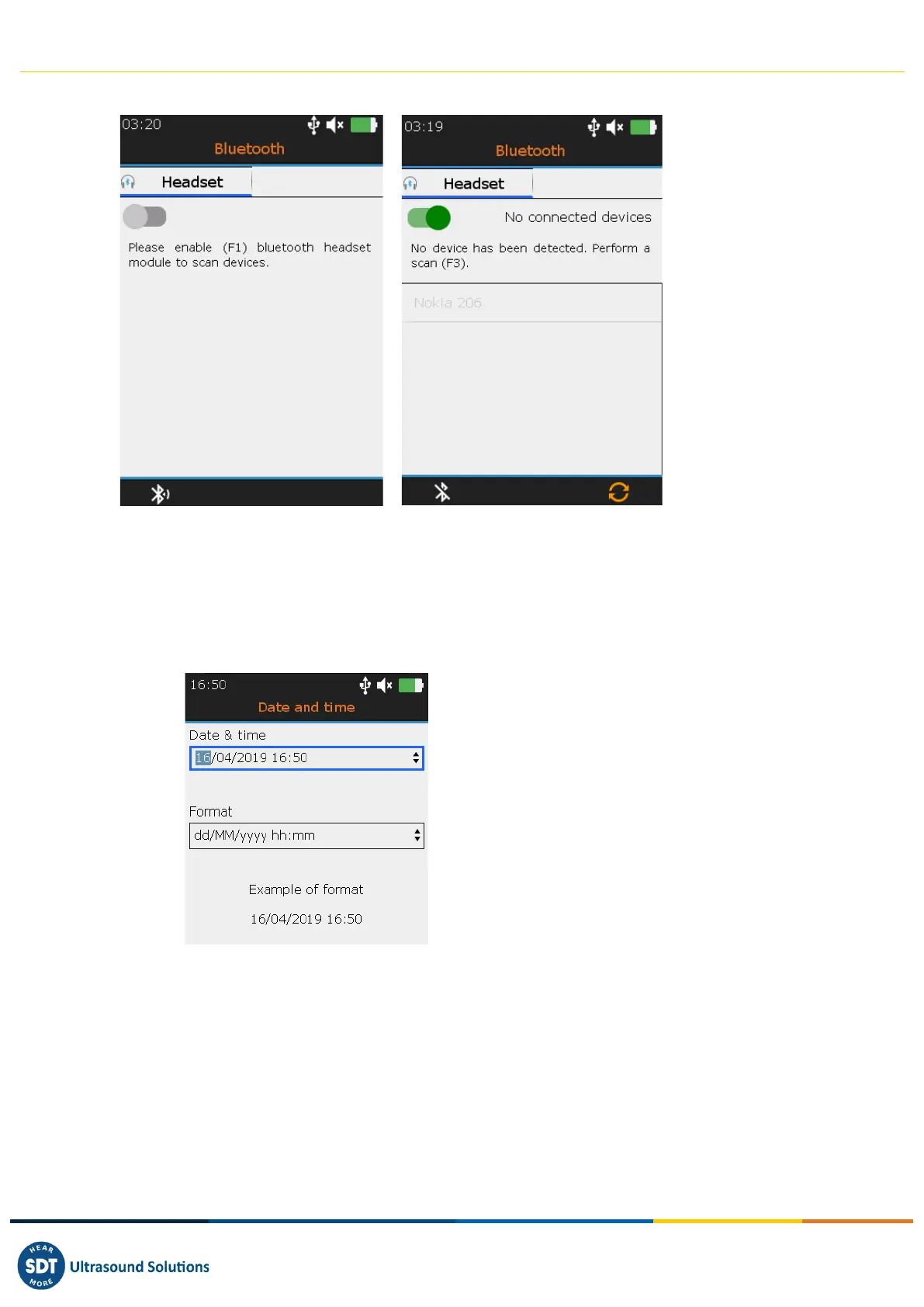
13.3. Bluetooth
Blue line indicates
that the headset is
selected
Indicator to enable
and disable Bluetooth
Instruction to enable
Bluetooth
Bluetooth off
Instruction to pair
the headset
Scan
Bluetooth on
Press F1 to enable the Bluetooth headset module. Switch on the headset. The headset must emit
a blue flashing light. Press F3 to pair the SDT340 with the headset.
13.4. Date and time format
Locale date and time
Blue frame indicates the selected field
Date and time settings format
Example of format
With Left and Right Buttons highlight the desired field . With the Up and Down navigation keys
increase or decrease the settings values. Confirm your choice with Enter.

Related product manuals