DC.R340TT.MAN.001—01—User Manual SDT340TANKTEST EN
31/44
Outside the guided mode, saving of signals is not allowed. The operator can perform various functional
tests from this mode, but without being able to save them in the device's memory.
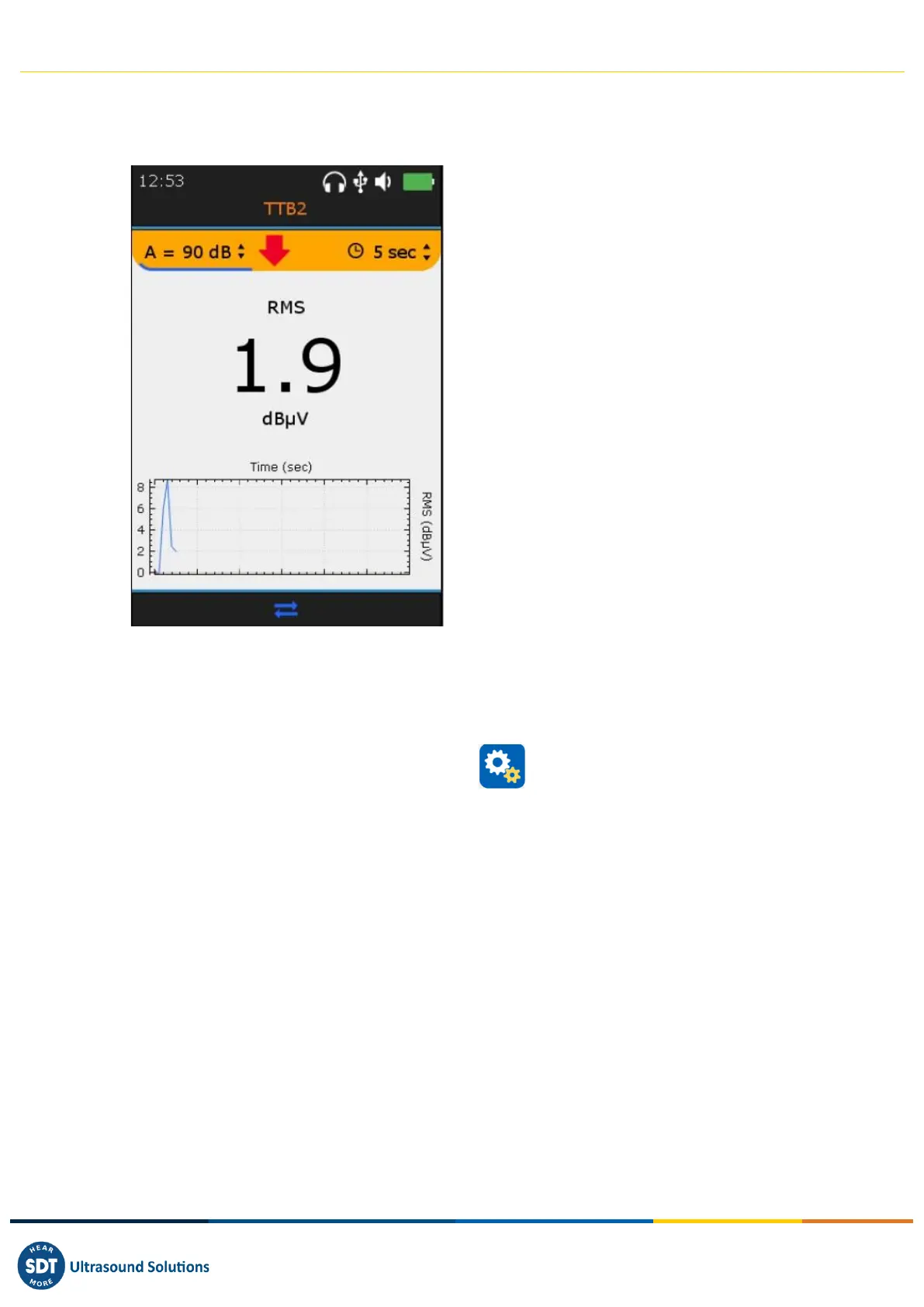
The screen below is common to both TankTest sensors and the flexible sensor:
❶ Sensor ID
TTB2 for the " Black " sensor
TTR2 for the " Red " sensor
FLEXID2 for the flexible sensor
❷ Settings access
Note: The red arrow and the LED on the front of
the unit guide the choice of the optimal
amplification which allows the collection of
properly amplified signals.
Position the cursor on the amplification using
the F2 key and then use the "Up" or "Down"
directional arrows as suggested by the red
arrow.
❸ RMS Value
❹ RMS trend observed in the last 30 seconds
❺ F2 to display the Time Waveform, if the
operator has previously initiated a temporary
acquisition with the Enter key. Press Esc to
ignore the present acquisition.
13. General settings
From the Home screen, select General settings icon and press Enter. With the Up and Down
navigation keys highlight the desired settings and confirm your choice with Enter.



 To Next Page