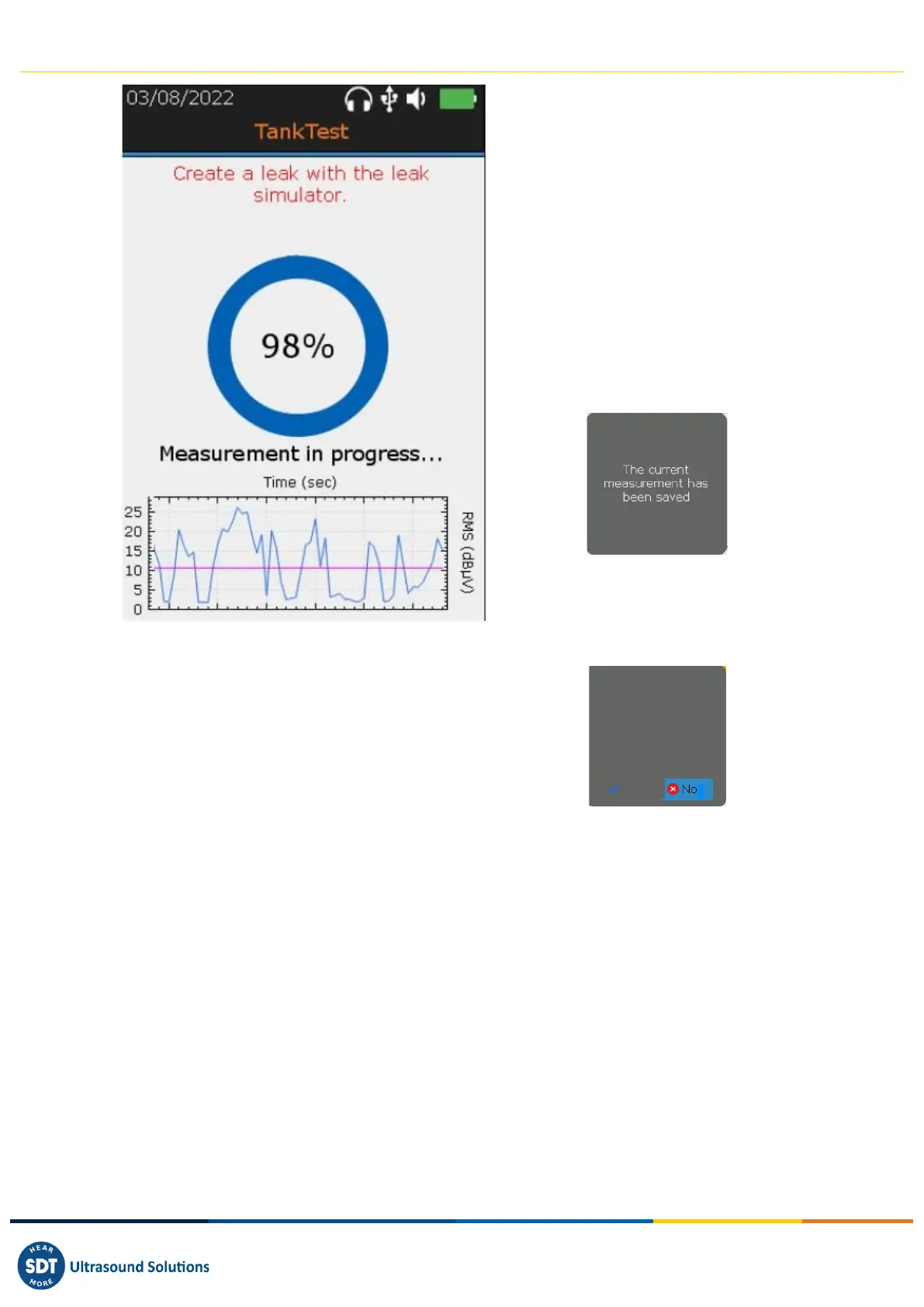
❶ Acquisition screen (trigger with the
Enter key)
❷ Progression of the acquisition
Note 1: When using the leak simulator,
the message "Create a leak with the leak
simulator" will appear in red towards the
end of the progress.
Note 2: At the end of the progression, the
screen is frozen. The operator can preserve
the measurement by pressing Enter or not
consider it by pressing Esc, then start a new
acquisition with Enter. The message below
will confirm the taking into account of the
measurement.
An equivalent message will be proposed
in case of cancellation. This message must
be confirmed by the operator.
❸ RMS trend observed in the last 30
seconds. Reminder of the reference
measurement.
The leak simulator is proposed by SDT for functional testing purposes, in accordance
with regulatory constraints. This tool allows to attest the functioning of the
measurement chain, the day of the intervention. The leak generator allows to
generate calibrated leaks under vacuum.
It does not exempt from the periodic calibration of the equipment.



 To Next Page