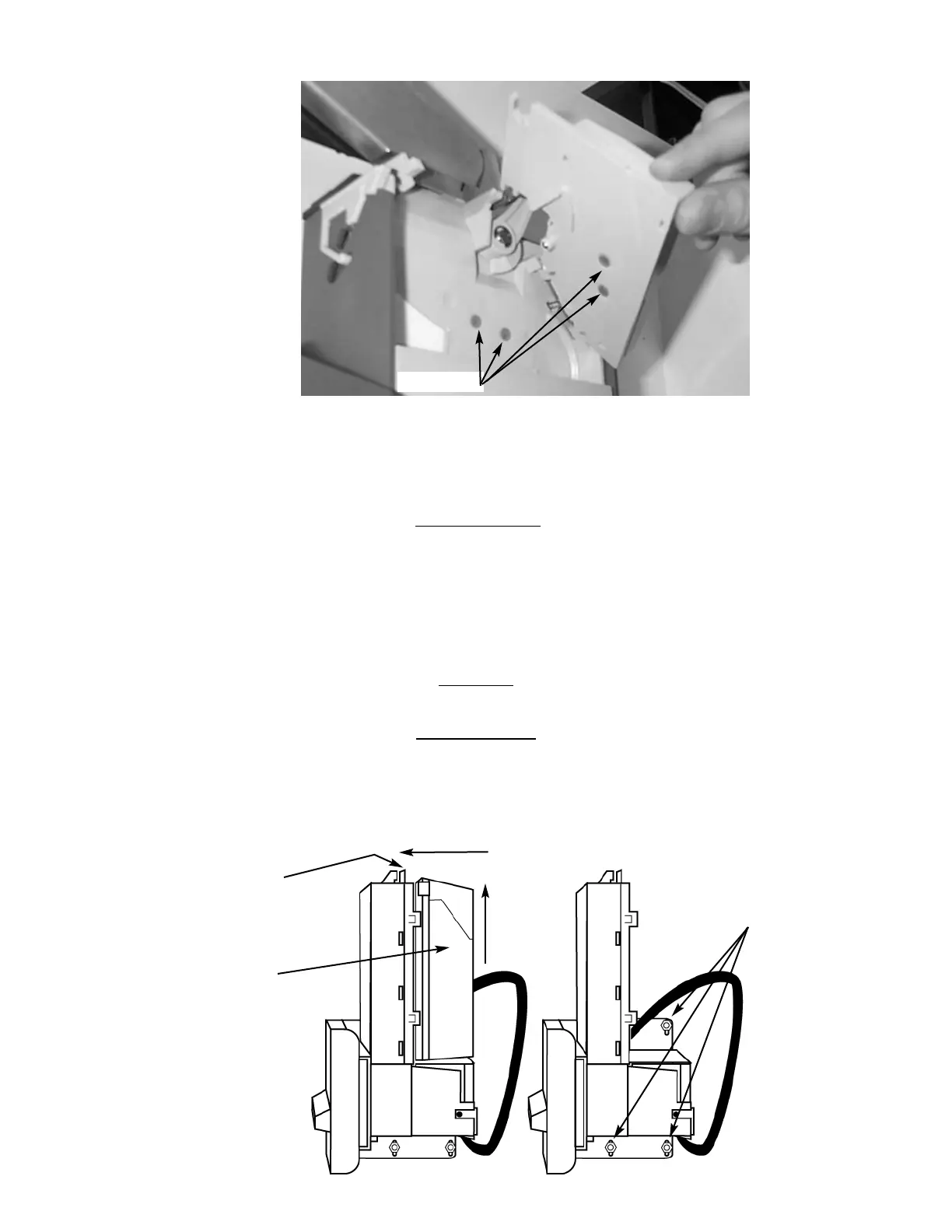
1. To Remove the Coin Validator.
A.) Remove the Coin Hopper as above.
B.) Loosen the three (3) Mounting Screws. (Fig. 9)
C.) Disconnect Wiring Harness.
D.) Lift Coin Validator and remove.
BILL
VALIDAT
OR
Note: The manufacturer's Bill Validator manual is packed with your vendor. The following is intended as an addendum to the
manufacturer's manual.
The optional Bill Validator (HF3000 only) allows your customers to pay for their purchase with paper currency. Your optional Bill
Validator is installed at the factory, and is set to validate $1, $2, and $5 bills, but will not accept $2 and $5's unless the Coin Chutes
are nearly full. The Bill Validator can be set to also accept $10, and $20 bills. Unless you intend to vend high-ticket specialty items
from your vendor, your Bill Validator need not accept $10 and $20 bills.
CAP
ACITY
The Bill Storage Box will hold approximately 300 dollar bills.
BILL RETRIEVAL
The bills your customers spend are kept in the Bill Storage Box.
1. To Retrieve Bills.
A.) Unlock and open the Front Door.
B.) Remove the Coin Tray, and pull the Vertical Shelf out.
Figure 10 Coin Validator Lenses
Lenses (4)
Figure 11 Bill Validator
Bill
Storage
Box
Push
Tab then
Lift Bill
Storage
Box
Tab
Mounting
Nuts (3)


 To Next Page