PRODUCT VIEWING AND ADVERTISEMENT
Your Elite Beverage Vendor features "live" product display. This means that your customers will see actual cans of the prod-
uct your vendor is offering.
1.) Set-Up of "Live" Display.
A.) Unlock and open the Front Door.
B.) Unscrew the two(2) wing nuts, and remove black molded plastic Display Panel.
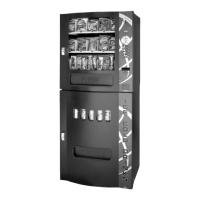
C.) Load product to correspond with its Serpentine Product Chute.
Note: To present your product in as an attractive and professional manner as possible, do not load any damaged items, and
make sure items are facing forward for easy identification by your customer.
D.) Return the Product Display Panel so that it is pressing against the displayed product, and reinstall the
two (2) wing nuts.
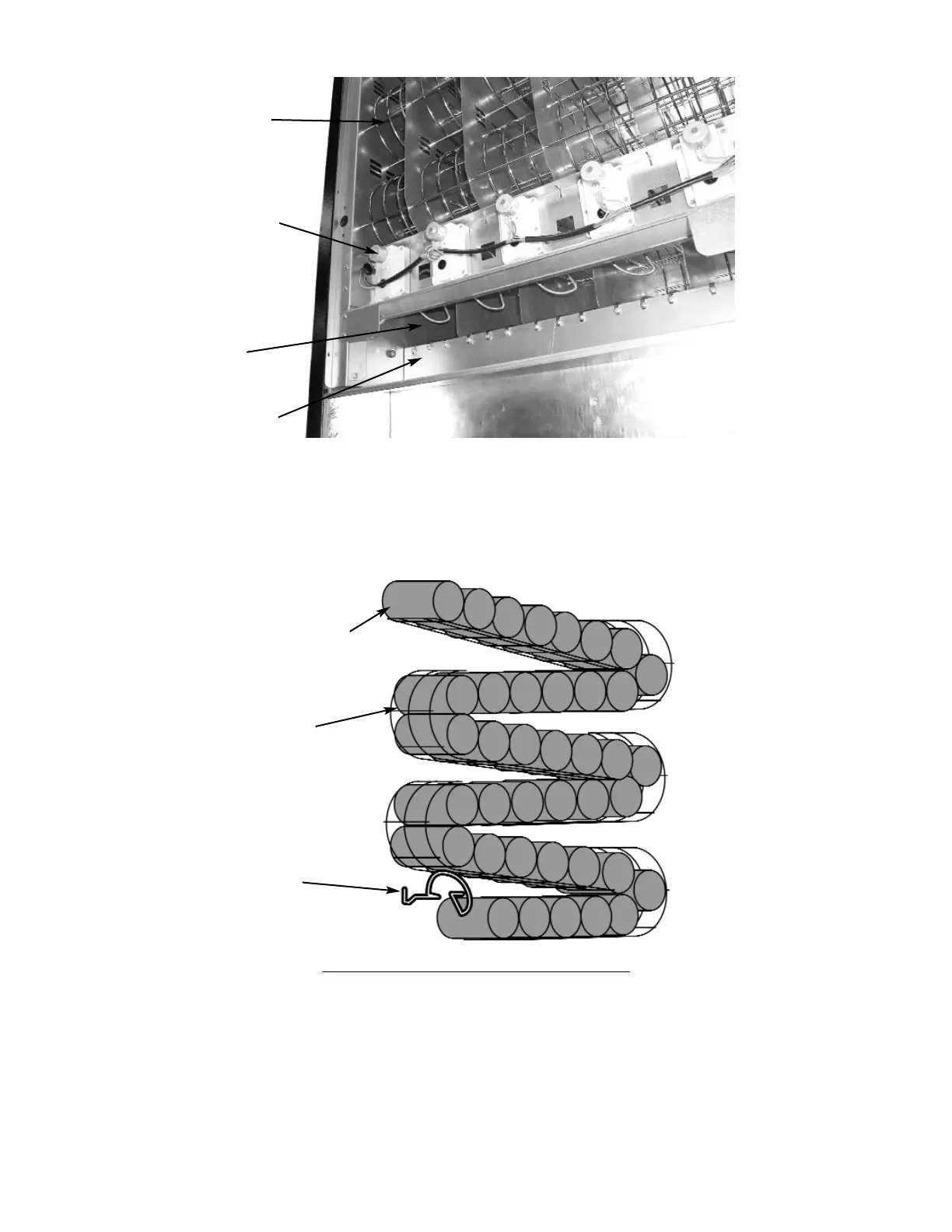
Figure 15 Delivery System
Serpentine
Product Chute
Driver Motor
Can Coil
(shown in
“home” position)
Vend Area
Figure 16 Serpentine Product Chute
Load Product
Can Coil
Serpentine
Product Chute


 To Next Page