GENERAL NOTES
It is suggested that a toolbox accompany you to each of your locations. Suggested items for this toolbox would include a sock-
et set, (up to a 1/2" socket size suggested) a Phillips and a Standard screwdriver. Additional items would be a soft rag and
perhaps a Black Magic marker. The magic marker is useful in touching up light scratches that may occur to your vendor.
COMMON QUESTIONS AND ANSWERS
Q: Check the Wire Harness on the motor for a loose wire.
Check to see if the motor is jammed or out of home. Home the motor per "Driver Motors".
Q: Motor cycles but can will not drop.
A: Check to see if the can is jammed in the Product Chute.
Check to see if the vendor is level.
Check product for damage, and make sure it is the proper size.
Q: Cans occasionally stick in my Delivery System.
A: This is not uncommon. Some cans may have defects or foreign matter that
may cause them to hesitate, resulting in delayed advancement of product.
Q: How does my HFBV know it's out of product?
A: There is a sold out switch near the end of each Serpentine Product Chute
that will flash the Choose Alternate Selection light when it does not detect
product. Note: When the light flashes, there will be two cans of
product remaining in the Serpentine Product Chute.
Q: The Compressor is running, but the vendor is too warm.
A: Turn the Adjustment Slot Counter (1/8" at a time) clockwise to adjust to a colder temperature.
Make sure that the air flow is not restricted, there should be 10" of clearance on left and rear sides.
Thermostat may not be working properly.
Check for an air leak in the door seal.
Compressor may be undercharged with R134a.
Q: Why doesn't the Compressor cycle?
A: Thermostat may be set too cold. Turn the Adjustment Slot Counter (1/8" at a
time) counter-clockwise to a warmer temperature.
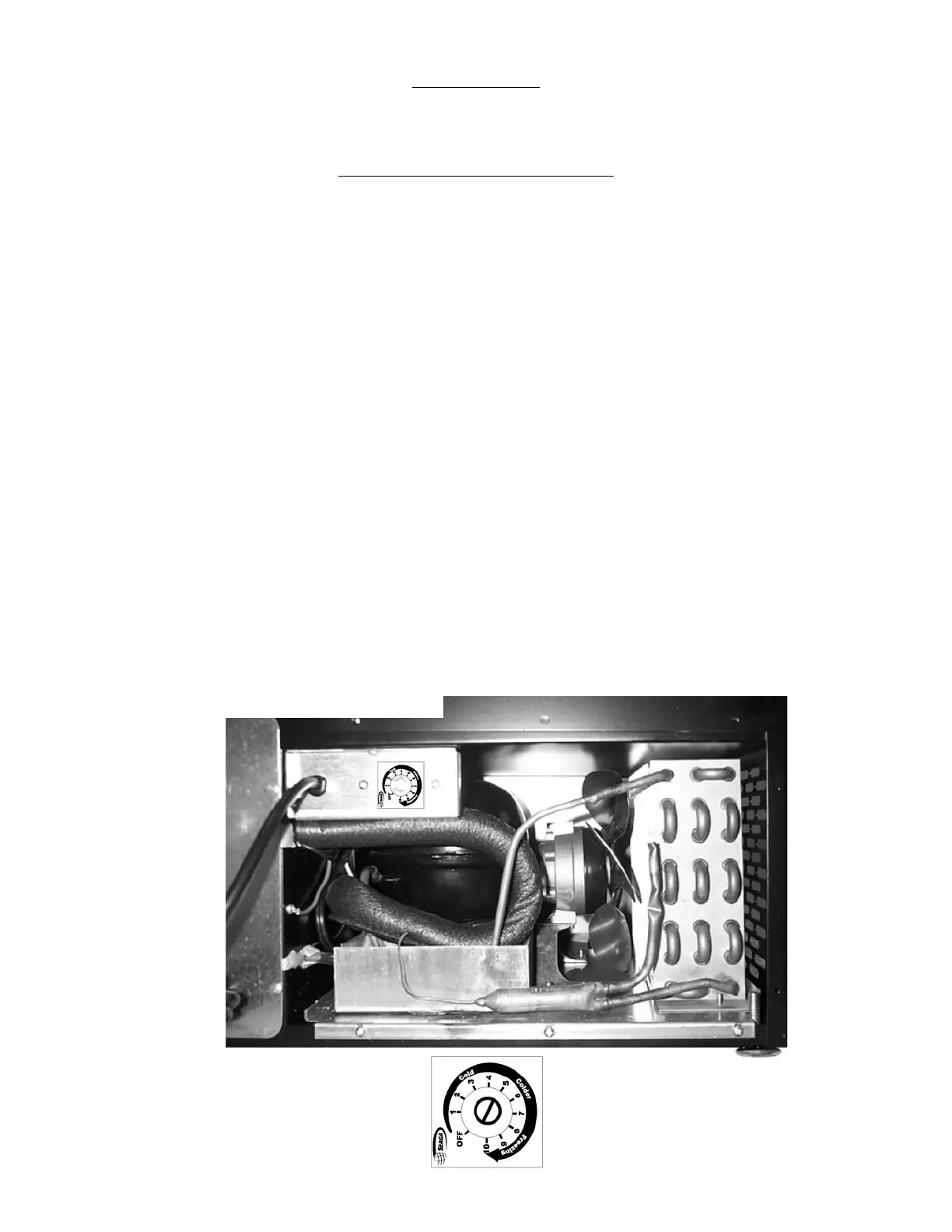
Figure 18 Cooling System
(Rear view)


 To Next Page