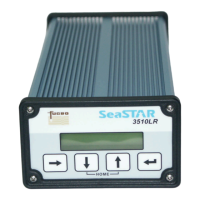
Main pages
Signal status
The Signal status page is the top page in the 3610 DGNSS receiver. This page is
displayed after start up, and is at the top level of the menu structure.
About
From the About menu it is possible to read receiver type, serial number, software
version and subscription expiry date. It is also possible to reset receiver and select
factory default. No configurations from these pages are possible.
Status
From the Status menu it is possible to read channel and position status, alarm status,
port status and the antenna output voltage. No configurations from these pages are
possible. From the Alarm sub menu it is possible to see the list of previous alarms.
Set position/channel
From the Set Pos/Ch menu it is possible to configure frequency, symbol rate, which
service to use and to set position. In addition, it is possible to set the antenna output
power on or off (12 VDC).
Port configuration
From the Port Cfg menu it is possible to configure the communication ports in the
3610 DGNSS receiver. The receiver has two serial ports, Port A and Port B and LAN.
Set GPS L1 Sites
From the Set GPS Sites menu it is possible to select which GPS L1 reference sites to
use.
Set GLONASS L1 Sites
From the Set GLO Sites menu it is possible to select which GLONASS L1 reference
sites to use.
Display configuration
From the Display Cfg menu it is possible to configure the contrast and backlight on
the receiver display.
Backup configuration
From the Backup cfg menu it is possible to save and restore user configurations.


 To Next Page