SiteManager xx29/xx39 - Working with I/O ports Page 11 of 12
Version 2, April 2013
3.5. Changing Output 2 default functionality
As mentioned previously, Output 2 can be configured to signal when a
GateManager connection is available.
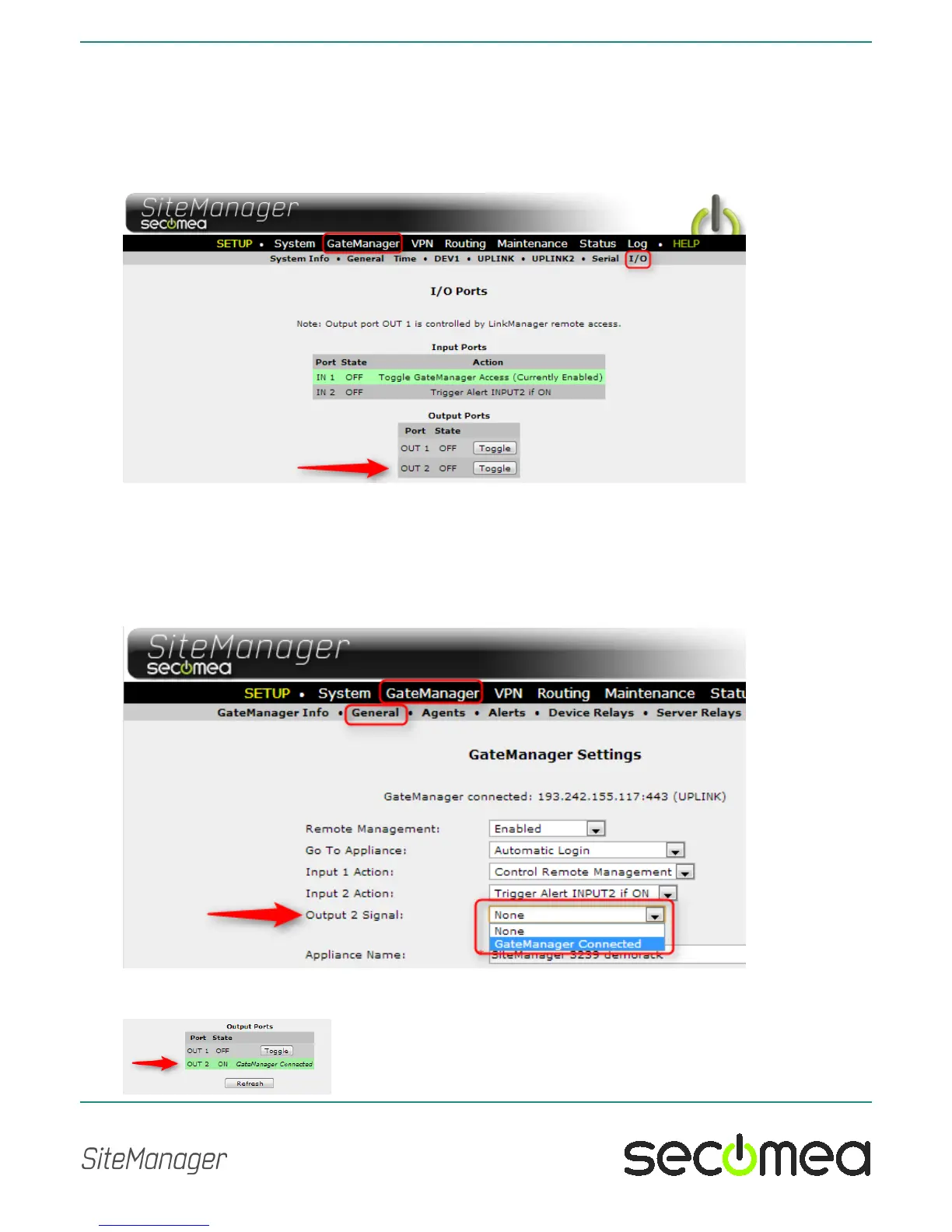
In the SiteManager menu GateManager > I/O you can determine if this ac-
tion is enabled, which is not the case in this screen shot:
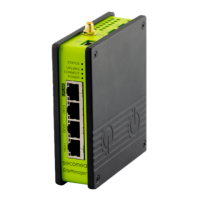
If you want to enable Output 2 to go active when a GateManager connection
is operational, you can enable this by entering the menu GateManager >
General and press the [More>>] button.
The control of the "Output 2 Signal " will be shown, and you can define it to
not trigger on GateManager connect, and instead make it available for tog-
gling via the SiteManager GUI.
When set to "GateManager Connected", the Output Ports will be displayed
as follows under System > I/O.



 To Next Page