SiteManager xx29/xx39 - Working with I/O ports Page 7 of 12
Version 2, April 2013
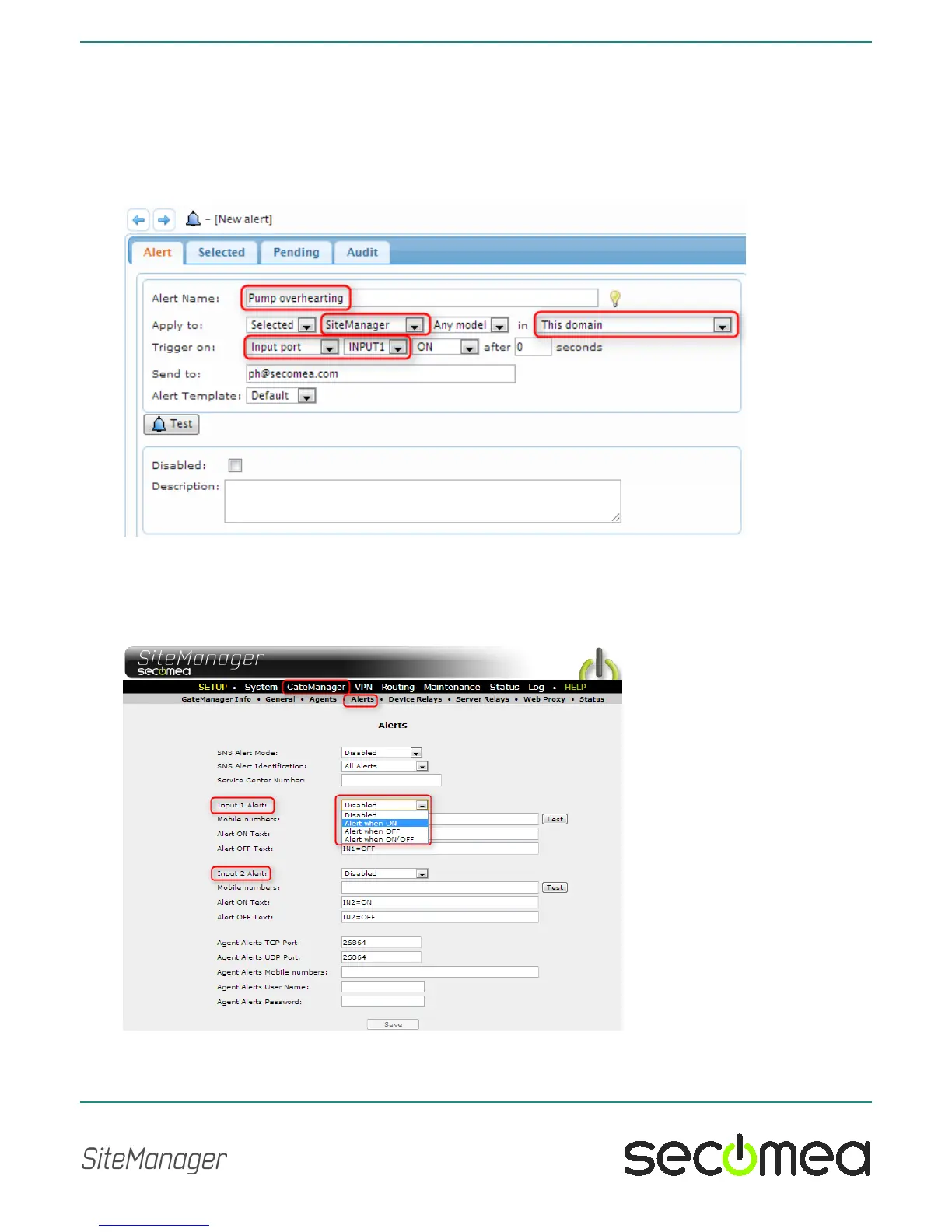
Select a name for the Alert, which will also become the subject of the alert
email.
Select that the alert should apply to "SiteManager", which will give you op-
tion to select "Trigger on" with the value "INPUT1" or "INPUT2".
Also decide if the Alert should be used in the same domain, or if it should be
applicable to This domain only or also sub-domains,
2.7. Defining an Input port SMS alert on a SiteManager xx39
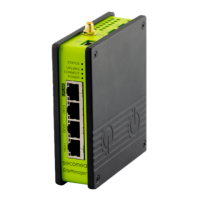
On SiteManager with built-in 3G modems you can configure local submis-
sion of SMS alerts based on triggering the Input ports. SMS numbers and
message can be configured in menu GateManager > Alerts:
You can read more details about email alerts in the separate document
"SiteManager xx39 SMS alert system" available at the Secomea web site.



 To Next Page