SiteManager xx29/xx39 - Working with I/O ports Page 3 of 12
Version 2, April 2013
Introduction
The SiteManager models 1029, 1039, 1429, 1439, 3229, 3239, 3429 and
3439 are equipped with 2 x digital input and 2 x digital output ports that can
be used to extend the primary functionality of the SiteManager.
The Input ports can be used to trigger alerts sent as email messages from
the GateManager, or trigger an SMS sent from SiteManager itself (SMS
alerts are only applicable to models with integrated 3G modems). Additional-
ly an Input port can be used to control when remote access is possible.
The Output ports can be used to trigger a signal to e.g. a PLC or HMI, based
on toggling of a button in the SiteManager GUI. Additionally an Output port
can signal when remote access is made via the SiteManager.
1. About GND, 0V GND and Shield
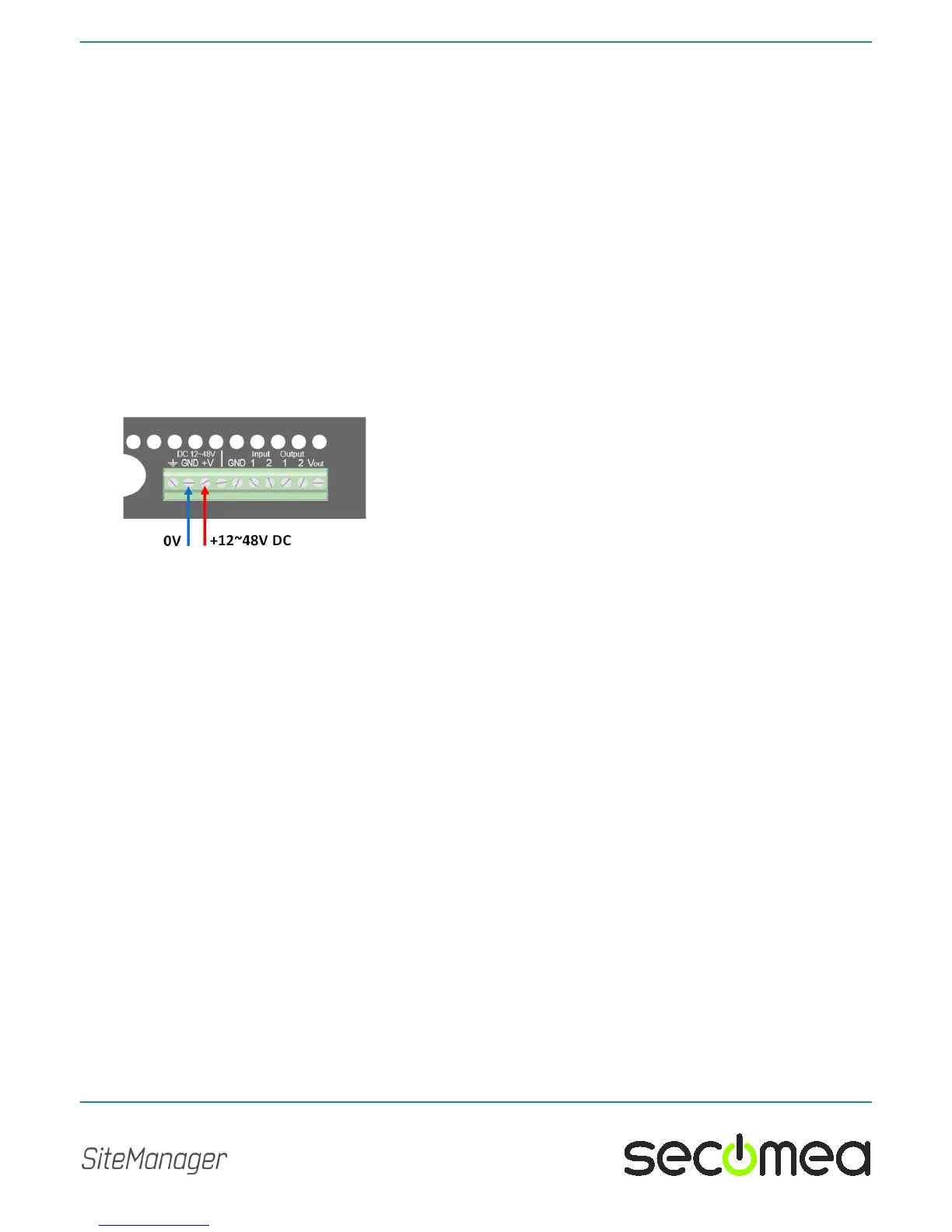
On the SiteManager the power should be applied between GND and +V as
shown.
On some industrial equipment, you will find that power should be supplied
between terminals marked -V or 0V and +V, and where -V/0V, GND and
Shield may have different potentials. The specifications for a USB port is that
GND and Shield should have the same potential, and since the SiteManager
has a USB port, the GND and Shield is per design short circuited internally.
It is also intentional that there are no separate -V/0V pins on the
SiteManager, since the presence of the USB port makes it extremely difficult
to protect the power regulation circuitry in the SiteManager, should you by
accident apply voltage between -V/0V and GND.
This would typically not be an issue even in cases where GND and Shield is
wired separately.



 To Next Page