SiteManager xx29/xx39 - Working with I/O ports Page 5 of 12
Version 2, April 2013
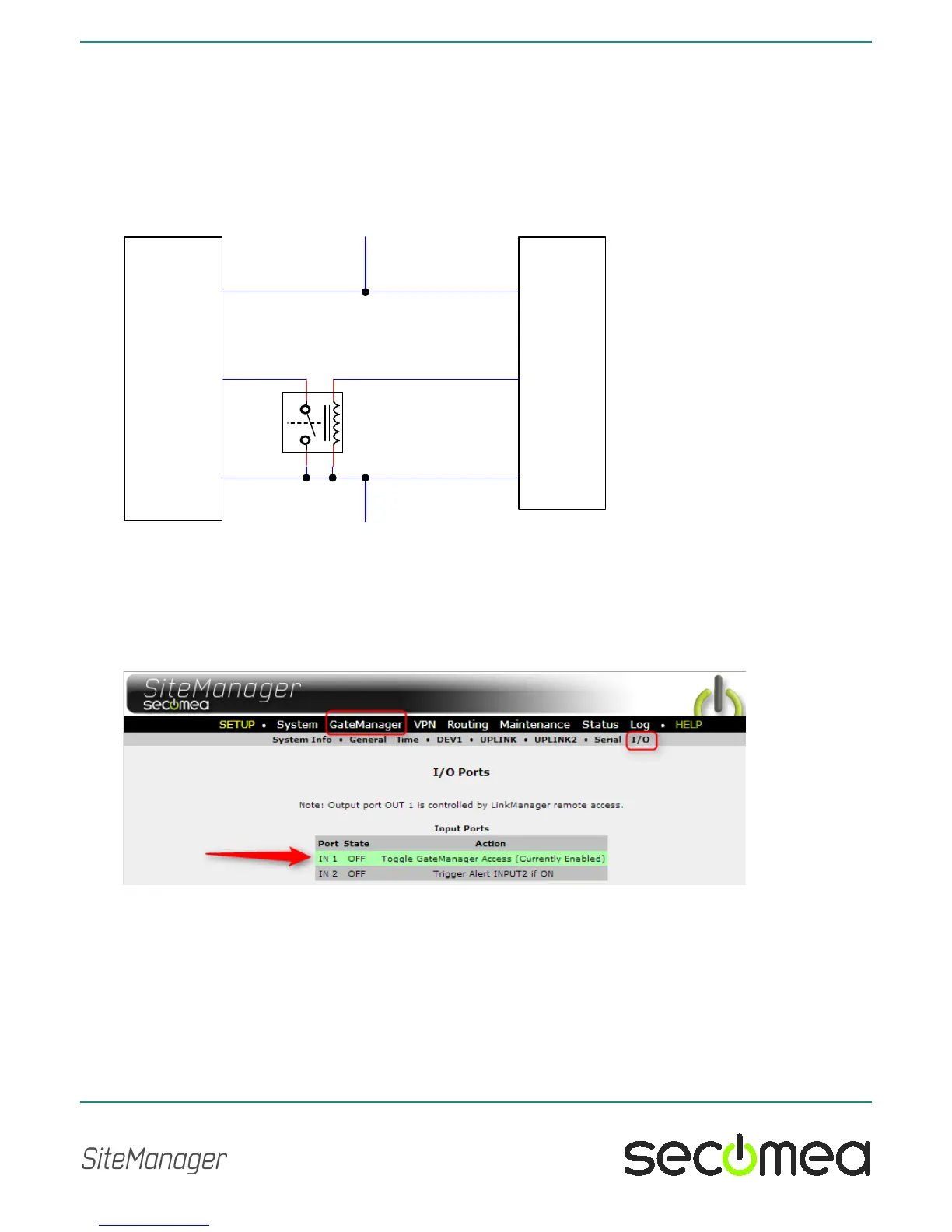
2.4. High-side Output switching equipment example
When an input port of the SiteManager is connected to equipment that has
“high-side switching” connections on the output, you must apply a circuitry to
pull the output towards zero.
The following example uses a 24V relay, which subsequently assumes the
output of the equipment to support 24V operation (the coil voltage).
2.5. Changing Input 1 default functionality
As mentioned previously, Input 1 by default controls remote access.
In the SiteManager menu GateManager > I/O you can determine if the de-
fault action is enabled, which is the case in this screen shot:



 To Next Page