SiteManager xx29/xx39 - Working with I/O ports Page 4 of 12
Version 2, April 2013
2. Digital Input Ports
IMPORTANT: Examples in the following are only for illustration of the func-
tionality. Always consult the specifications of the equipment you intend to
connect.
2.1. Electrical information
Input port toggling on the SiteManager would typically be controlled by a
mechanical switch or a relay connected to the GND and Input terminals. The
Input port is when not connected in “Open state” (inactive) that corresponds
to a connected mechanical switch is turned OFF. An input toggles to “Close
state” (ON) when pulled from 2.34 V or above to 0.16 V or below.
The behavior for input voltages between 0.16 V and 2.34 V is undefined.
There is an internal 10 Kohm pull-up resistor to 3.3 V, so an unconnected
input port is in the “OFF” state.
2.2. Input ports default functionality
Input port 1 is default assigned to toggle GateManager Access. By connect-
ing a simple on/off switch you can control when remote service should be al-
lowed (see also section 2.5 Changing Input 1 default functionality)
Input port 2 is not associated with anything as default.
2.3. Low-side Output switching equipment example
When an input port of the SiteManager is connected to equipment that has
“low-side switching” conductor connections on the output, you can use the
SiteManager input ports directly without any external components (such as
pull up resistors or relays).
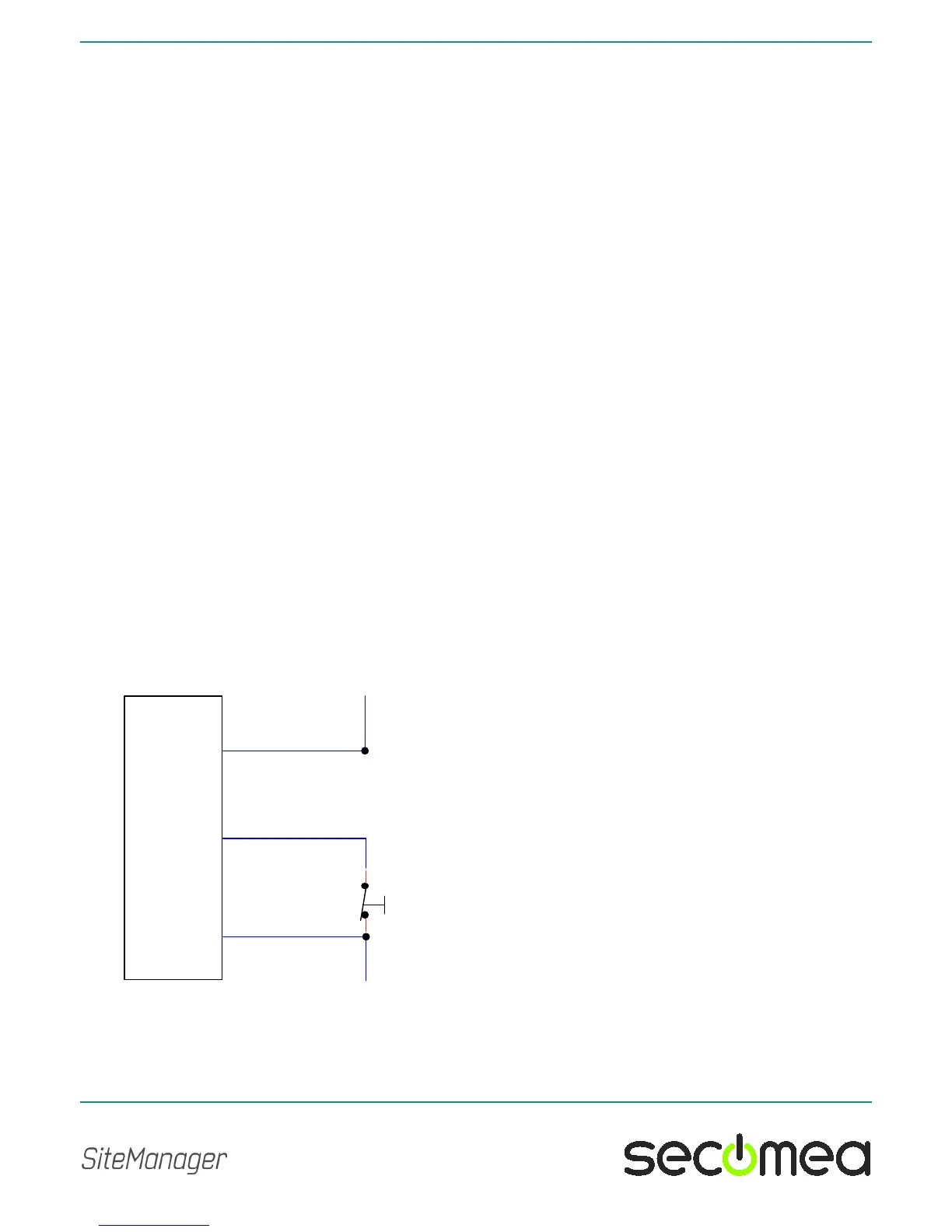
A typical use is the following, where a mechanical single pole switch is con-
nected between Input 1 and GND.



 To Next Page