SiteManager xx29/xx39 - Working with I/O ports Page 6 of 12
Version 2, April 2013
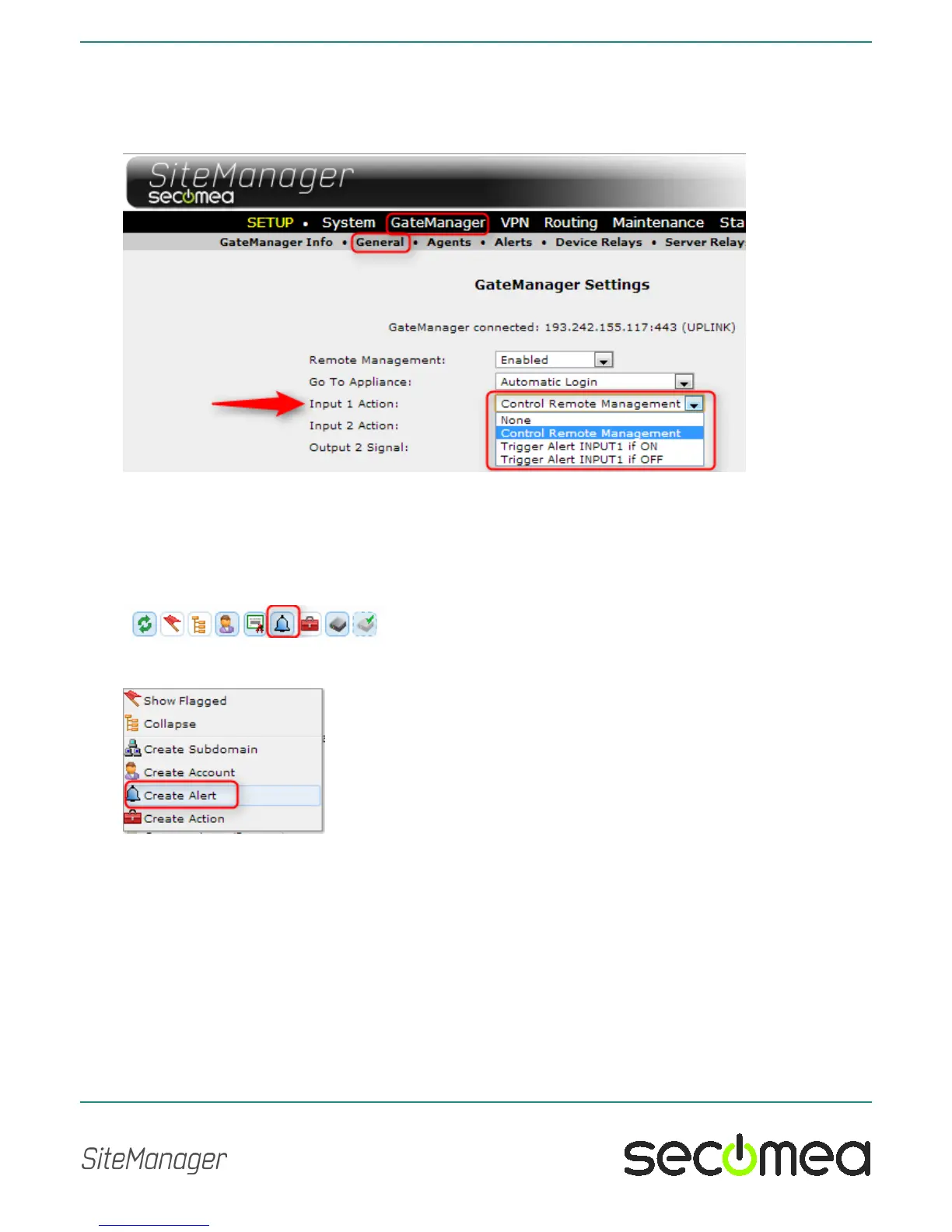
If you want to use Input 1 for another purpose, you can disable the current
action. Enter the menu GateManager > General and press the [More>>]
button. The control of the "Input 1 Action" will be shown, and you can define
it to trigger and alert instead.
2.6. Defining an Input port Email alert on the GateManager
Defining an alert on the GateManager requires a GateManager Domain ad-
ministrator account (GateManager PREMIUM).
Make sure that Alerts are made visible in the domain tree view by ensuring
that the Alert icon has a blue background:
Enter the domain in which you want to create your alert, right click the do-
main and select Create Alert:



 To Next Page