SECULINE Co., Ltd.
Using the Menu
You can set a variety of values such as Screen Size and AE Adjust in the menu mode.
Turn on the power switch to display the LCD screen.
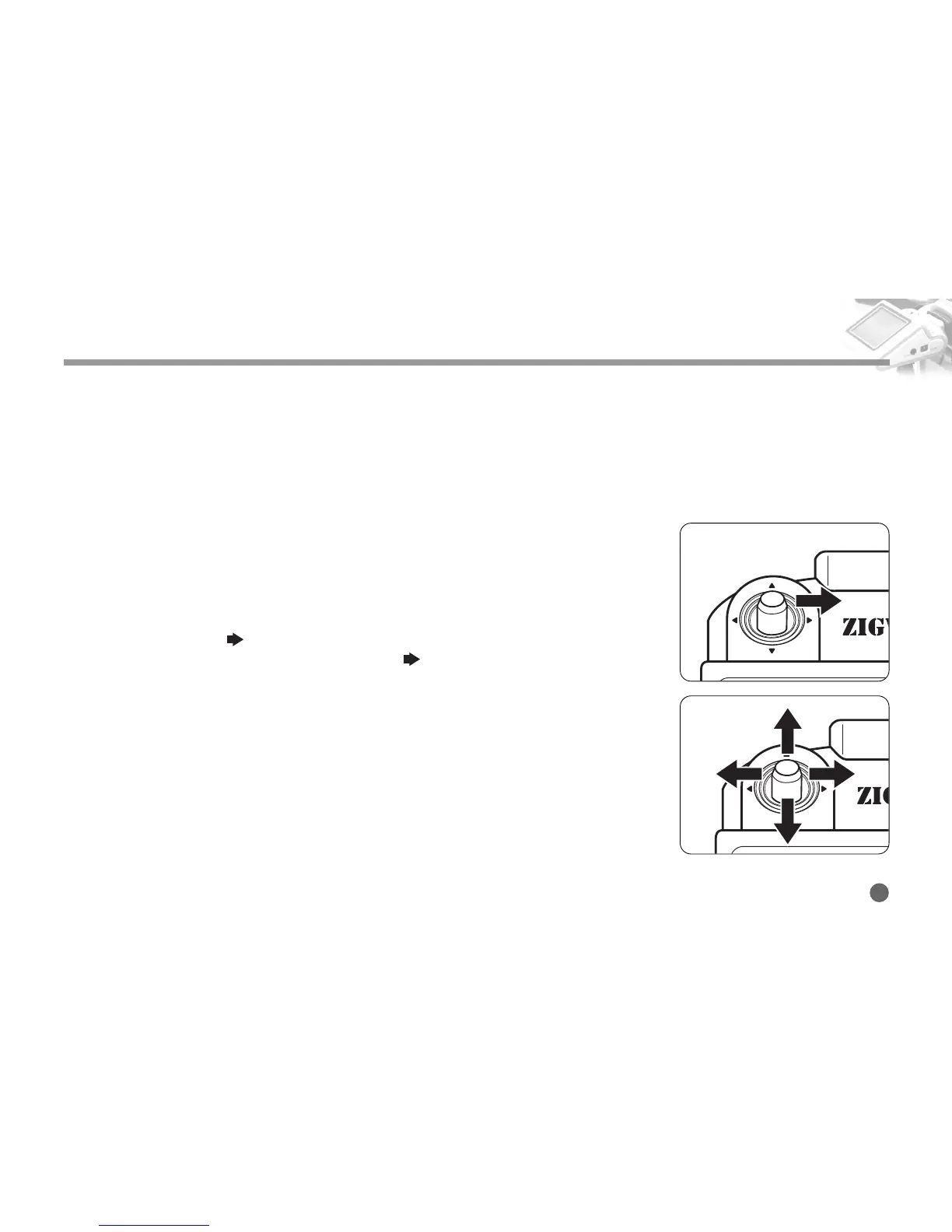
1. Push and hold the Navigation button towards right hand side, then menu Setup
screen appears and enters the menu Setup mode .
2. Push the Navigation button towards right hand side shortly, then the submemu of
the mode that has ( ) icon appears.
For any mode that does not display the icon( ), its setting can be changed
without moving to submenu.
3. In the Setup mode, pushing the Navigation button up and down will move the cur-
sor if the cursor is on a selectable option of a menu.
The value is set if the cursor appears in the set value.
4. In the menu Setup mode, pushing the Navigation button left will switch to the
previous mode.
Push the Navigation button left repeatedly until you exit the menu screen if you
want to exit the menu screen.
The desired value is set when you exit the menu.
ZIGVIEW
Digital Angle View Finder
11



 To Next Page