ZIGVIEW
Digital Angle View FinderSECULINE Co., Ltd.
8
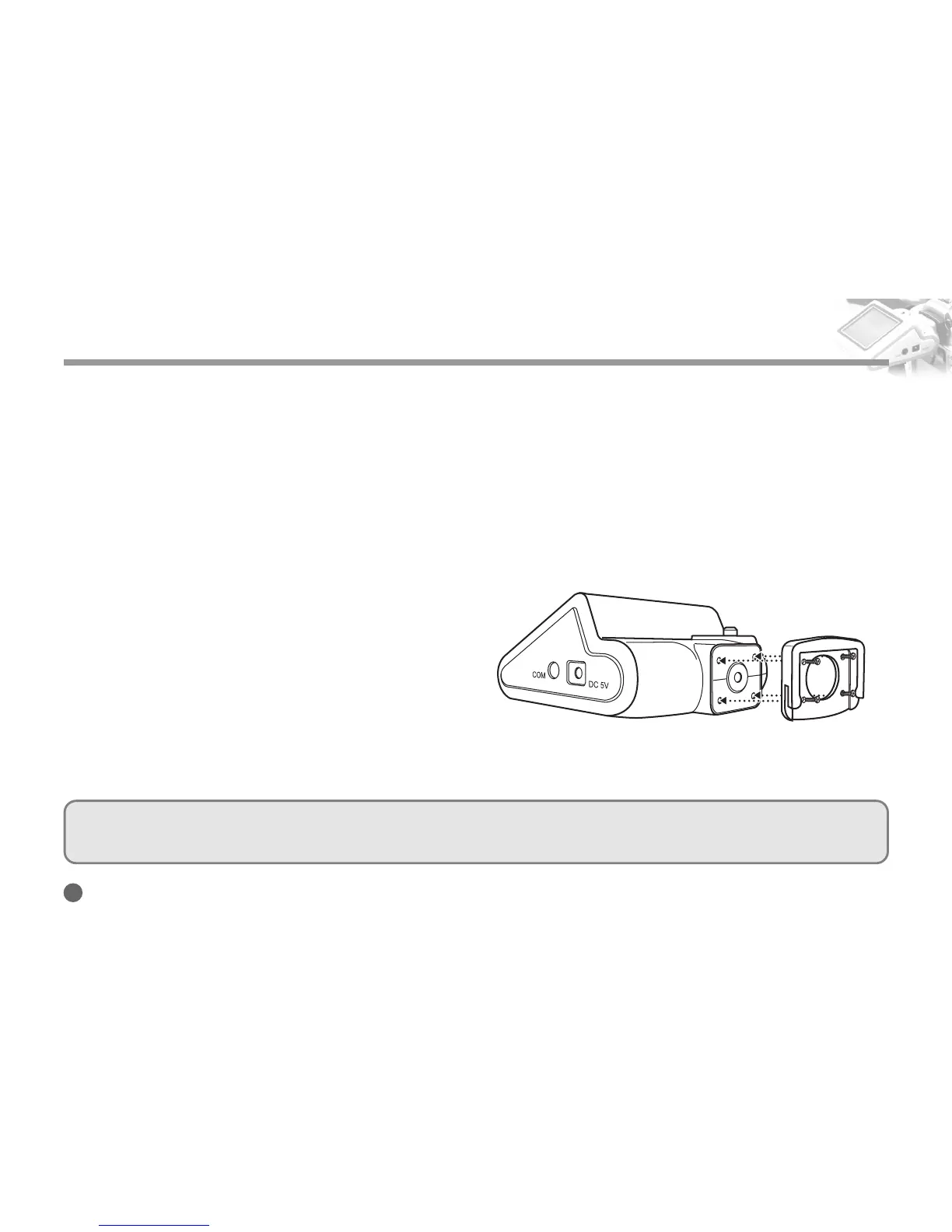
Attaching Eyepeice Adapter
Before Using This Product
Install an eyepeice adapter that fits the camera before using this product.
Attach the eyepeice adapter to the main body of ZIGVIEW by using the supplied driver and four screws.
If the screws are not tightly fixed, the main body and the camera may be loosely connected, resulting in
damage on the product. Secure the four screws tightly.
Not fully securing the screw may cause damage to the prod-
uct due to the loose connection between the main body and
the Camera.
In addition, fastening screws too tightly may damage
threads of screws.
Apply appropriate force to fasten 4 screws evenly, just
enough to secure the adapter.
■
Extra screws are provided. If you lose the extra screws, please contact your local distributor or salesrep resentative.
■
You can purchase an extra eyepiece adapter at a local camera store.



 To Next Page