www.seuservice.com
47
(3) THROTTLE LEVER VOLUME SETTING
THROTTLE LEVER VOLUME SETTING
MAX FF (3B)
MIN FF (00)
> EXIT WITHOUT SAVE
EXIT WITH SAVE
SELECT WITH SERVICE BUTTON
AND PRESS TEST BUTTON
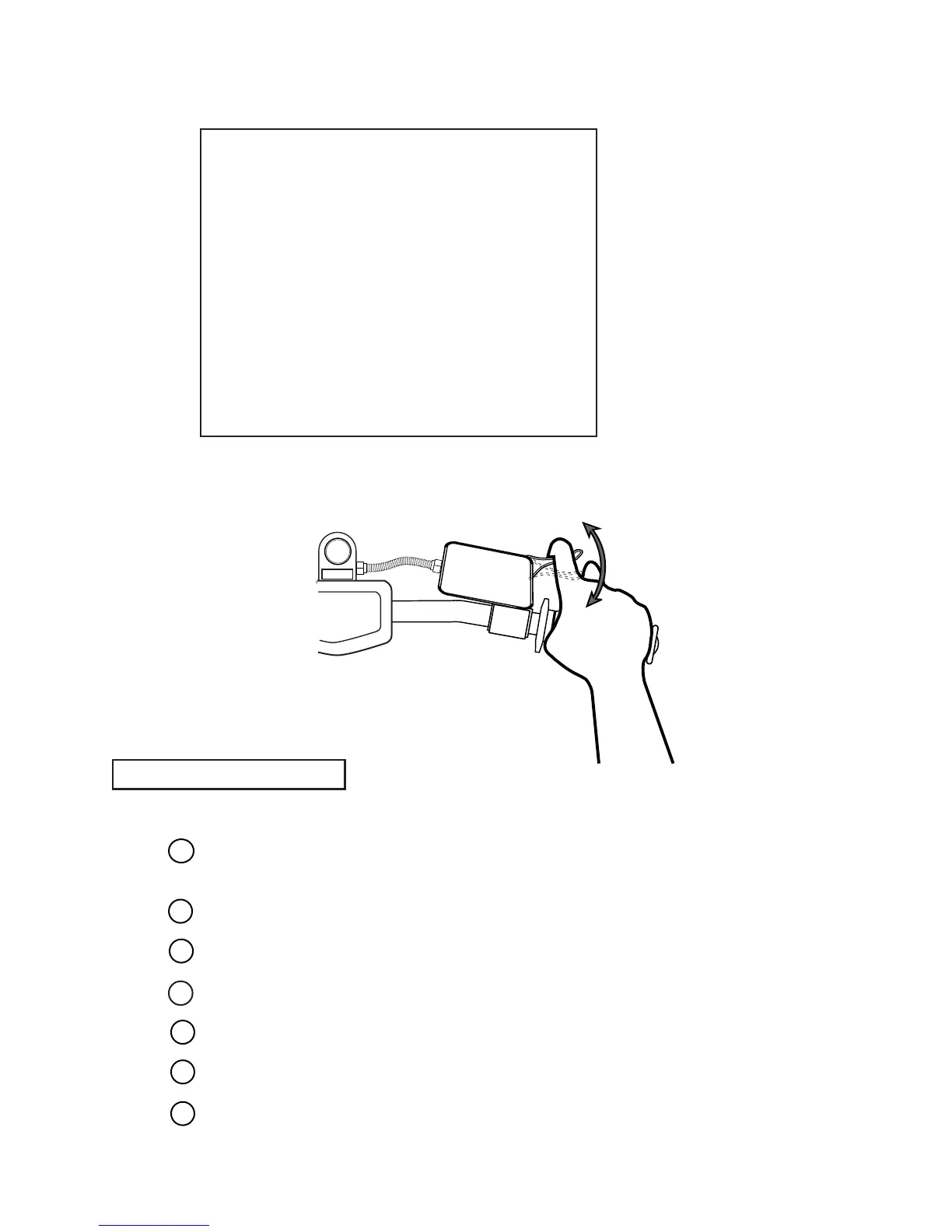
FIG. 9. 3 e d THROTTLE LEVER VOLUME SETTING Screen
In the Volume Setting Menu, press the SERVICE Button and bring the arrow to THROTTLE
LEVER.
Press the TEST Button to have the THROTTLE VOLUME SETTING screen appear.
Fully grip the Throttle Lever and then release.
By pressing the SERVICE Button, bring the arrow to EXIT WITH SAVE.
Press the TEST Button to have the Volume Setting Menu return on the screen.
When setting other Volume values also, choose the applicable setting item.
Press the SERVICE Button to move the arrow to EXIT and press the TEST Button to return to
the Game Test Menu screen.
SETTING PROCEDURE
1
2
3
4
5
6
7


 To Next Page