16
Opening / Closing learning:
Please proceed with this function before using this product; otherwise the system will drive the gates
improperly. E.g.: The gate can’t close completely or can’t open to the intended degree with some stroke
length left unused.
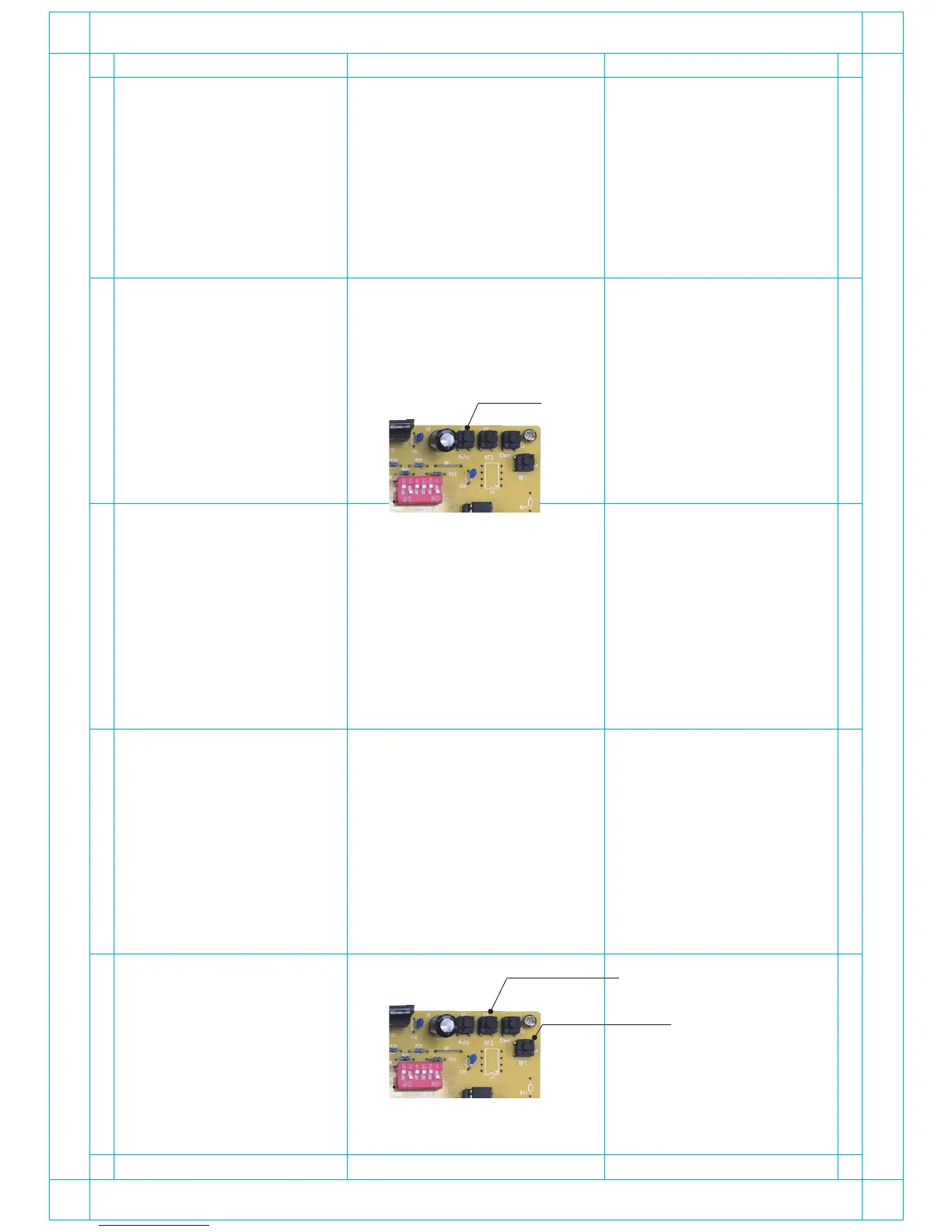
To activate this function, press “ Auto ” button on the PCBA until it starts the learning mode as
below:
- The system will close the gates first. Please remove any obstacles that could possibly block the gate.
Before the motors start, the warning light will blink first. Then Motor 2 will close first, and then Motor 1
will close 1 second later.
- Both M1 and M2 will take turn opening, and closing, and they will move together again, until they reach
the fully stop position.
- The warning light will stop blinking once the auto-learning finishes.
- After the learning process succeeds, the system is ready for use.
NOTE:
The Opening/Closing Learning might not be done successfully due to the over-weight of the gates. Then,
the Current Limit needs to be adjusted. Please refer to P10 of this manual. If any assistance is needed,
please contact the technicians of our agent.
Remote Learning (activation of remote control for gate operation)
To activate the remote control, please proceed with the following steps:
A. RF dual-gate learning (dual-gate operation):
- Press “RF2” key on the PCB for over 2 seconds while the PCB is on.
- You’ll see the LED light on (learning mode entered). Please press any key on the remote controls.
LED will now blink for 3 times (learning succeeds) or light is off after 10 seconds without blinking.
(learning fails, please try again the whole process).
- Please repeat Step 1 and 2 to activate another remote control; otherwise the unlearnt remote control
won’t be recognized by the system.
B. RF single-gate learning (single-gate operation):
- Proceed with “RF1” key on the PCB and another key on the remote control as Step 1~3 above.
AUTO
RF 2: Dual-gate
RF 1: Single-gate


 To Next Page