17
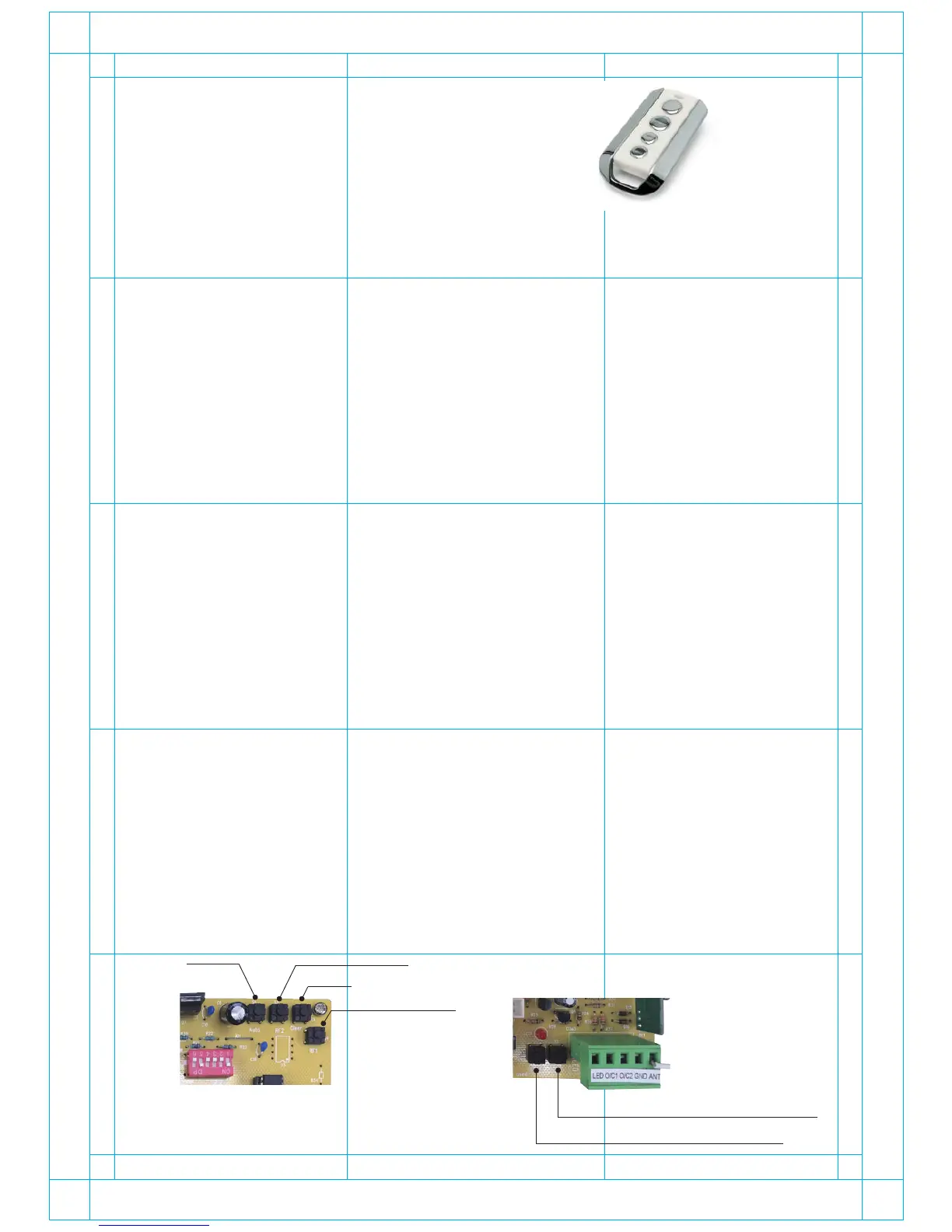
Remote Control:
Each remote control has 4 keys. Choose two of them
to proceed with RF learning for gate control and
garden lamp control separately.
Operation (open, close and stop) by remote control:
The remote operation is very simple: one key press on the key will open the gate, the next press to stop,
next to close the gate, the next to stop...and so on.
When the gate is opening:
- The warning light will blink first, then Motor 1 opens, and later Motor 2 opens.
- If the gate hits something, motor will reverse a little with the warning light blinking until the next com
mand received.
When the gate is closing:
- The warning light will blink first, then Motor 2 closes, and later Motor 1 closes.
- If the gate hits something, motors will reverse for 3 seconds with the warning light blinking until the next
command received.
Auto close function:
30 seconds or 60 seconds later (only when this function is enabled, depending on your setting of key 1
of dip switch), the warning light will blink first, then Motor 2 closes, 4 seconds later Motor 1 closes. When
the process finishes, the warning light will be switched off.
Manual gates control on the PCBA:
- The operation is the same as using remote, one key press will open the gate, next to close the gate,
next to stop...and so on.
- Optional remote controls or external wall button is available.
(Connected to O/C & GND terminals)
Clear RF memory:
Press “ Clear ” key on the PCBA for over 2 seconds while the PCB is on.
You’ll see the LED blinking 5 times then the RF memory will be cleared.
Reset:
Press “ Clear ” key on the PCB and input AC power; keep pressing “ Clear ” key for over 2 seconds. You’ll
see the LED blink for 2 seconds and light on for 3 seconds then light off. Once the mentioned actions are
carried out, all RF data willl be cleared.
Dual-gate operation manual button
Single-gate operation manual button
RF 2: Dual-gate
AUTO
RF 1: Single-gate
Clear


 To Next Page