25
GB
Setting of the end positions
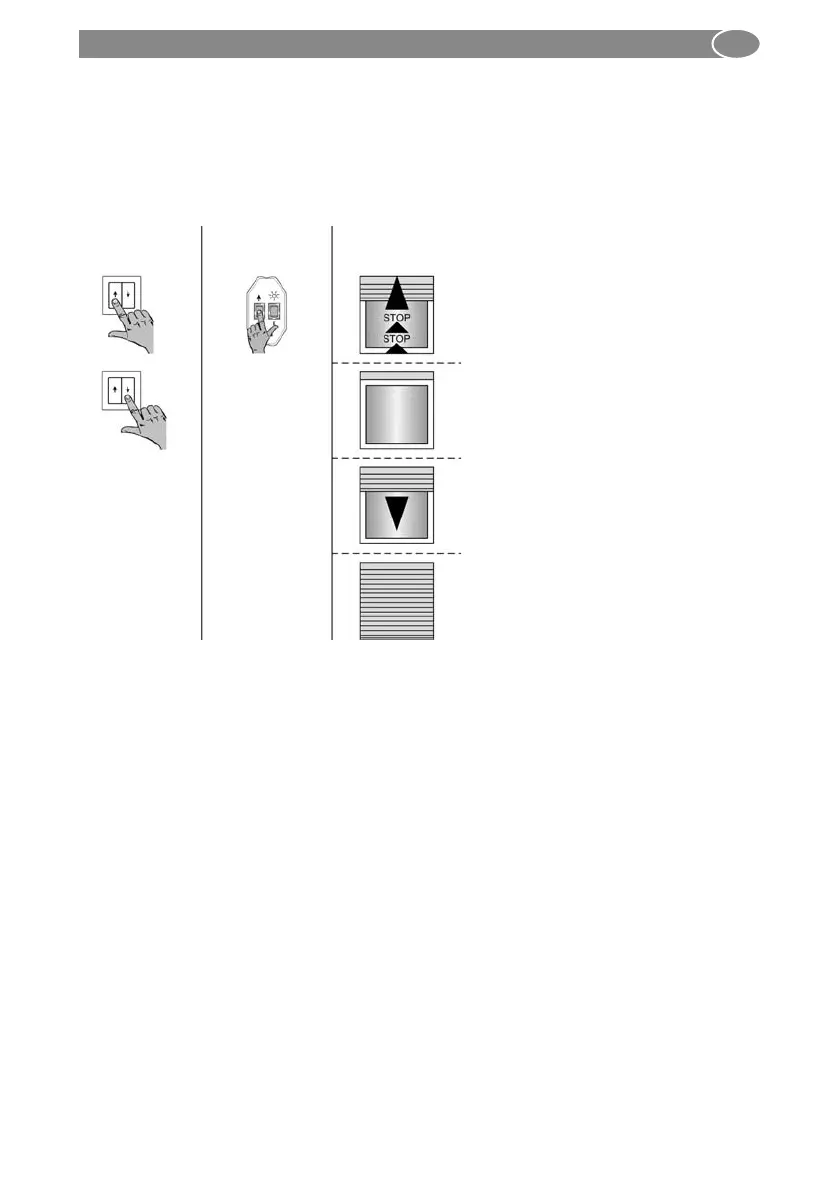
4.4.1. Automatic setup-mode
¨ in operation: bottom position, top stop/release
When the movement is interrupted twice during operation, the system is in automatic
setup-mode. Drive types SEL Plus and SES will automatically find their stop positions.
For this, a drive must first move against the upper stop and then downwards until it
switches off automatically.
or
1. Move the drive upwards with the UP
or DOWN button. The correct rotation
direction assignment will be per-
formed at the end of the end position
setting.
2. The drive moves against the upper
stop and stops automatically.
3. Continue to keep the button pressed
or press one of the motion buttons
again. Now the drive automatically
moves down wards.
4. The drive will reach the lower limit and
stop automatically.
5. The end positions are now set and
the rotation direction assignment is
correct. Perform a test run.
Setting with
switch
Drive
movement
Setting with
setting switch



 To Next Page