SMP100 User Guide
8
Before you configure input, go to Equipment Configuration > System, and set the Output
TS Standard. By default, it is DVB.
Embedded TSIP Input
By default, the input and output TSIP channels are closed.
Steps to configure an IP input:
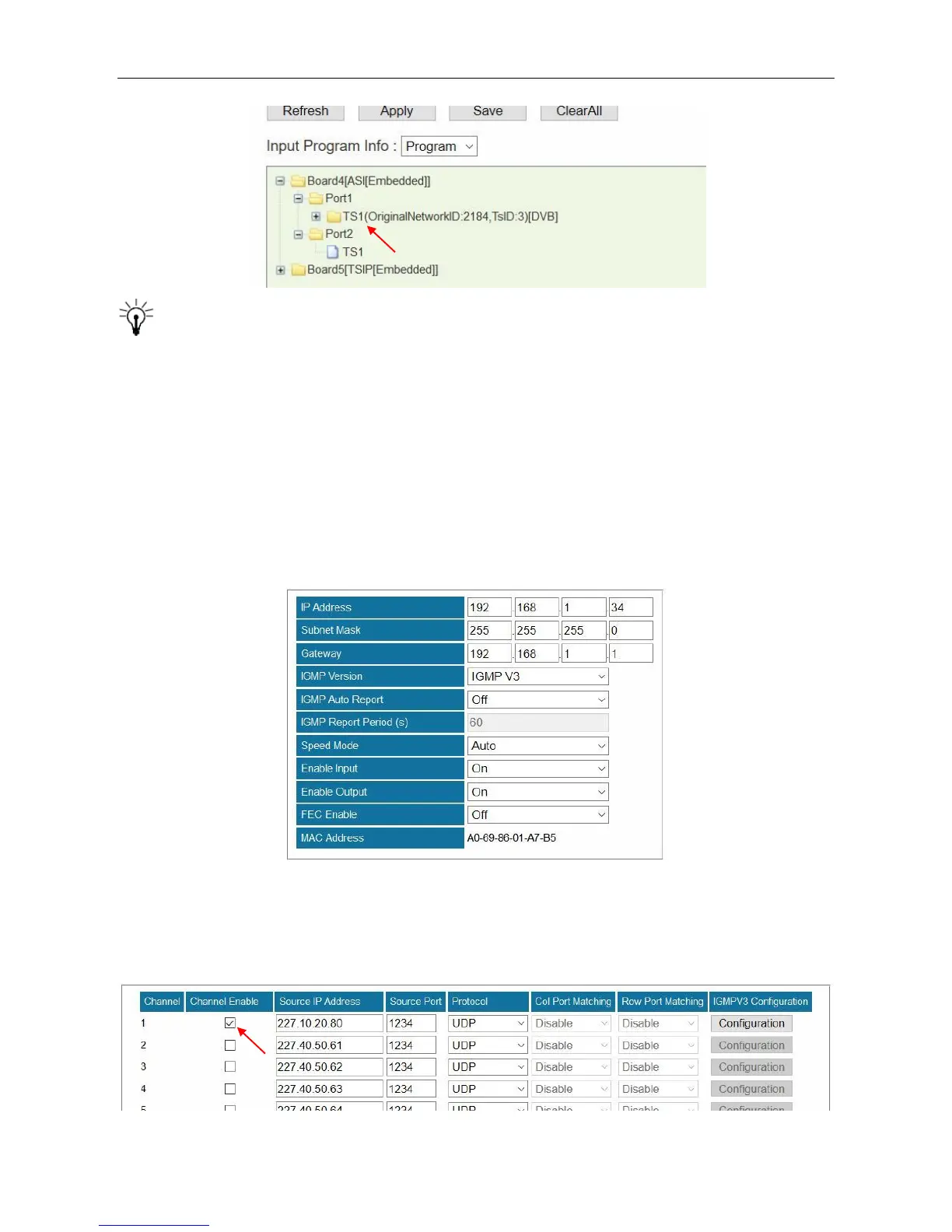
1. Go to Module Configuration > TSIP [Embedded] > Setup. Set the network parameters of the
built-in TSIP module. Click Apply in this page before next step.
2. Go to Module Configuration > TSIP [Embedded] > Channel (1-16). Check the boxes under
Channel Enable to open IP input channels. Enter the Source IP Address, Source Port and
Protocol (UDP/RTP). Click Apply in this page before next step.



 To Next Page