SMP100 User Guide
57
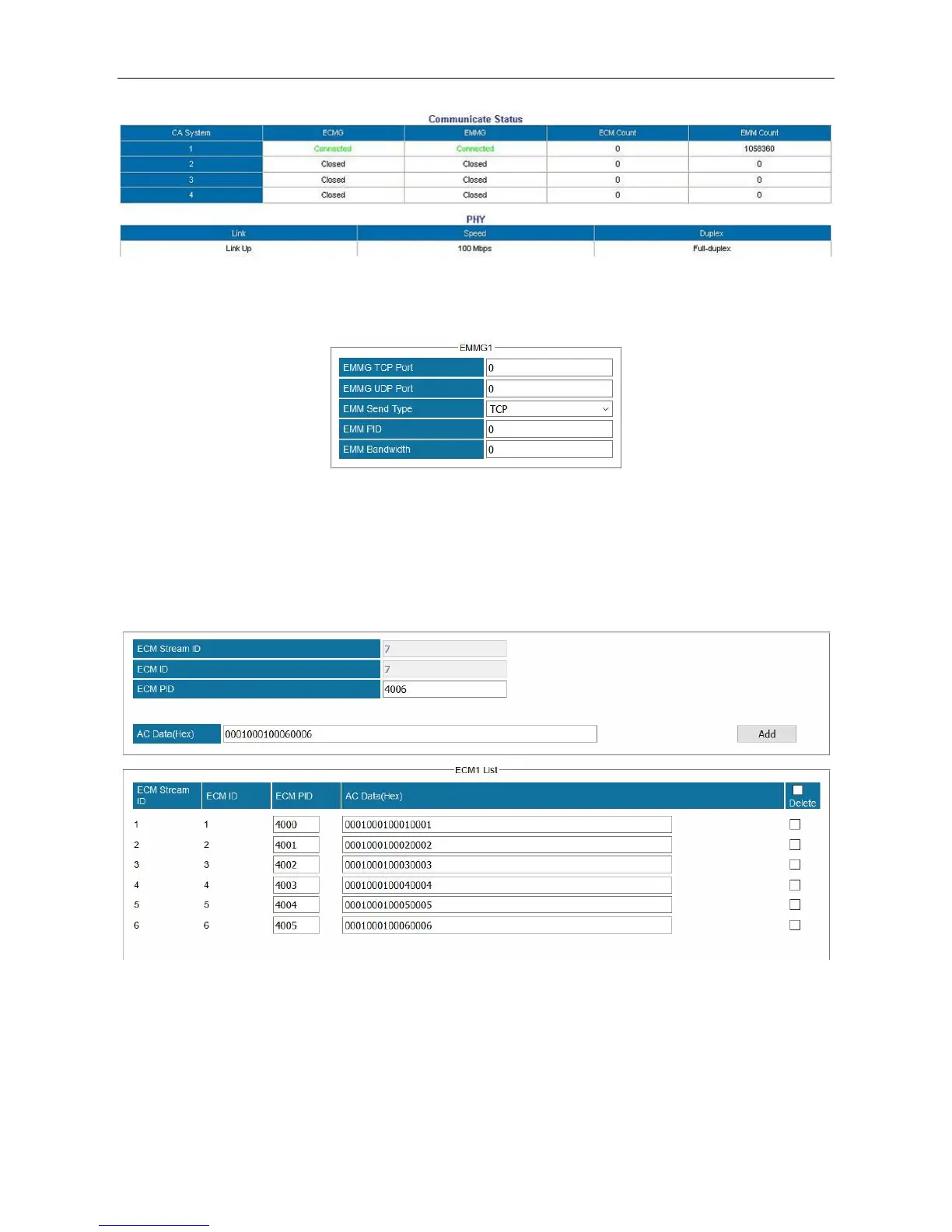
Configuring EMMG connection.
Enter EMMG TCP Port, EMMG UDP Port (keep it 0 if EMM Send Type is TCP), EMM Send Type,
EMM PID, and EMM Bandwidth. Click Apply. Check EMMG Communication Status in
Status >Scrambler+. When the connection is stable, the status should be a green Connected.
Configuring ECM
Add the AC Data that is created in CAS server into ECM List.



 To Next Page