SMP100 User Guide
58
Scrambling Programs
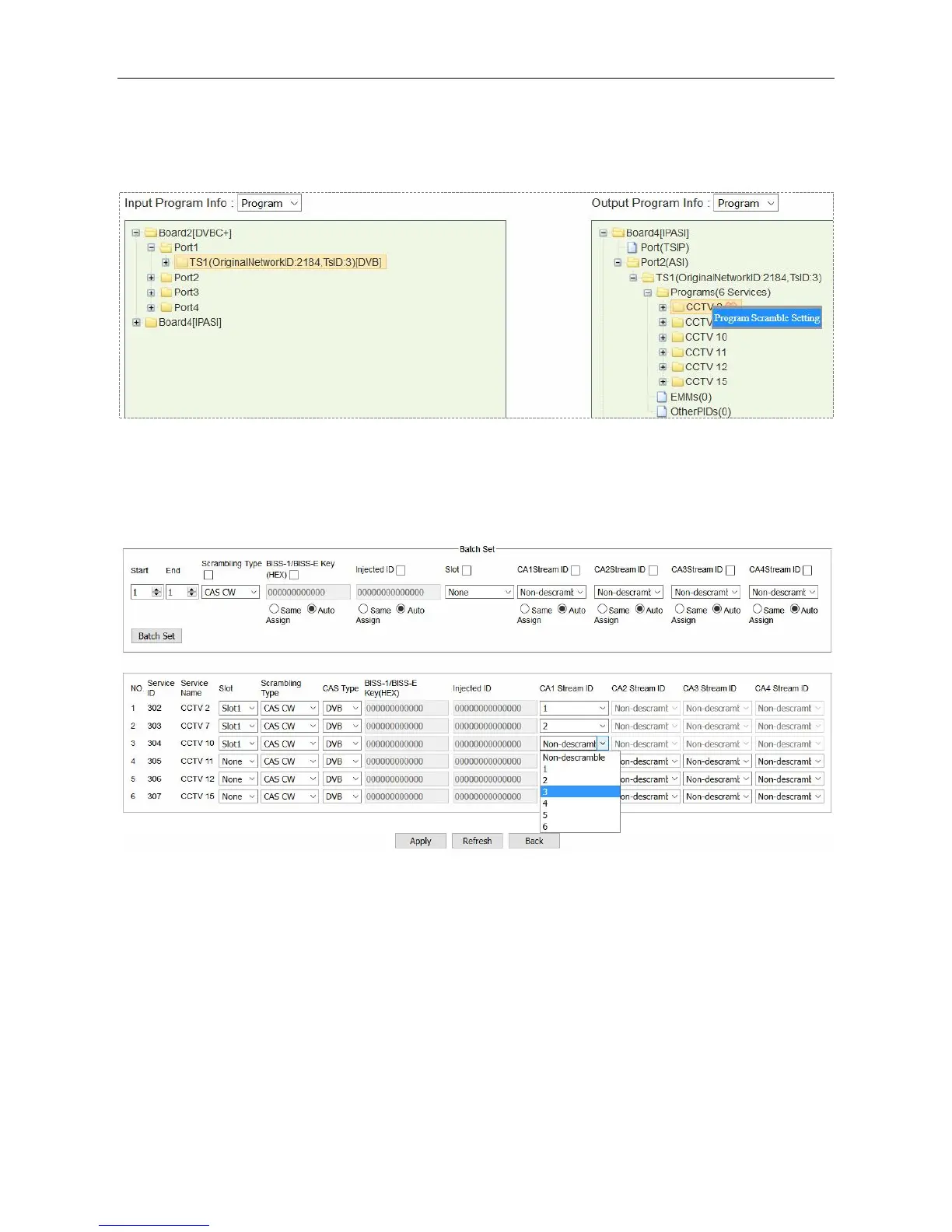
Once the ECMG, EMMG connection is done and ECM is added, go to Service Configuration and
right-click a program in output port to Program Scramble Setting.
Select Slot (the slot in which Scrambler+ is installed), CA Stream ID for each program and click
Apply to scramble them. Go to Status > Scrambler+ and check ECM Count. The count number
should be the same with the number of scrambled programs.
To cancel the scrambling process for a scrambled program, go to Program Scramble Setting
again, change Slot to None and apply Non-scramble for this program.
BISS-1/BISS-E Scrambling
BISS scrambling does not require a CAS server. Right-click an output program to Program
Scrambling Setting. Select BISS-1/BISS-E in Scrambling Type and enter BISS keys to scramble
the programs.



 To Next Page