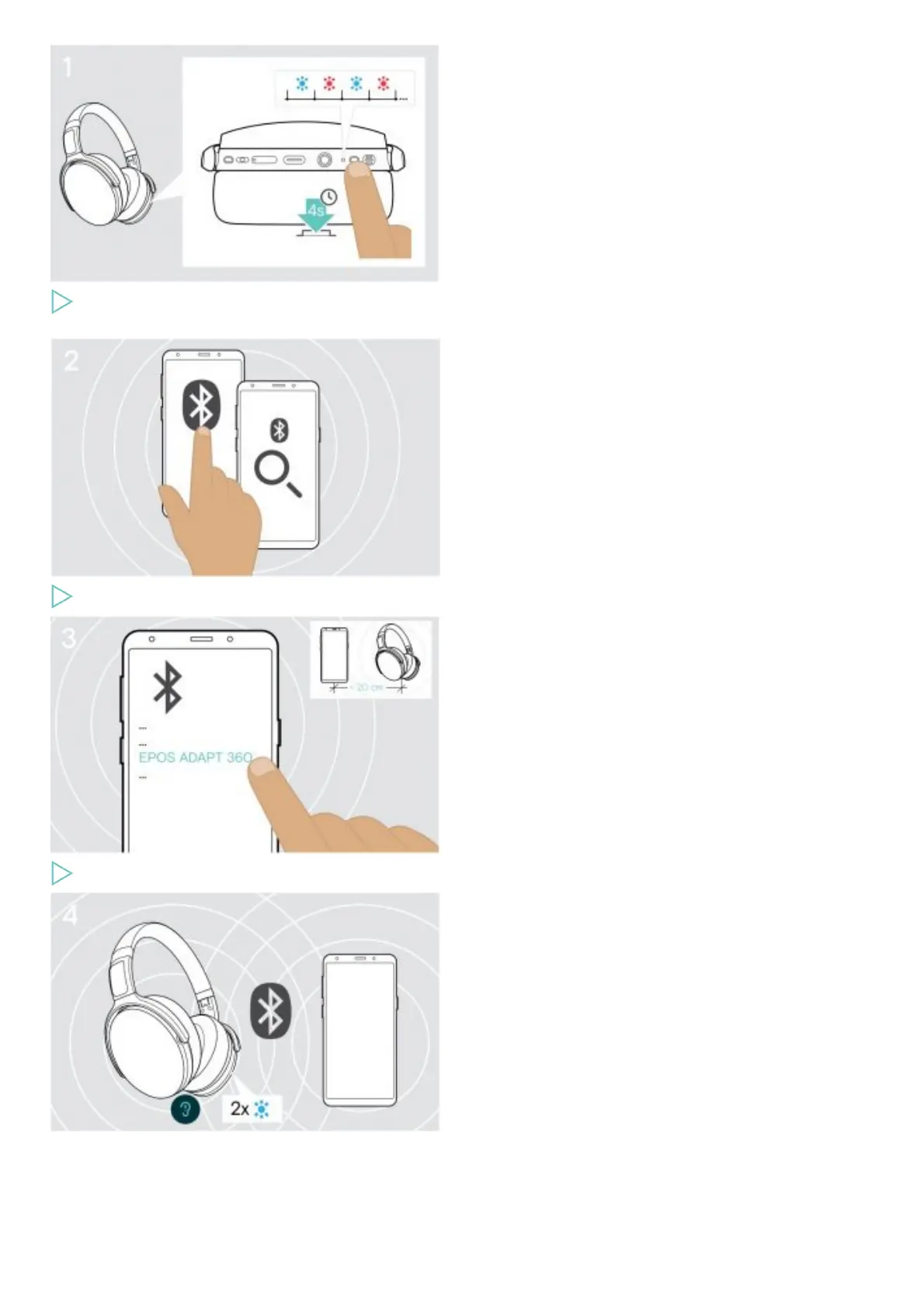
Press and hold the Power button until the LED flashes blue and red.
The headset is in pairing mode.
Enable Bluetooth on your mobile device and start the search for Bluetooth devices – see instruction manual of your mobile device.
Select “EPOS ADAPT 360” to establish a Bluetooth connection to the headset.
The LED flashes 2 times blue as soon as the headset finds a device to connect to. The LED turns off.
Installing the EPOS Connect software











 To Next Page