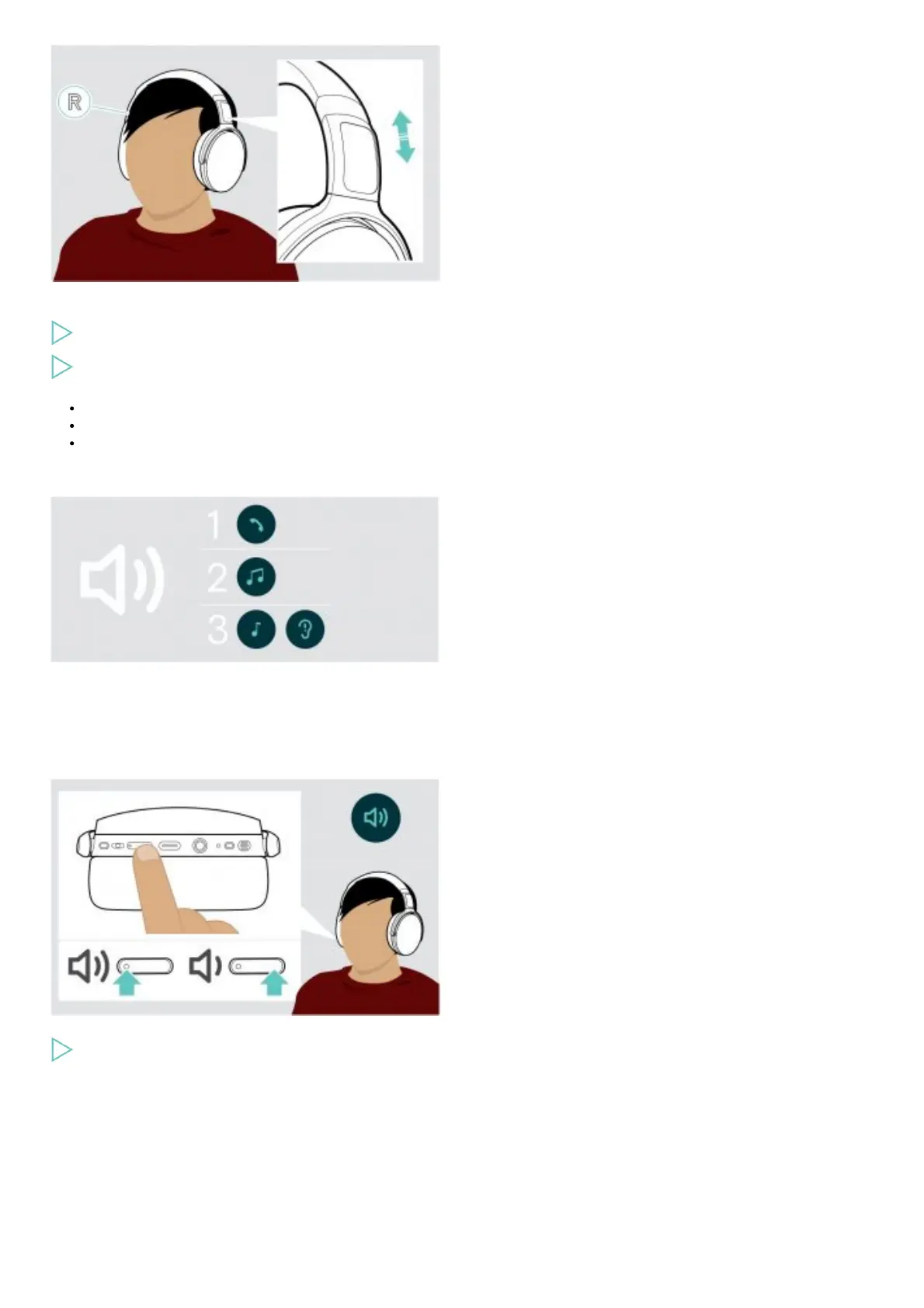
For good sound quality and best possible wearing comfort, adjust the headset.
Put the headset on so that the headband runs over the top of your head and the side with the R marking rests on your right ear.
Adjust the headset so that
your ears are comfortably covered by the ear pads,
you feel even, gentle pressure around your ears,
a snug fit of the headband on the head is ensured.
Adjusting the volume
You can adjust three independent volume settings for the headset:
1. Call volume: during an active call
2. Audio volume: during audio streaming
3. Volume for ring tone, tones and voice prompts: in idle mode – no active call or audio streaming
Press the Volume button to increase or decrease the volume.
You hear a beep or double beep for maximum or minimum volume.
Alternatively you can adjust the volume on your connected device.
Adjusting the headset’s microphone volume for softphones











 To Next Page