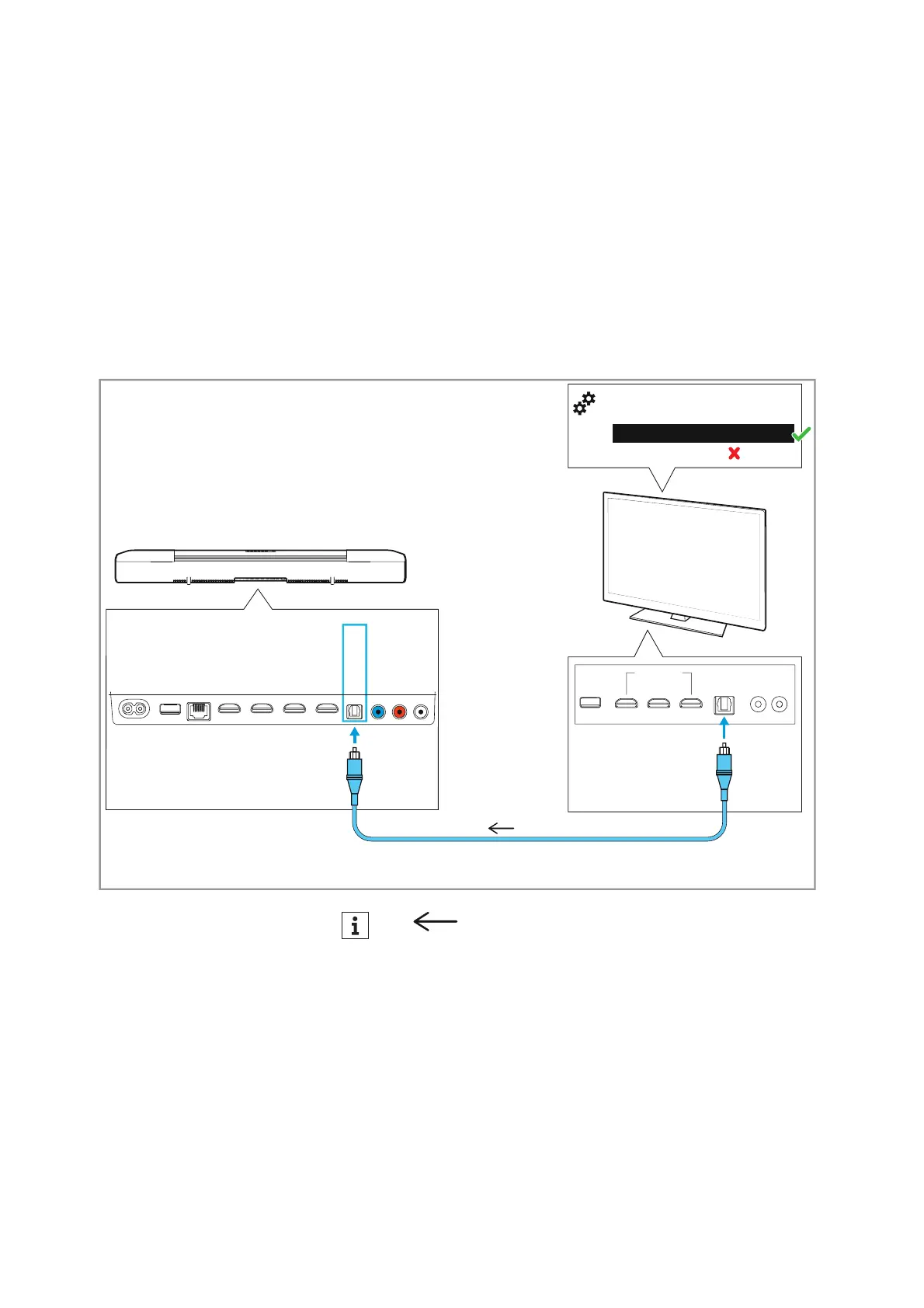
Connecting devices to the AMBEO Soundbar
AMBEO Soundbar | 21
Connection without HDMI eARC socket
• Required cable: optical cable (recommended length: max. 5 m)
To connect the Soundbar to a TV without an HDM
I IN socket labeled
“ARC/eARC”:
▷ Connect one connector of an optical cable (to be ordered sepa-
rately) to the OPT IN socket on the Soundbar.
▷ Connect the other connector of the cable to the OPTICAL OUT
socket of your TV.
▷ Please note the settings of your devices > 19.
AUX IN
SW PRE
OUT
OPT IN
HDMI 3 IN
HDMI 2 IN
HDMI 1 IN
HDMI TV
(eARC) OUT
ETHERNET
USB
POWER
HDMI IN OPTICAL
OUT
Auto/Bypass/Pass-Through
Downmix/Stereo
TV/Player sound menu
*
:
HDMI Audio OUT/Optical OUT
*
*
Audio signal











 To Next Page