52
12 Setting a receiving frequency, allocating a frequency memory and
assigning a channel number
The EM 3532 receiver has a switchable frequency memory to store a maximum of 32 receiving
frequencies with their respective channel numbers. The storing procedure is similar for each entry or
modification:
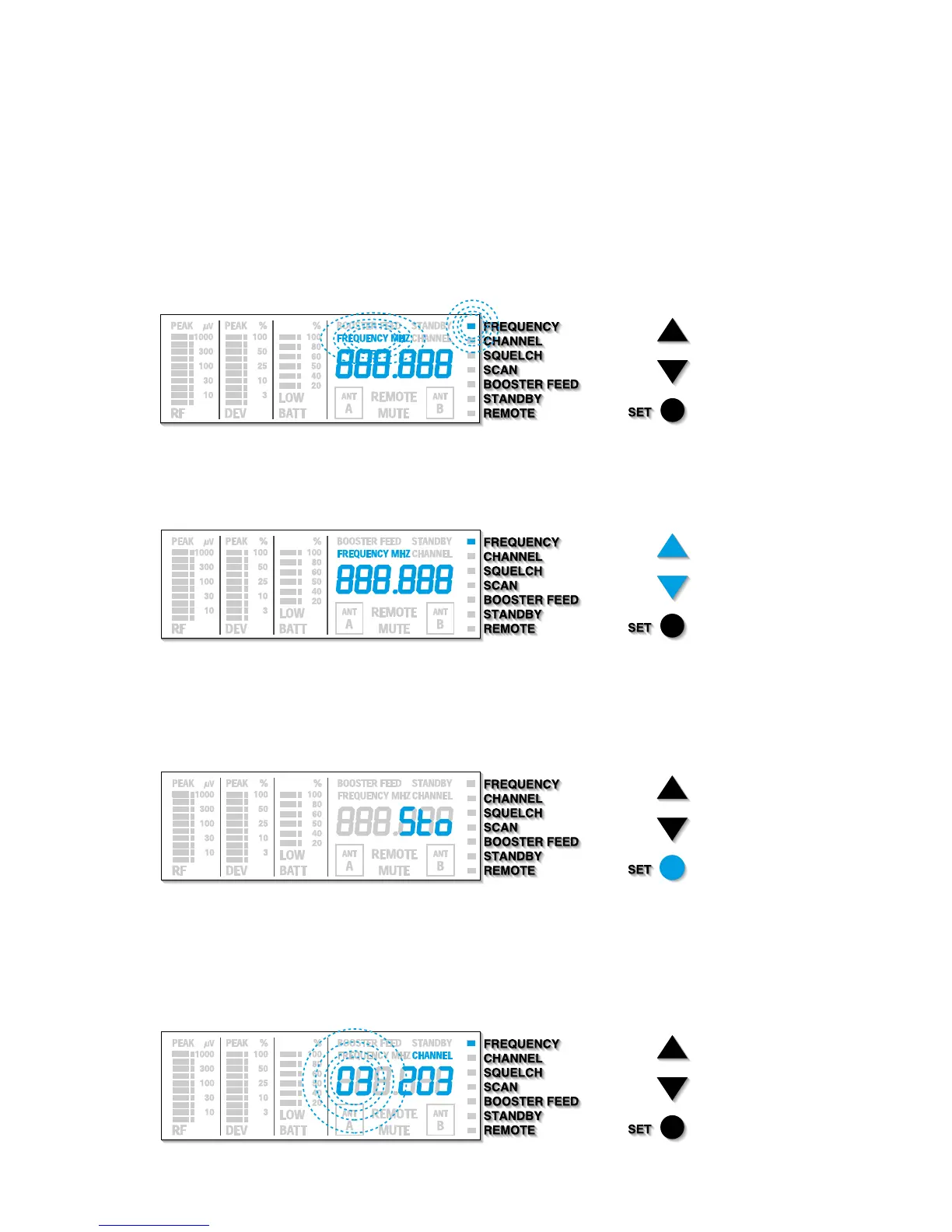
씰 Press the / buttons to select the “FREQUENCY” menu. Then press the SET button. The
“FREQUENCY MHZ” display on the display panel begins to flash:
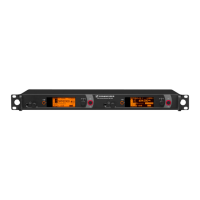
씰 With the / buttons you can now select a different frequency.
The display jumps to the next frequency in 5-kHz steps:
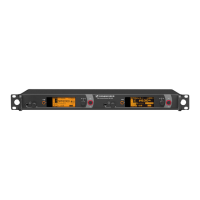
씰 When you get to the desired frequency, press the SET button until “Sto” briefly appears on
the display.
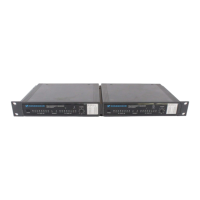
씰 You now have to check whether the frequency memory (nos. 1 to 32) is allocated correctly.
The display indicates the receiving channel with the allocated frequency memory, and the
“
CHANNEL” display lights up. The display for the frequency memory begins to flash.







 To Next Page