55
14 Setting the receiving frequency via the channel number
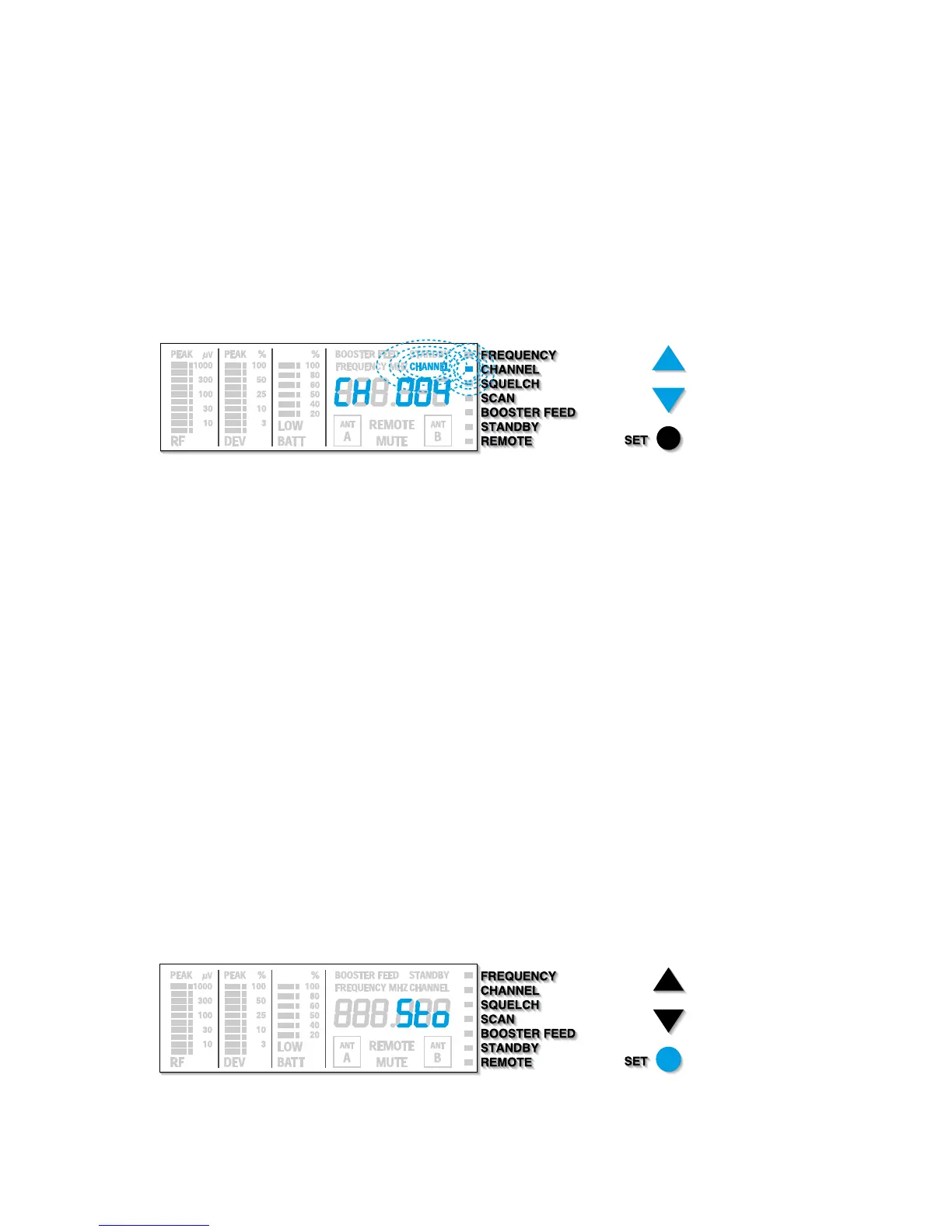
In the “CHANNEL” menu, you can directly change from one stored receiving frequency to the next.
씰 Press the / buttons to select the “CHANNEL” menu. Then press the SET button. The
“CHANNEL” display on the display panel begins to flash:
The display indicates the receiving frequency in alternation with the channel number.
씰 With the / buttons you can now select a different channel. The display jumps either
forwards or backwards to the next channel. The next channel is not necessarily identical
with the next channel number assigned!
The display indicates the new channel in alternation with the receiving frequency assigned.
Note
If you have reached the first or the last frequency memory, the display briefly indicates
“EndtAb”. Continue with your selection in the opposite direction.
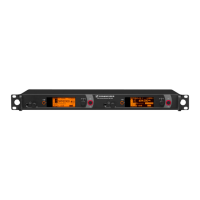
씰 Have you selected the desired channel? Press the SET button until “Sto” briefly appears on
the display. The display then switches back to the standard display.
Only now does the receiver change to the new frequency / channel.







 To Next Page