Installing the EM 300-500 G4
27
Creating a data network
You can monitor and control one or more EM 300-500 G4s via a network
connection using Sennheiser Wireless Systems Manager (WSM) soft-
ware.
Automatic frequency setup can also be performed over the network
without the WSM software. See “Easy Setup menu item”.
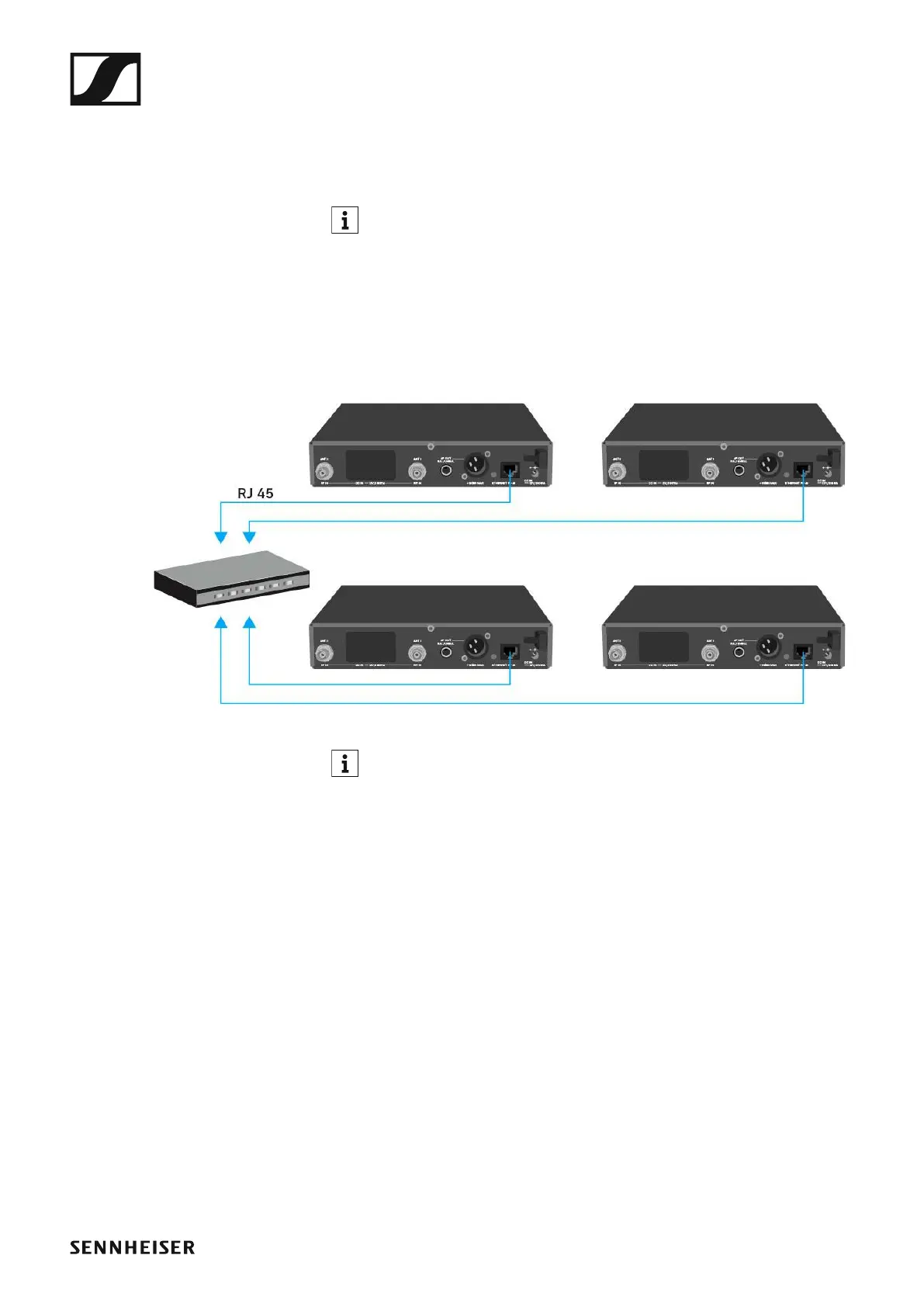
To connect the EM 300-500 G4 to a network:
▷ Connect a network cable with an RJ-45 connector (to the Ethernet
socket on the rear side of the EM 300-500 G4.
▷ Connect the other end of the network cable to a network switch.
►
For more information about controlling devices via the Sennheiser
Wireless Systems Manager (WSM) software, refer to the instruc-
tion manual for the software. You can download the software here:
www.sennheiser.com/wsm













 To Next Page