Using the EM 300-500 G4
72
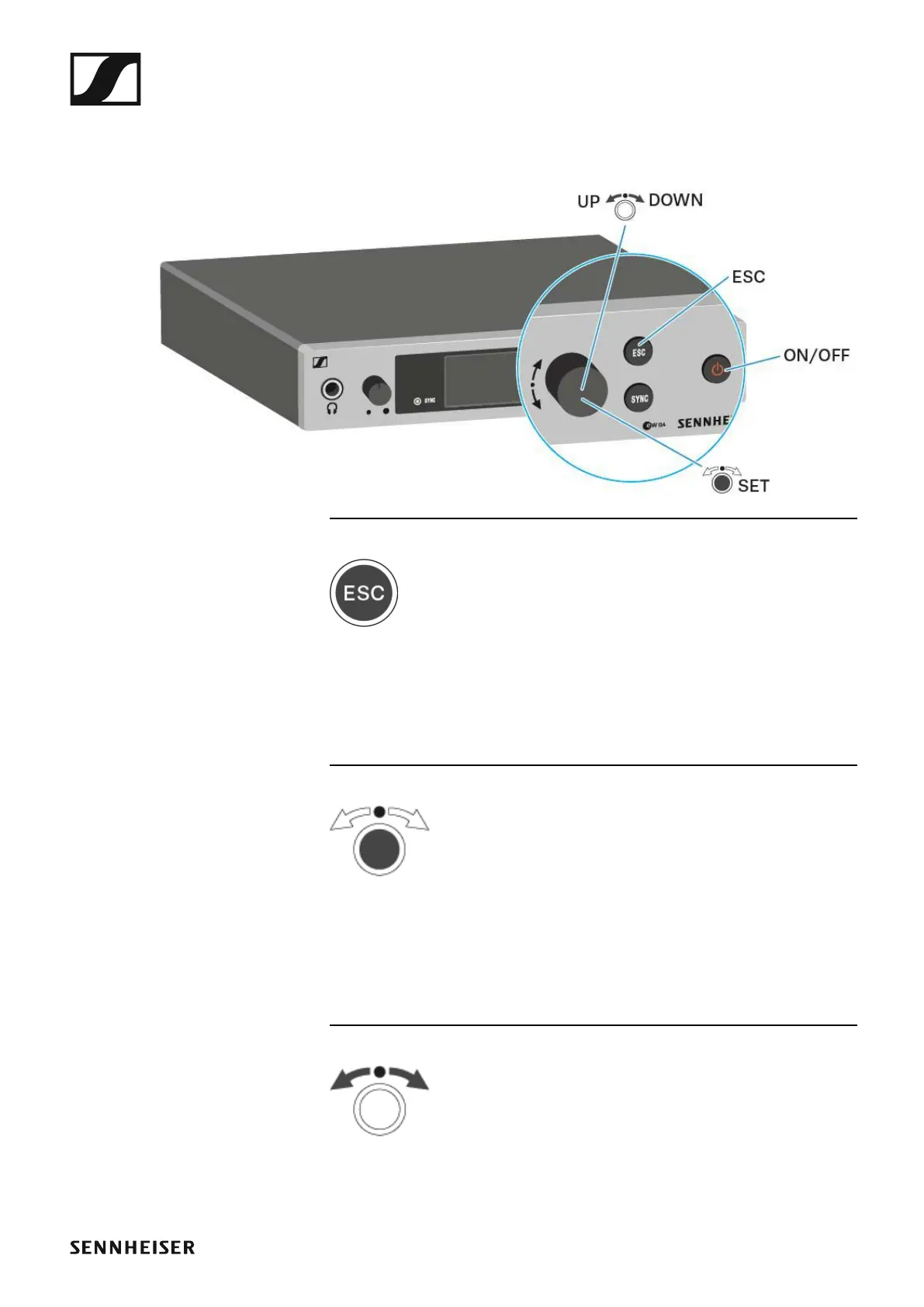
Buttons for navigating through the menu
To navigate through the EM 300-500 G4 operating menu, you need the fol-
lowing buttons.
►
►
Short-press the ESC button
• Cancels the entry and returns to the previous display
Long-press the ESC button
• Cancels the entry and returns to the home screen
►
Press the jog dial
• Changes from the current standard display to the operating menu
• Calls up a menu item
• Changes to a submenu
• Stores the settings and returns to the operating menu
►
Turn the jog dial
• Selects a standard display (see “Home screen”)
• Changes to the previous or next menu item
• Changes the setting of a menu item













 To Next Page