Using the EM 300-500 G4
88
Equalizer menu item
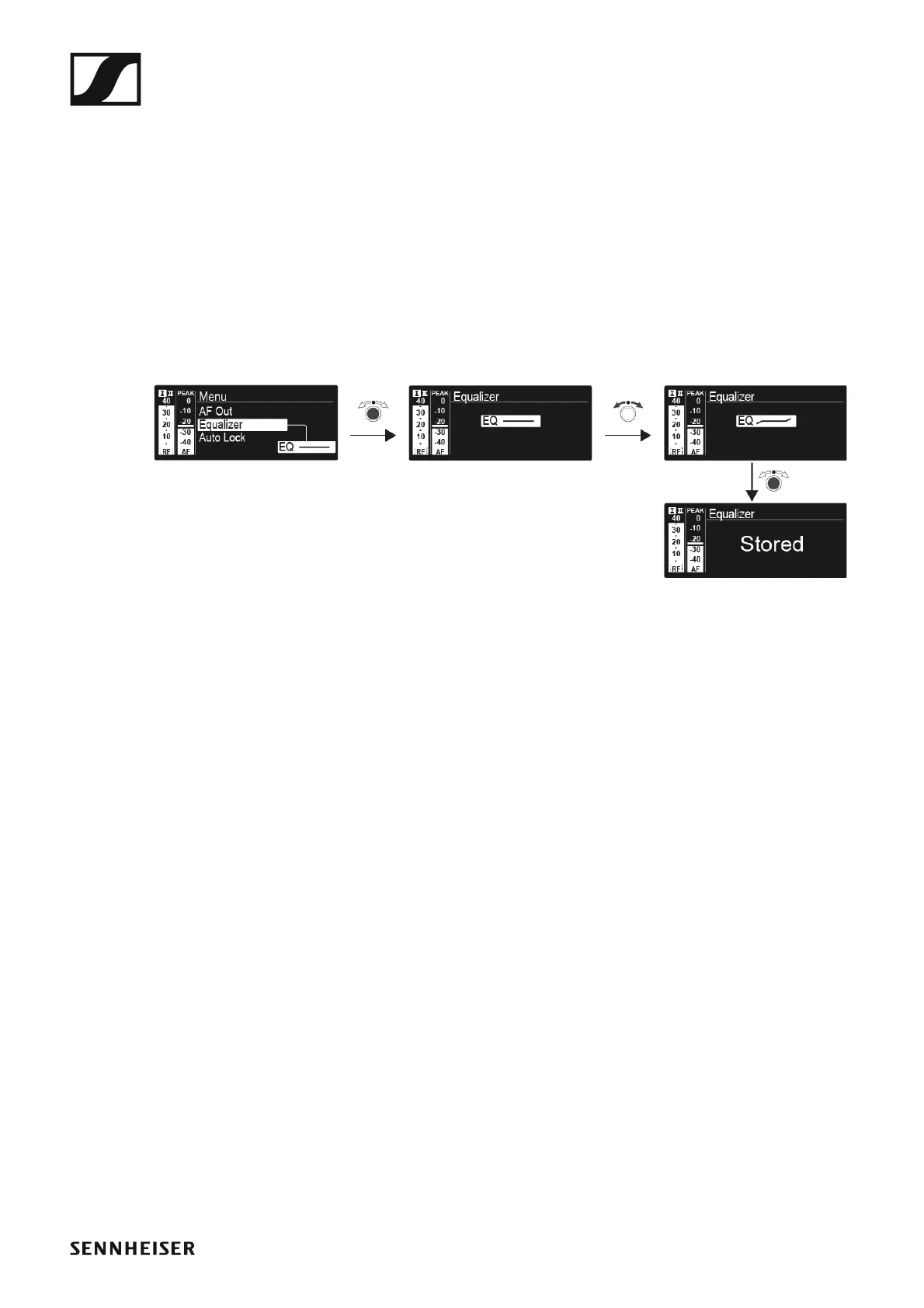
In the Equalizer menu item, you can change the frequency response of the
output signal. You can reduce the bass range and boost the treble range.
To open the AF Out menu item:
▷ On the home screen, press the jog dial to open the operating menu.
▷ Turn the jog dial until the AF Out menu item appears in the selection
frame.
▷ Press the jog dial to open the menu.
▷ Adjust the settings as desired.
►
▷ Press the jog dial to save your selection.
or
▷ Press the ESC button to cancel the entry without saving the setting.













 To Next Page