Using the SKM 300 G4
105
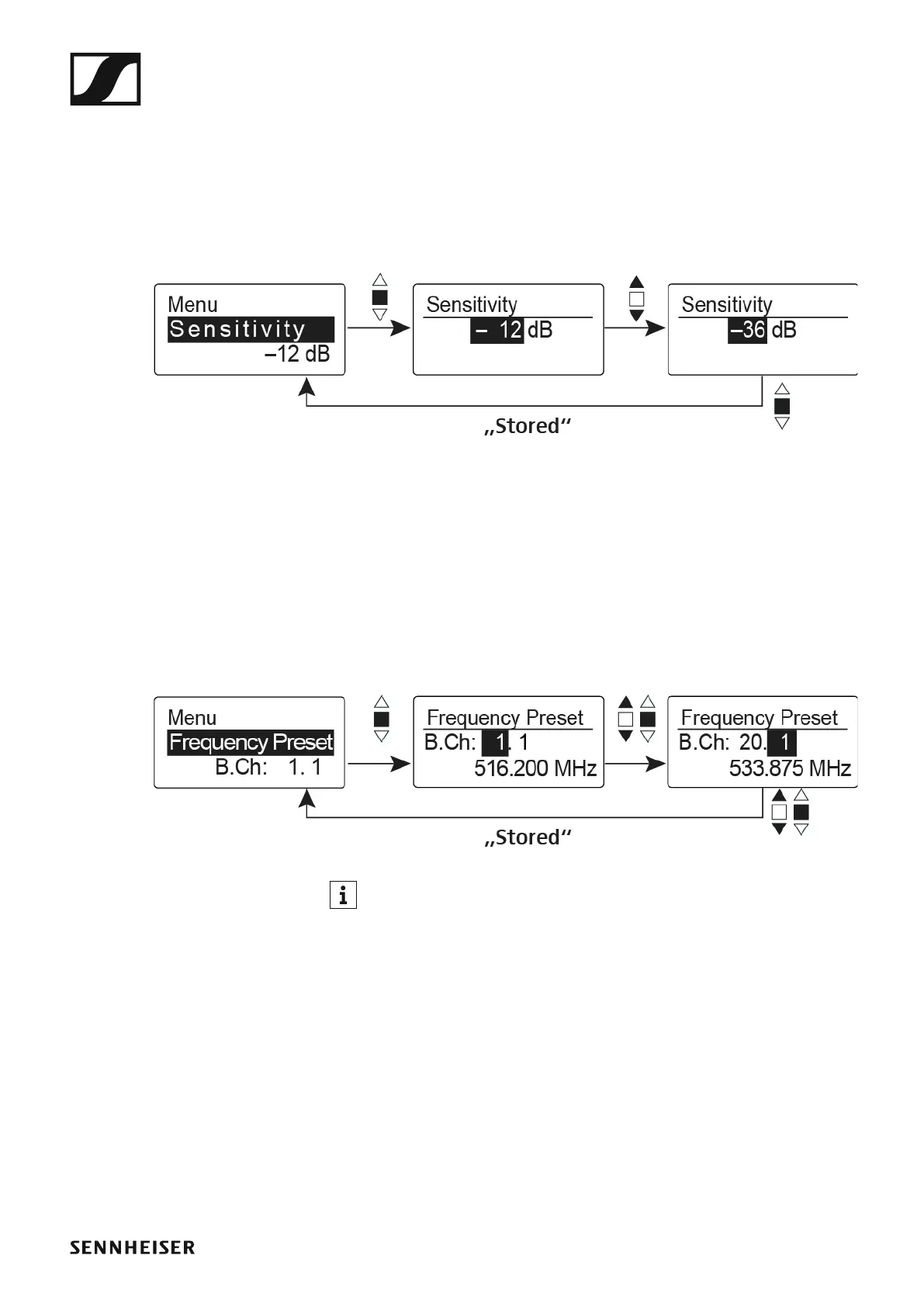
Sensitivity menu item
• Adjusting the input sensitivity – AF audio level
Setting range: 0 dB to -48 dB in 6 dB steps
The AF audio level is also displayed when the wireless microphone is mut-
ed, e.g. to check the sensitivity before a live broadcast.
►
Recommended presets:
• Loud music/vocals: -48 to -18 dB
• Moderation: -18 to -12 dB
• Interviews: -12 to 0 dB
Frequency Preset menu item
• Manually selecting a frequency bank and channel
►
While you work in the Frequency Preset menu, the RF signal is deac-
tivated.
Please note when creating multi-channel systems:
Only the factory-preset frequencies within one frequency bank are inter-
modulation-free. The wireless microphone and receiver must be set to the
same frequency. Be sure to note the information on frequency selection
under “Establishing a radio link”.













 To Next Page