Using the EM 300-500 G4
92
Advanced -> Sync Settings menu item
In the Sync Settings menu item of the Advanced submenu, you can con-
figure the parameters to be sent to the transmitters and activate or deac-
tivate transmission. The parameters are defined separately for the SK,
SKM and SKP.
You can activate/deactivate the following parameters:
•Sensitivity
•Auto Lock
•Mute Mode
•RF Power
• Phantom Power 48 V (only SKP)
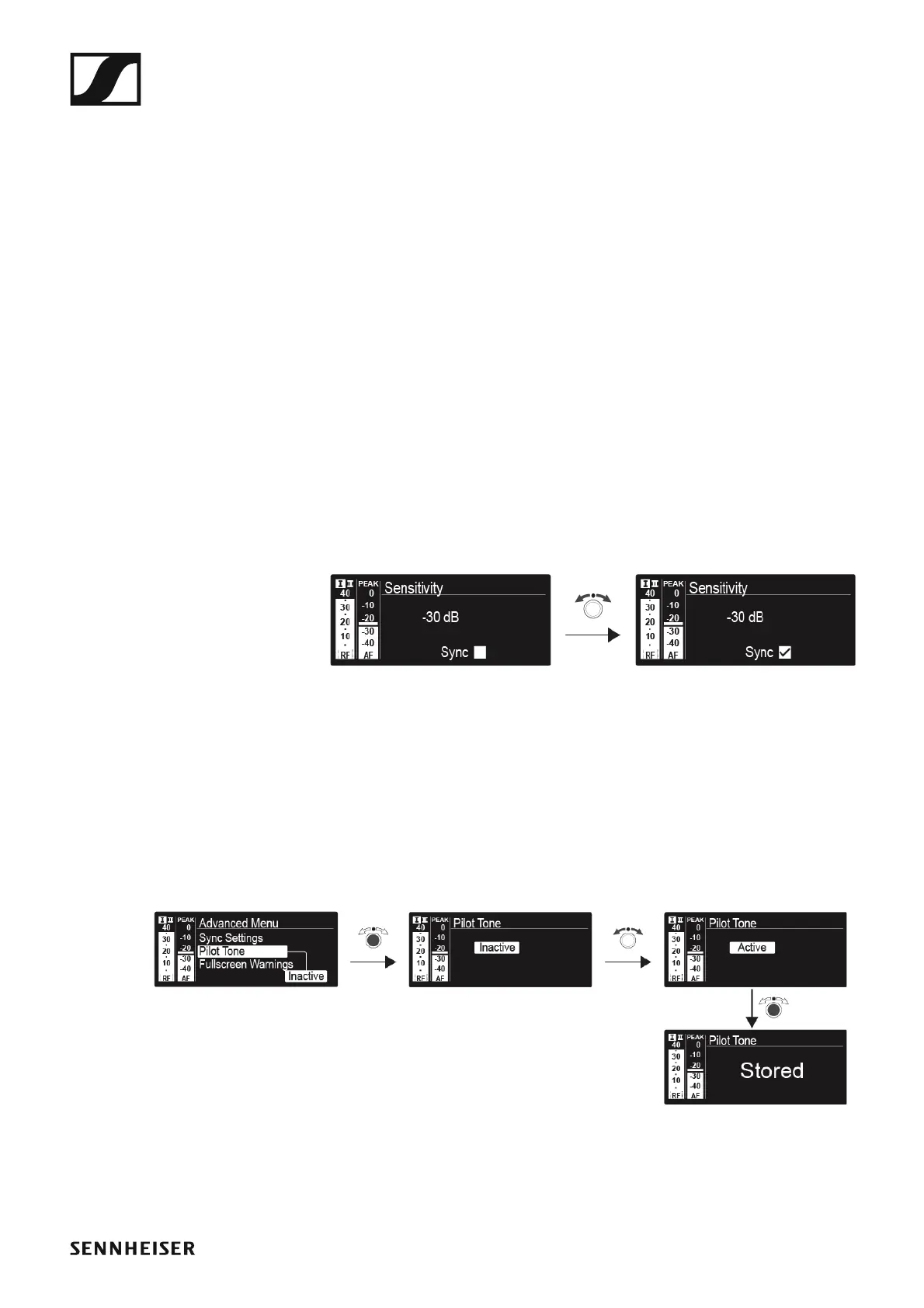
To configure a parameter and activate or deactivate transmission:
▷ Go to the parameter in question in the Advanced -> Sync Settings
menu.
▷ Press the jog dial to open the sub-item.
▷ Turn the jog dial to set the value.
▷ Press the jog dial to save your setting.
▷ Turn the jog dial to activate or deactivate the check box.
When the check box is activated, the value will be transmitted during
synchronization. If it is deactivated, the value will not be transmitted.
▷ Press the jog dial to save your setting.
Advanced -> Pilot Tone menu item
In the Pilot Tone menu item of the Advanced submenu, you can activate
and deactivate the pilot tone evaluation.
►
The pilot tone has an inaudible frequency that is sent from the transmitter
and evaluated by the receiver. It supports the receiver’s squelch function.













 To Next Page