SP 30 | SP 30 + Bluetooth Speakerphone
USING THE SPEAKERPHONE 12
Using the Speakerphone
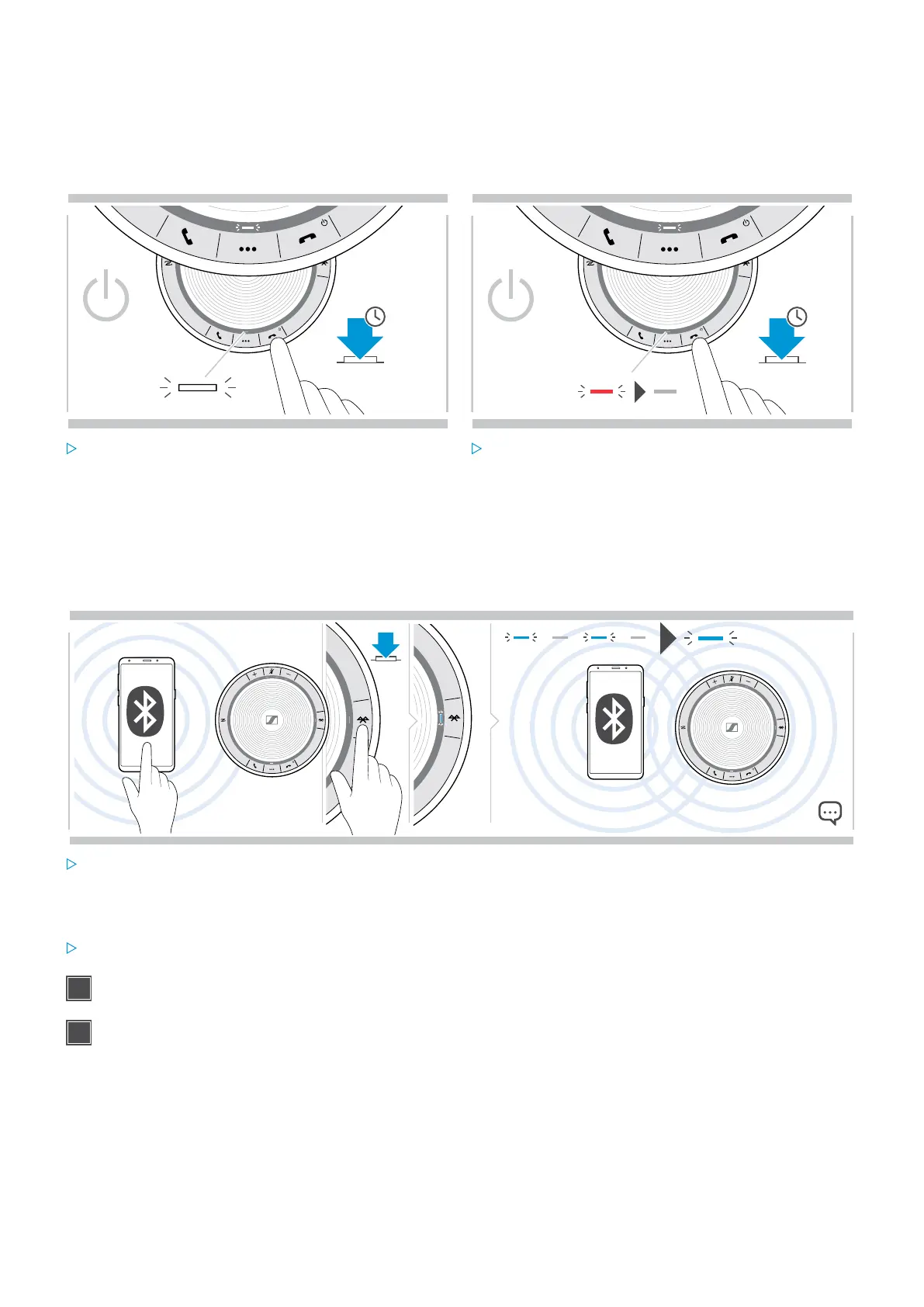
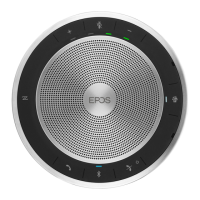
Turning the Speakerphone on/off
Turning the Speakerphone on Turning the Speakerphone off
2s
2s
3x
Press and hold the Power on/off button.
The LED lights up white.
Press and hold the Power on/off button.
The LED flashes red 3 times and turns off.
All volume settings are saved automatically when the
speakerphone is turned off.
Connecting Bluetooth® devices
The speakerphone will by default attempt to connect to the two last connected Bluetooth devices. For further
information concerning personal/shared mode functionality see page 22.
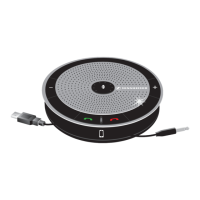
Activate Bluetooth on the paired device(s).
If the Bluetooth LED does not flash blue (automatic search
after switch-on):
Press the Bluetooth button to connect manually.
The LED flashes blue while the speakerphone attempts
to connect to previously paired Bluetooth device(s).
Once the connection is successfully established, the
LED lights up blue.
Only two out of the maximum eight paired Bluetooth devices can be simultaneously connected to the
speakerphone.
The search for paired devices will timeout if no devices are found. After this, connections must be established
manually on the paired Bluetooth device or by pressing the Bluetooth button on the Speakerphone


 To Next Page