SP 30 | SP 30 + Bluetooth Speakerphone
ADDITIONAL FUNCTIONS23
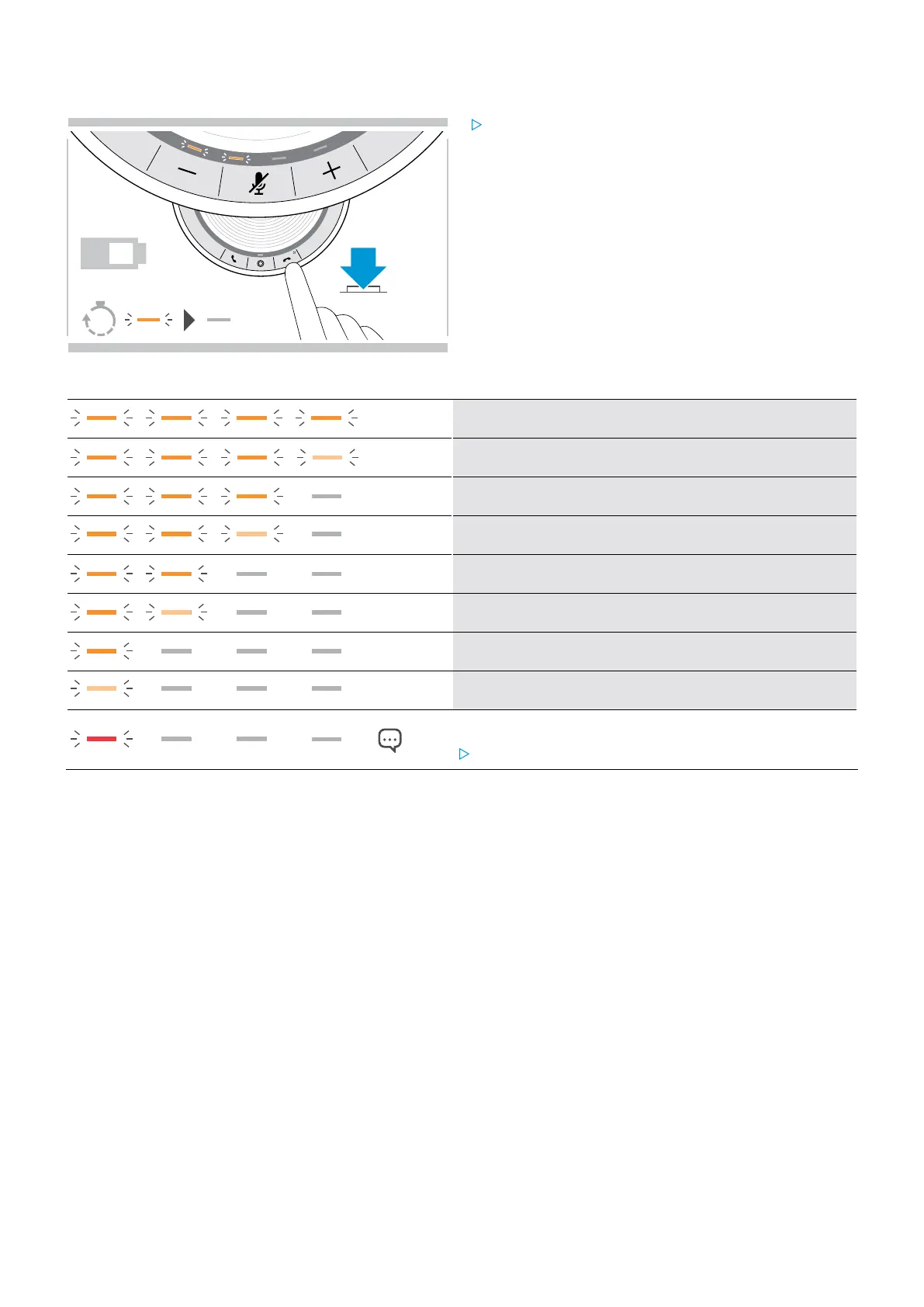
Retrieving battery status
2s
?
Press the Battery status button.
The LEDs light up shortly.
LED Battery status
100%
between 75% and 100%
75%
between 50% and 75%
50%
between 25% and 50%
25%
between 10% and 25%
critically low battery: LED flashes red
Recharge speakerphone (see page 24).


 To Next Page