SP 30 | SP 30 + Bluetooth Speakerphone
ADDITIONAL FUNCTIONS24
Charging the Speakerphone
When the battery charge level drops below 10%, the LED flashes red. When the battery is empty, the speakerphone
turns off automatically.
If you do not use the speakerphone for extended periods of time it is recommended to charge it every 3 months.
You can charge the speakerphone regardless of the power state (on or off).
1
USB-C
USB-A
2
2s
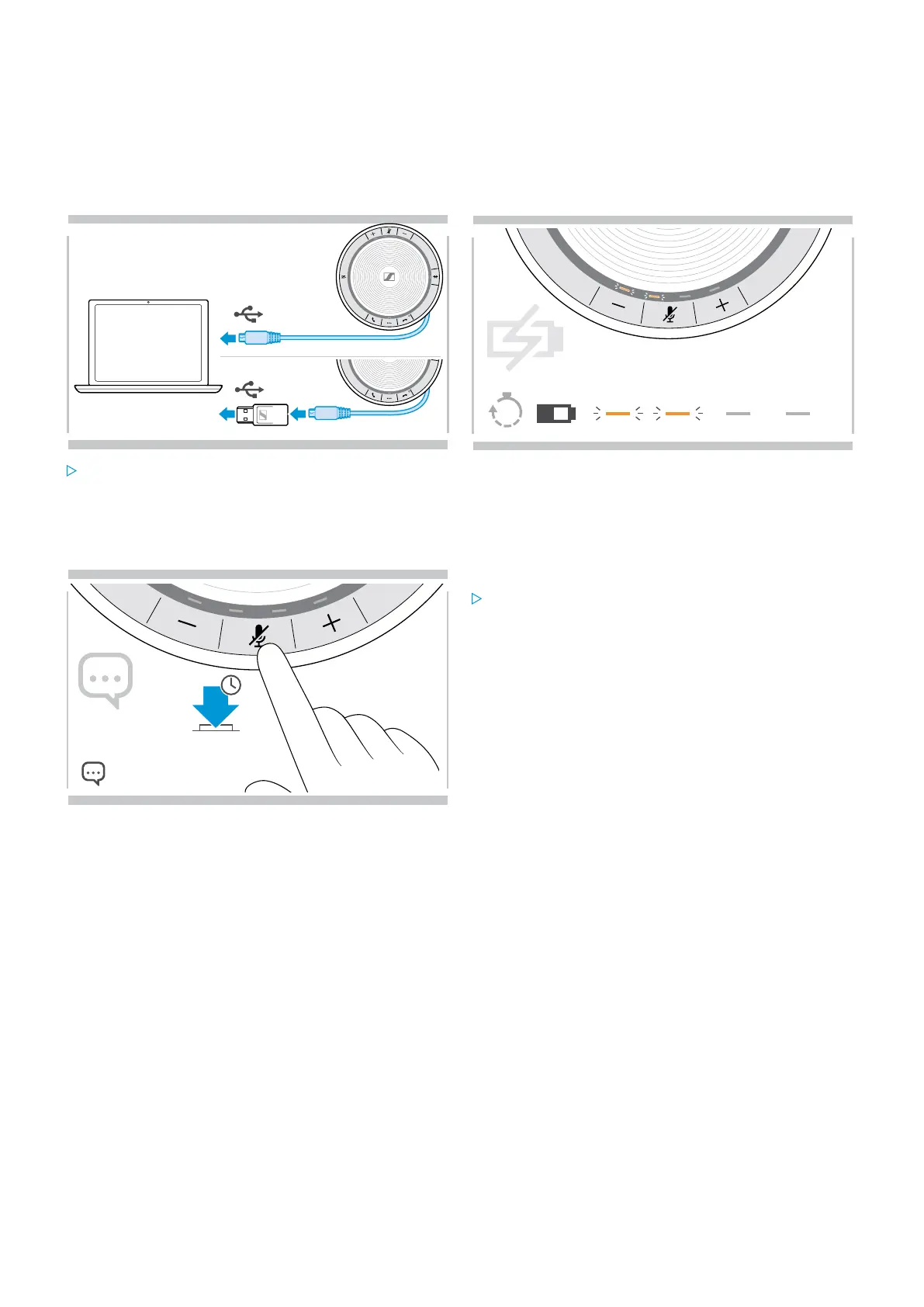
Connect the USB connector to a USB-C or USB-A
socket of your computer, or to a USB power source.
The speakerphone turns on.
The battery is being charged. The LEDs shortly light up
and show the battery charge level.
Enabling/disabling voice prompts
5s
In idle mode (no active call or music reproduction):
Press and hold the mute button until the speakerphone
announces a voice prompt for on or off.
If the voice prompts are deactivated you hear tones
instead.


 To Next Page