SP 30 | SP 30 + Bluetooth Speakerphone
MAKING CALLS USING THE SPEAKERPHONE 16
Making calls using the Speakerphone
Making a call
Softphone
x
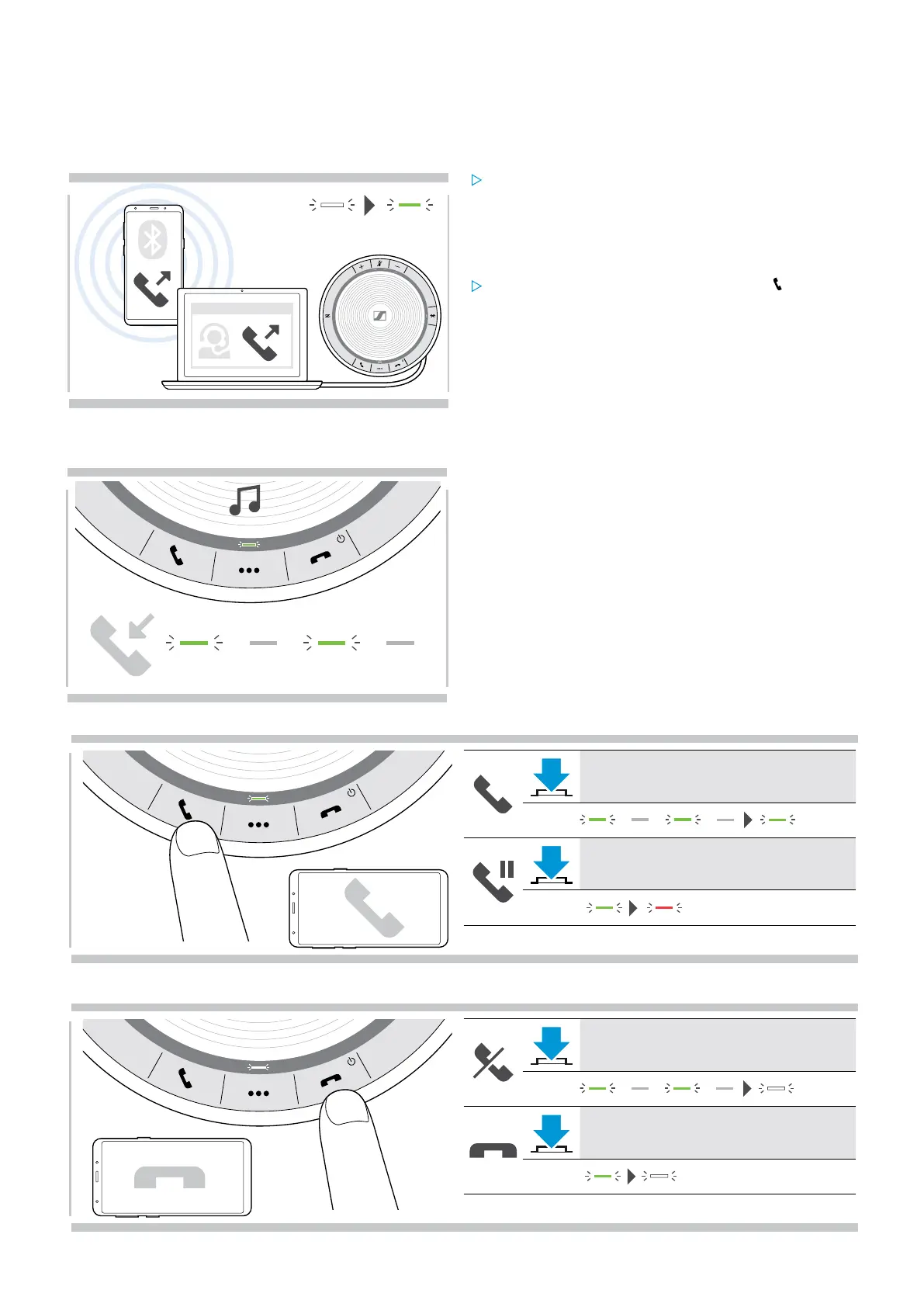
Initiate the call on your connected device.
The LED lights up green.
If your call is not automatically transferred to the
speakerphone:
Press the speakerphone’s hook off button , or use
call transfer functionality on the mobile device.
Accepting/rejecting/ending a call
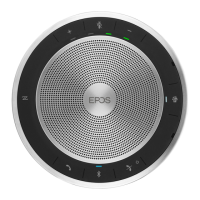
When you receive a call:
You hear a ring tone and the LED flashes green.
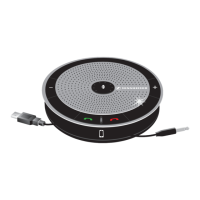
Accept/hold a call
Accepts a call
LED
2x
Puts an active call on hold (pause)
LED
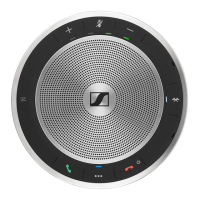
Reject/end a call
Rejects a call
LED
Ends a call
LED


 To Next Page