SP 30 | SP 30 + Bluetooth Speakerphone
SETTING UP THE SPEAKERPHONE8
B: Pairing the Speakerphone and a mobile device via NFC™
Bluetooth®
NFC™
1
2
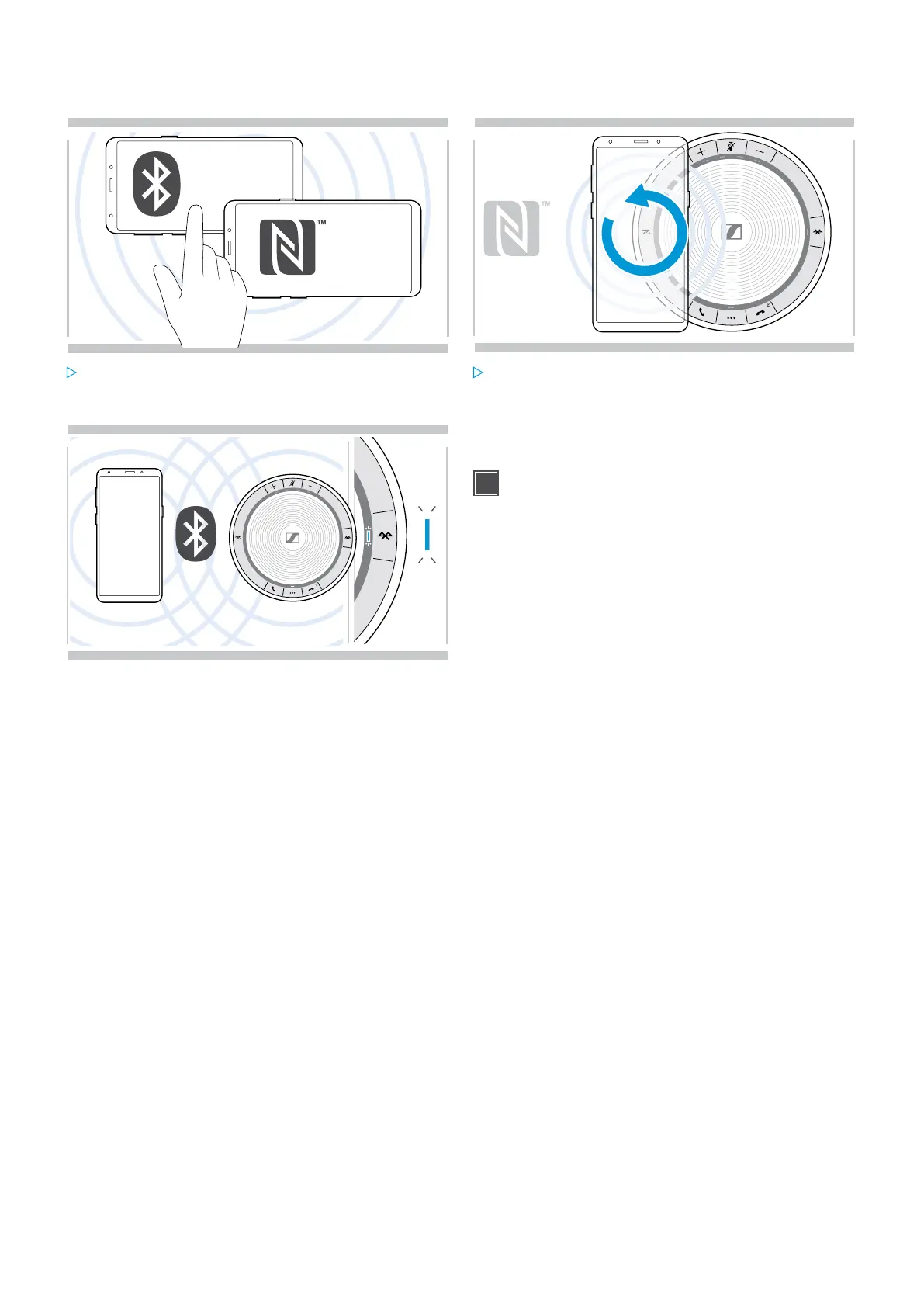
Activate Bluetooth and NFC (Near Field
Communication) on your mobile device
(see instruction manual of your mobile device).
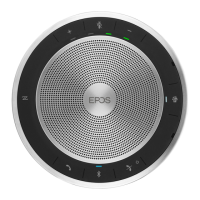
Move the mobile device in small circles directly above
the NFC area of the speakerphone.
The speakerphone turns on automatically.
3
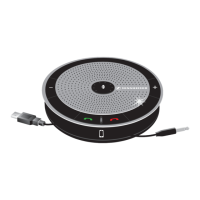
Once the speakerphone is paired with the mobile device,
the LED lights up blue.
If required: Confirm the speakerphone on your
mobile devices.


 To Next Page