SENTINEL
PROPRIETARY INFORMATION AND MATERIALS OF UNITEC INC. 13
5.6 Promotions Setup
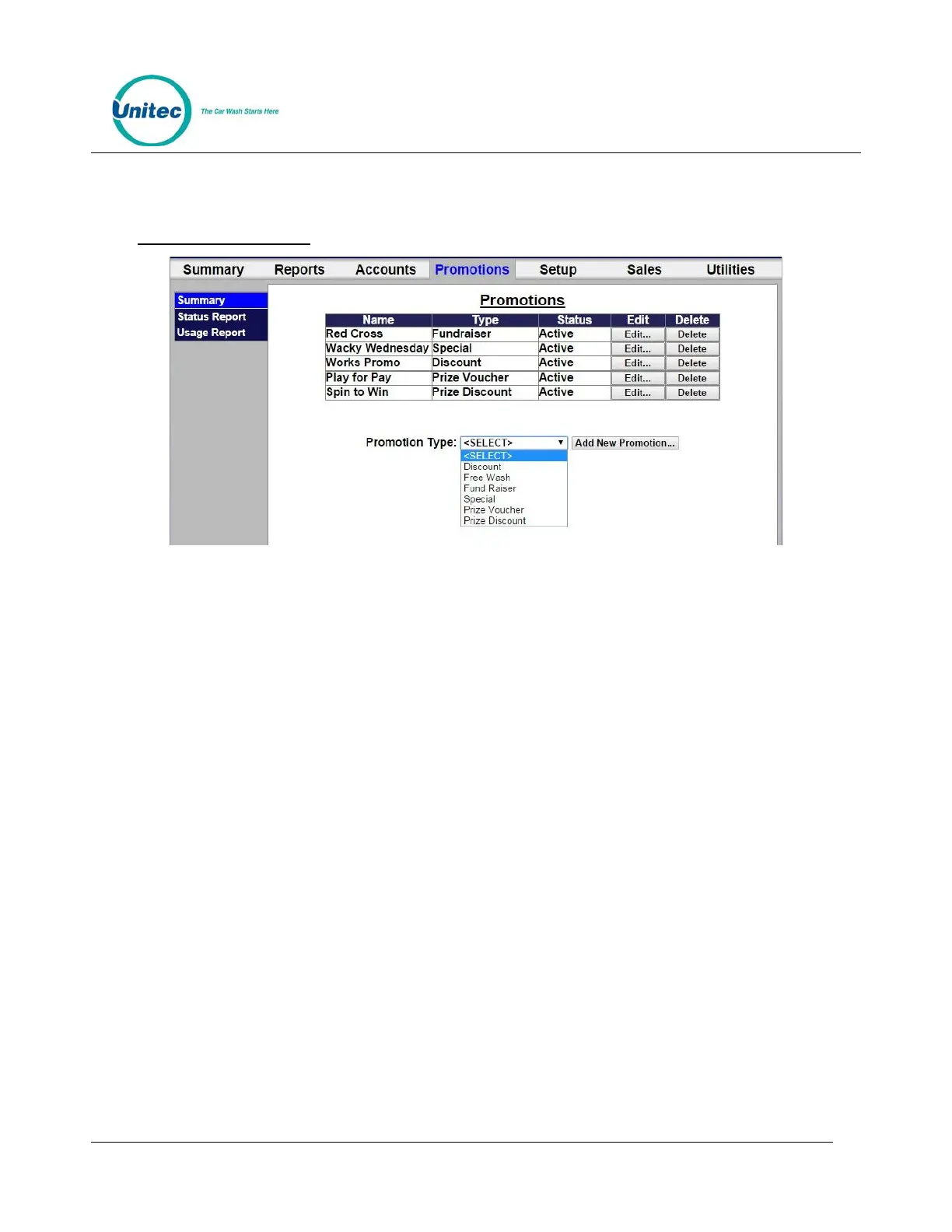
Figure 5.2. Promotions Main Screen
The Promotions Setup screen displays the current promotions. They are listed by name, type of
promotions, and status. Note that the promotion statuses are ‘active’, ‘inactive’, ‘expired’, and
‘exhausted’. ‘Expired’ means beyond the promotion schedule end date/time. ‘Exhausted’ only
applies to promotions that have a maximum usage configured.
To setup a new promotion, select the type of promotion from the drop-down menu below the table and
click Add New Promotion. The Edit Discount screen will be displayed.
5.6.1 Prize Promo Setup



 To Next Page