25
Pro 3 User’s Guide
Filters
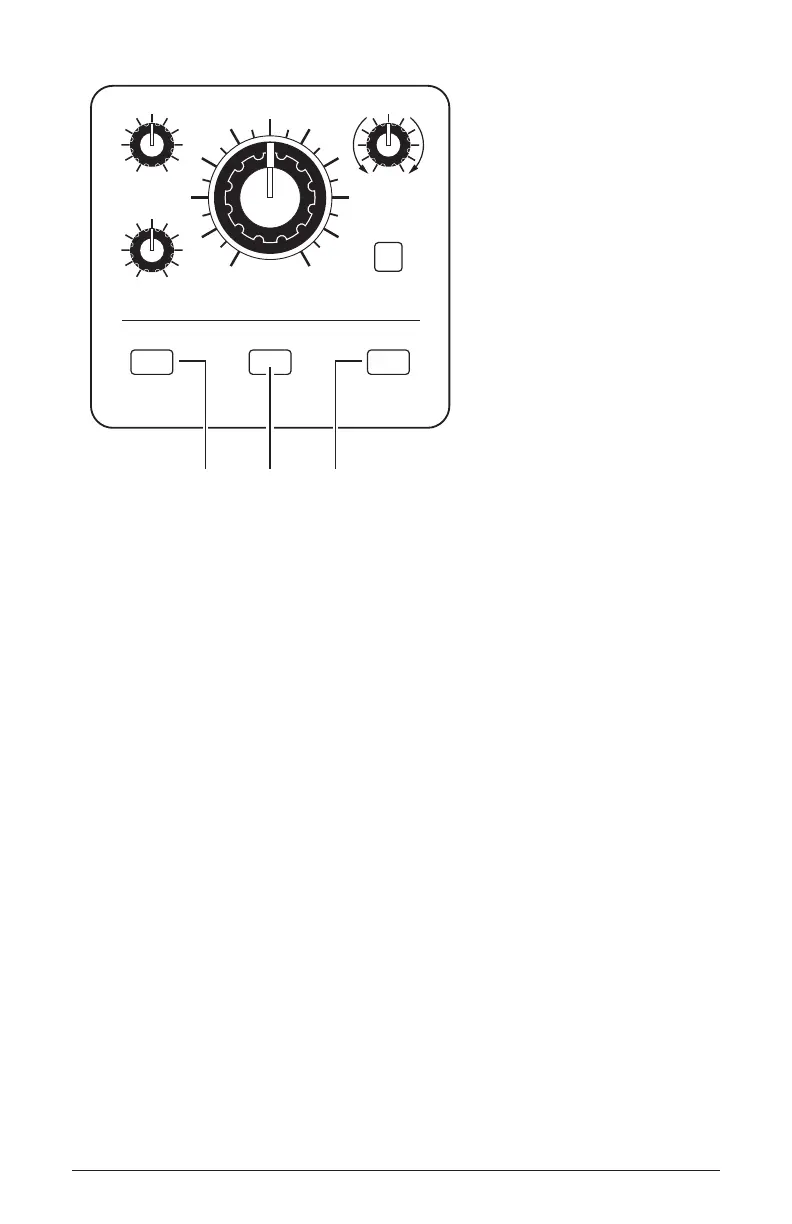
CUTOFF
DRIVE
BP
LP
NOTCH
LOW-PASS 1 LOW-PASS 2 STATE-VARIABLE
4-Pole OTA 4-Pole Ladder 2-Pole OTA
HP
RESONANCE
STATE
FILTER
Press one of these buttons to select the lter type
To hear the effect of the lter:
1. Recall the Basic Program by pressing the global button and using Soft
Knob 1 to navigate to the basic program command, then press Soft
Button 1 (write now).
2. Press the low-pass 1 button to select this lter.
3. Hold down a note and rotate the lter’s cutoff knob. Notice how it cuts
the high frequencies as you rotate counter-clockwise, making the sound
of the oscillator less bright. If you turn the cutoff knob fully counter-
clockwise you’ll lter out all frequencies and hear nothing.
4. Return the cutoff knob to its halfway position, hold down a note again
then turn the resonance knob about halfway up.
5. Rotate the lter’s cutoff knob again and listen to the sound change as
a band of frequencies near the cutoff is amplied. This how to create a
classic resonant lter sweep.
In the previous example, you controlled the lter cutoff by hand. In most
cases, you will use the Filter Envelope to do this. To learn more about the
Filter Envelope see page 31.















 To Next Page