2-4
OSCILLATOR B
CSC
B is similar
to
OSC
A,
except
that
in addition
to
being a keyboard-controlled
audio-frequency
source
it
can
also
be
a
low-frequency
modulation
source with or
without
keyboard
control.
The
identically-named
controls
function
as described
under
OSC
A.
In addition:
OSCILLATOR
B
'^'
•^'
W W %
•'^'-
10
O
10
IHaPE
">
LOFREQ
KEYBOMW
FREauEMCY
FINE
PULSE WIDTH
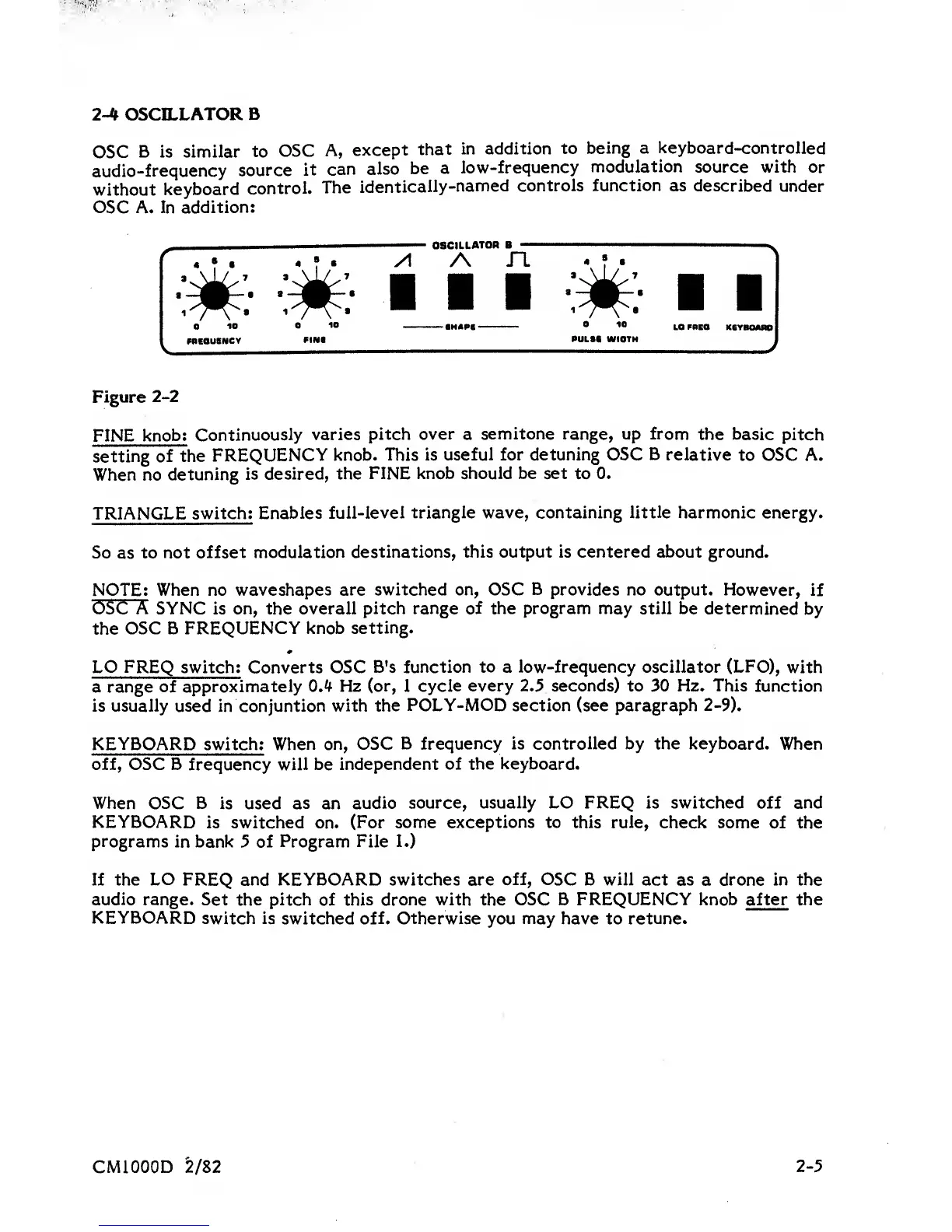
Figure
2-2
FINE
knob;
Continuously
varies
pitch
over
a
semitone range, up from
the basic
pitch
setting
of the
FREQUENCY
knob.
This
is
useful for detuning OSC
B
relative
to OSC A.
When no
detuning
is
desired, the
FINE knob should be set
to
0.
TRIANGLE
switch;
Enables
full-level triangle wave, containing
little
harmonic energy.
So
as
to not
offset
modulation destinations, this output is centered about ground.
NOTE; When no
waveshapes are switched on, OSC
B
provides no output.
However, if
OSC A SYNC is on, the overall
pitch range of the program may still be
determined
by
the
OSC B
FREQUENCY knob
setting.
LO FREQ
switch; Converts OSC
B's function
to
a low-frequency oscillator
(LFO),
with
a range
of approximately
0.^ Hz
(or,
1
cycle every 2.5 seconds) to 30 Hz. This
function
is usually used
in
conjuntion with
the
POLY-MOD
section (see paragraph
2-9).
KEYBOARD
switch;
When on, OSC
B frequency is controlled by the keyboard.
When
off, OSC B
frequency
will be independent
of the keyboard.
When OSC B
is used
as
an
audio
source, usually LO FREQ is switched off and
KEYBOARD
is switched
on.
(For some exceptions to
this
rule,
check some of
the
programs
in bank
5
of
Program File
1.)
If the
LO
FREQ and KEYBOARD switches are
off, OSC
B will act as
a
drone in the
audio
range. Set the pitch
of
this drone with
the
OSC B FREQUENCY knob after the
KEYBOARD
switch is
switched
off. Otherwise
you
may
have to retune.
CMIOOOD
2/82
2-5















 To Next Page