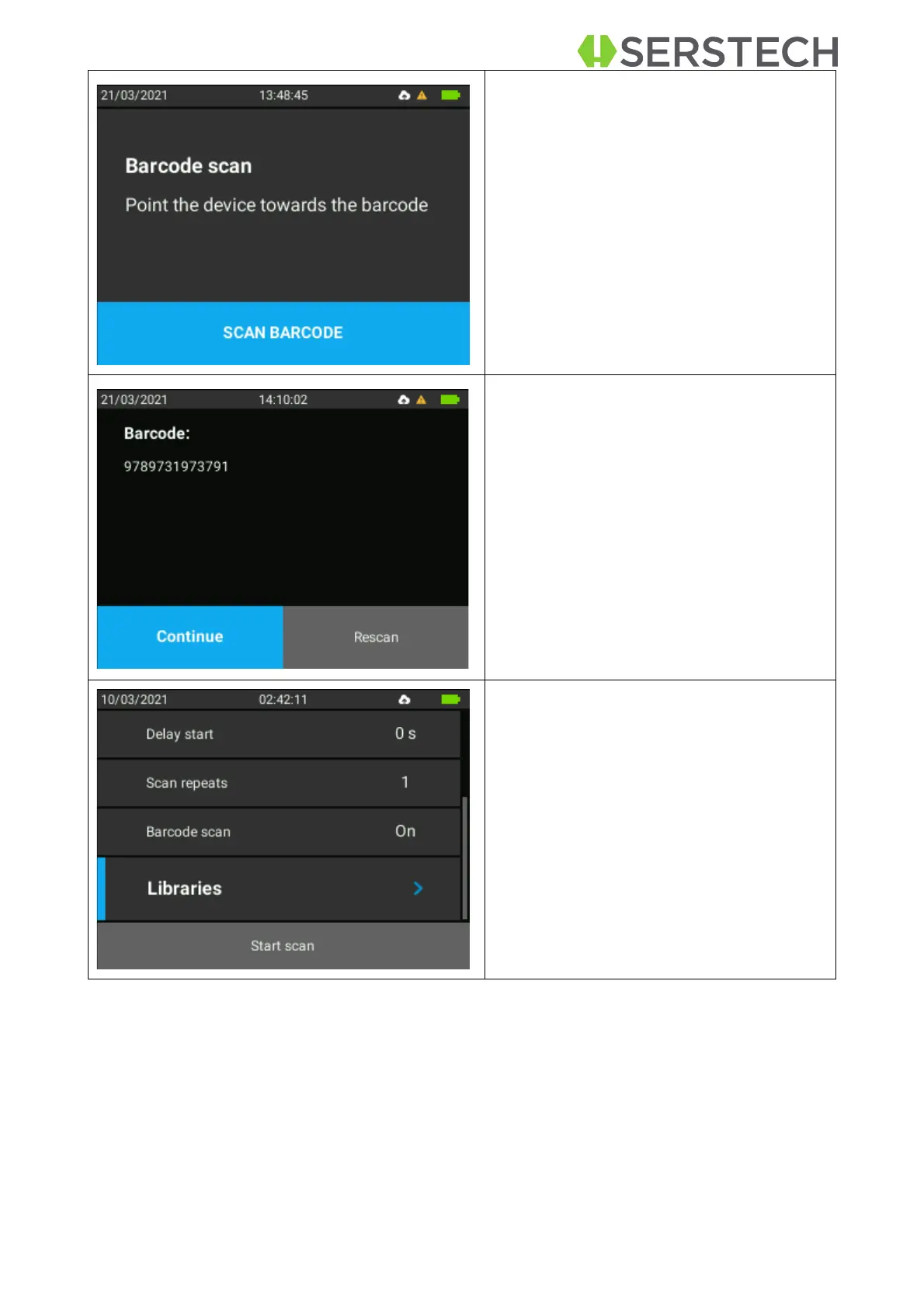
There is another warning saying that the
barcode should be put in position.
After the setup is made, the user must
confirm the start of the action by clicking
OK button when Scan Barcode option is
selected.
The result of this scanning will be a
string of numbers.
NOTE: If the user clicks Continue, the
substance to be associated with the
scanned barcode needs to be prepared
and placed in front of the laser, as this is
going to start immediately.
The flow will be as for the normal scan.
Select Libraries by clicking the OK but-
ton and confirm the choice by clicking
on OK again.
and then choose which library to be
used as reference for the measure-
ments


 To Next Page