33
5
Supplies and user maintenance
USER MAINTENANCE
5
Gently rub the surface of the drum (green portion) with the rolled-up paper to remove
any particles of toner caking on the drum.
●
Do not touch the drum surface with the edges of rolled-up paper.
●
Do not let the drum surface come into contact with anything other than the
rolled-up paper. Fingerprints, water, alcohol and other solvents will damage
the drum surface.
6
Replace the drum cartridge. (See page 29, DRUM CARTRIDGE REPLACEMENT.)
7
Replace the TD cartridge. (See page 28, TD CARTRIDGE REPLACEMENT.)
8
Close the front cover and turn on the copier power.
When copier is not in use
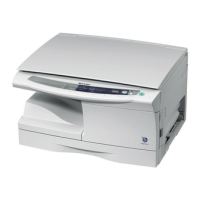
To prevent entry of dust and foreign matter, store the copier as follows.
1
Remove the power cord and the interface cable (AL-840 only) and secure the copier
using tape (two locations).
If this copier is not in use for a long time, remove the copy paper from the paper
tray and store it in a location that is not humid. If the copy paper is left in the
paper tray for a long time, it will absorb moisture, resulting in paper misfeeds.



 To Next Page