EasyManua.ls Logo

Sharp GB-X18JR - Additional Remote Controller Modes; Dry and Fan Modes

Sharp GB-X18JR
80 pages
Print Icon
To Next Page IconTo Next Page
To Previous Page IconTo Previous Page
Loading...
E-11
ENGLISH
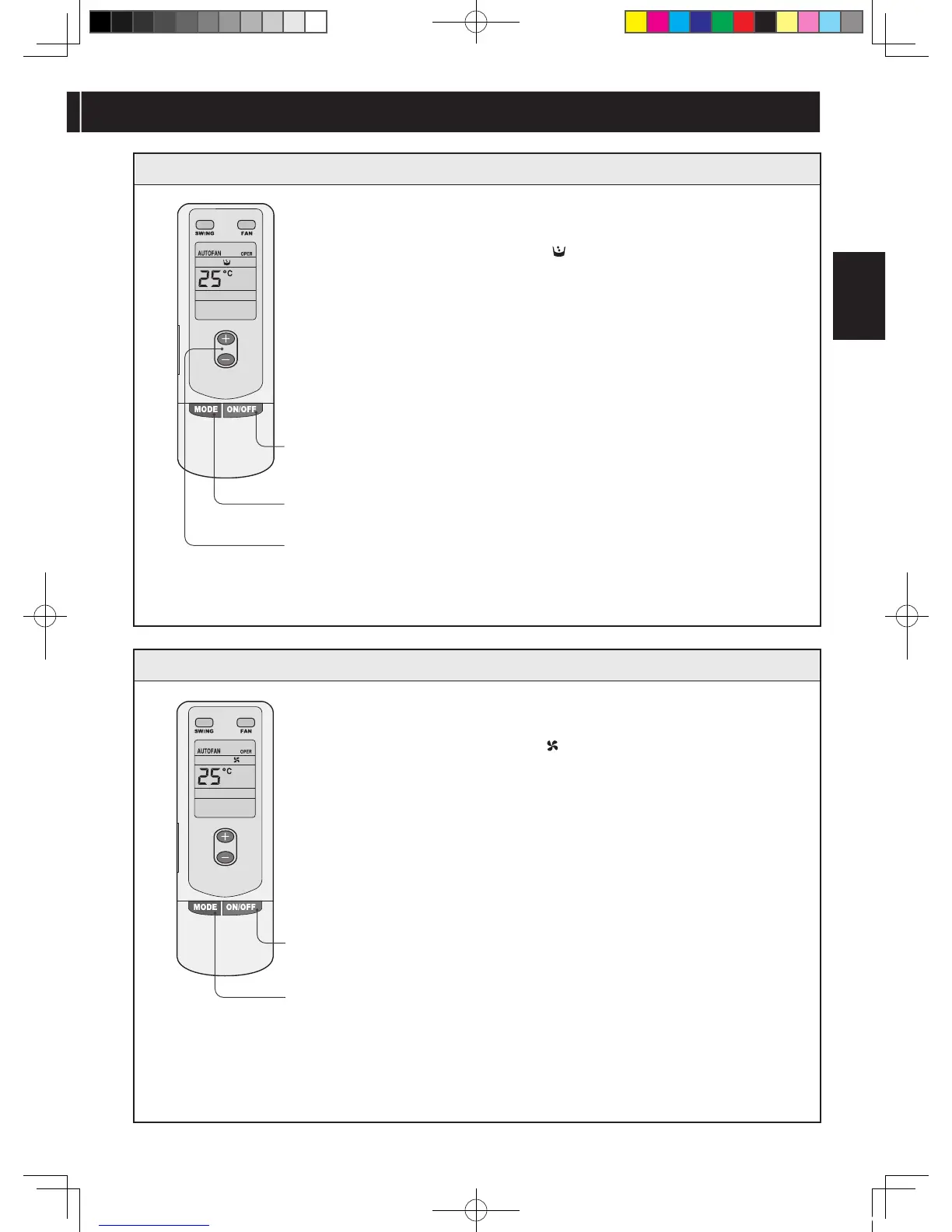
1 Press the ON/OFF button.
2 Press the MODE button to select “DRY
( )” mode.
3 Press the Temperature button to set
desired temperature.
FAN mode operation
1 Press the ON/OFF button.
2 Press the MODE button to select FAN(
)” mode.
3 Press the FAN button to select from
high, medium and low speed.

2
1
DRY mode operation
GREE_duct_eng_1022.indd 11 08.10.27 3:32:08 PM

Table of Contents

Related product manuals