04/10/16 HT-X1H(H)E3.fm
E-28
ENGLISH
TINSZA030SJZZ
HT-X1H
8
DVD Operation
Useful operation
The subtitle language and the audio language you select during
playback are reset each time you set this system to the stand-by
mode or change the disc. To keep your preferred languages, set
them in the initial setting screen (see page 56).
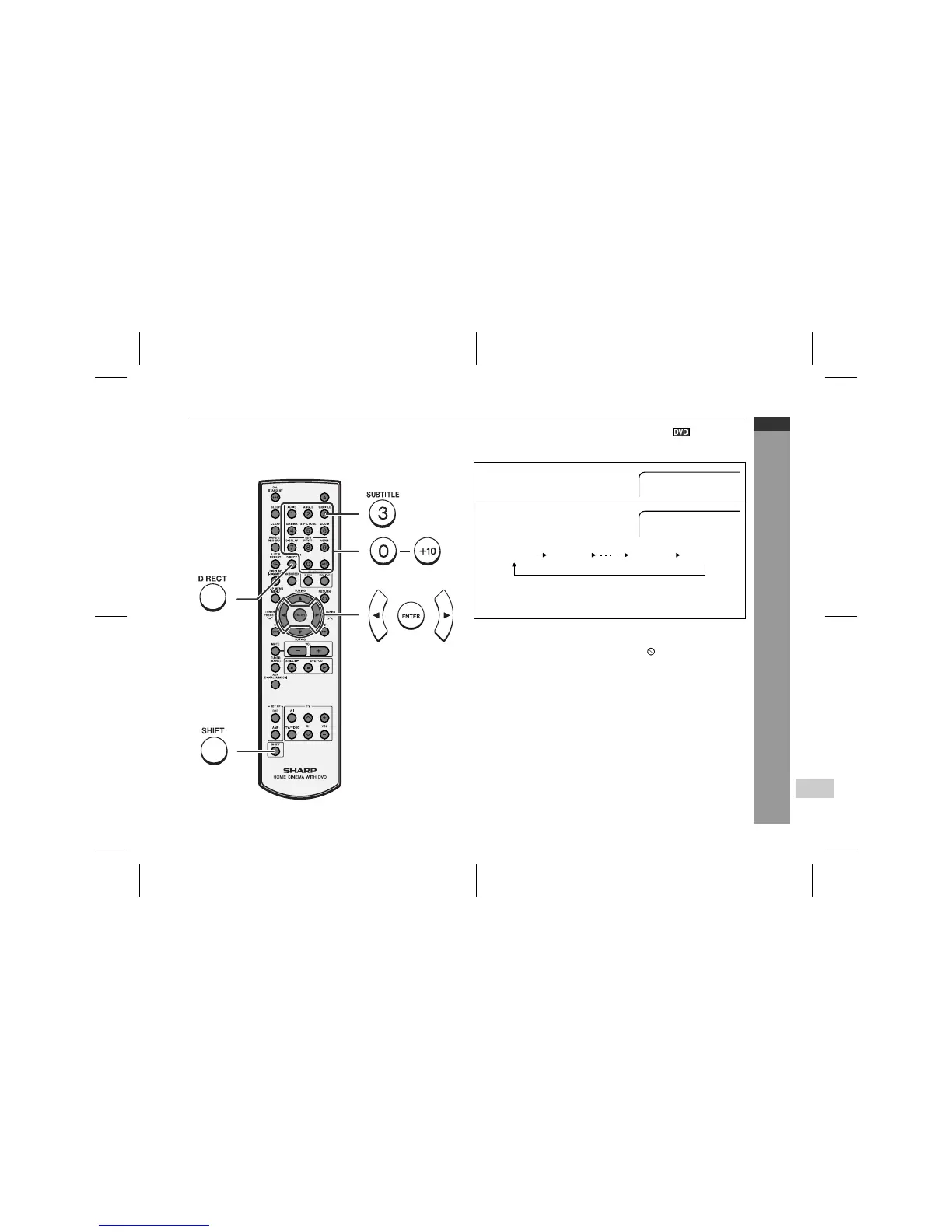
! To change the subtitle language
You can change the subtitle language or hide subtitles during play-
back.
Notes:
"
Some DVDs prohibit changing the subtitle language.
"
If no subtitles are recorded on the disc, " " is displayed.
"
It may take a little time to switch the subtitle language to the
selected one.
"
When you set the unit to the stand-by mode or replace the disc,
settings return to the default.
1
Whilst a disc is playing, press
the SHIFT button and then the
SUBTITLE button.
2
Repeat step 1 to select the de-
sired subtitle language.
"
You can select one from the subtitle languages that are re-
corded on a DVD.
"
To hide subtitles on the screen, select "Subtitle Off".
Subtitle 01/09: English
Subtitle 02/09: Spanish
English French Spanish Subtitle Off


 To Next Page