04/10/16 HT-X1H(H)E7.fm
E-61
ENGLISH
TINSZA030SJZZ
HT-X1H
Advanced Features
Sleep operation
You can set the system to the power stand-by mode at the specified
time.
To confirm the remaining sleep time:
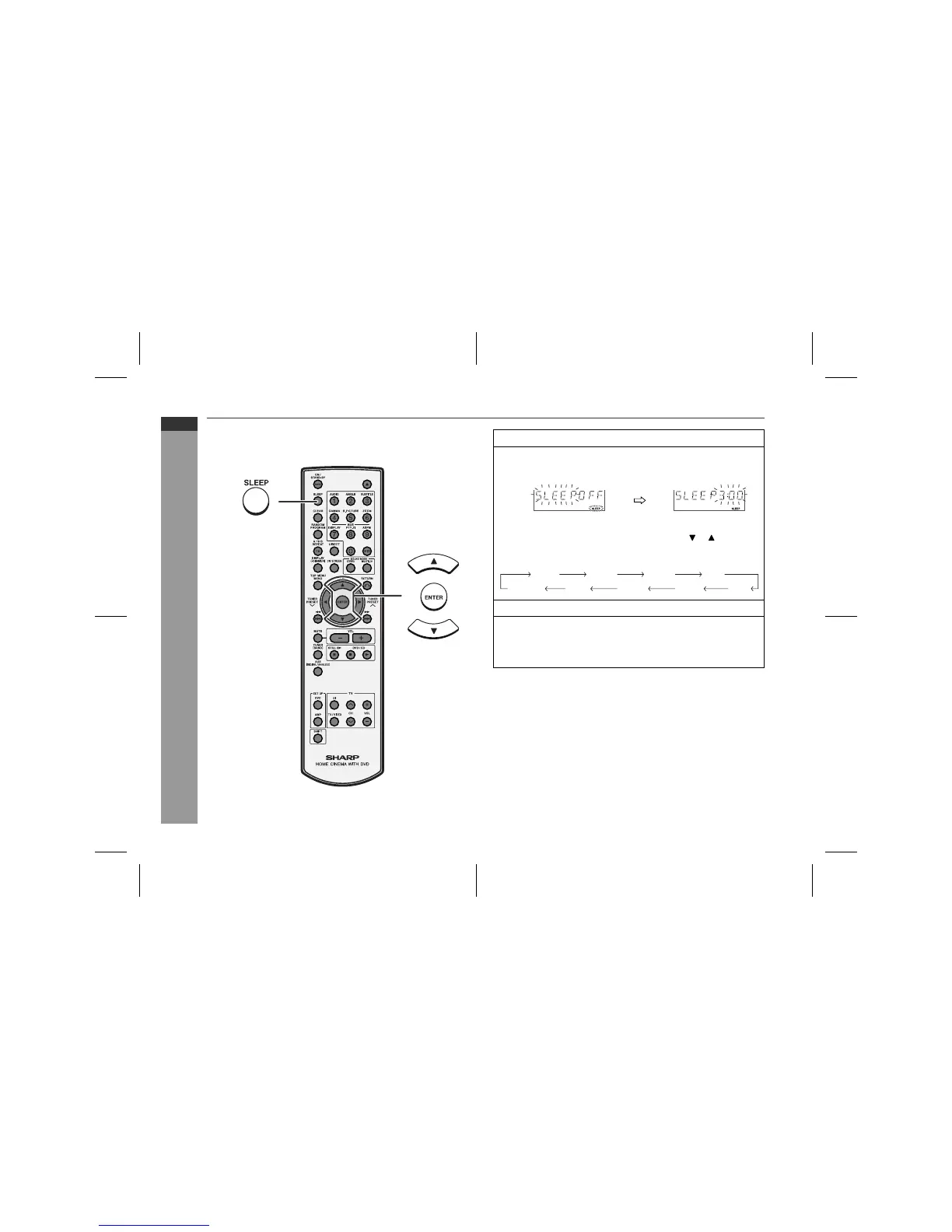
Press the SLEEP button whilst the sleep timer is set.
The remaining sleep time is displayed for about 8 seconds.
To cancel the sleep operation:
Press the ON/STAND-BY button whilst the sleep timer is set.
1
Play back the desired sound source.
2
Press the SLEEP button and within 8 seconds, press the
ENTER button.
To change the sleep time:
Whilst the sleep time is displayed, press the or button.
(Maximum: 3 hours - Minimum: 5 minutes)
3
Within 30 seconds, press the ENTER button.
4
The system will enter the power stand-by mode automati-
cally after the preset time has elapsed.
The volume will turn down 30 seconds before the sleep opera-
tion finishes.
3:00 2:00 1:30 1:00
(cancel) 0:05 0:10 0:15 0:30


 To Next Page