04/10/21 HT-X1H(H)E4.fm
E-35
ENGLISH
TINSZA030SJZZ
HT-X1H
DVD Operation
Useful operation (continued)
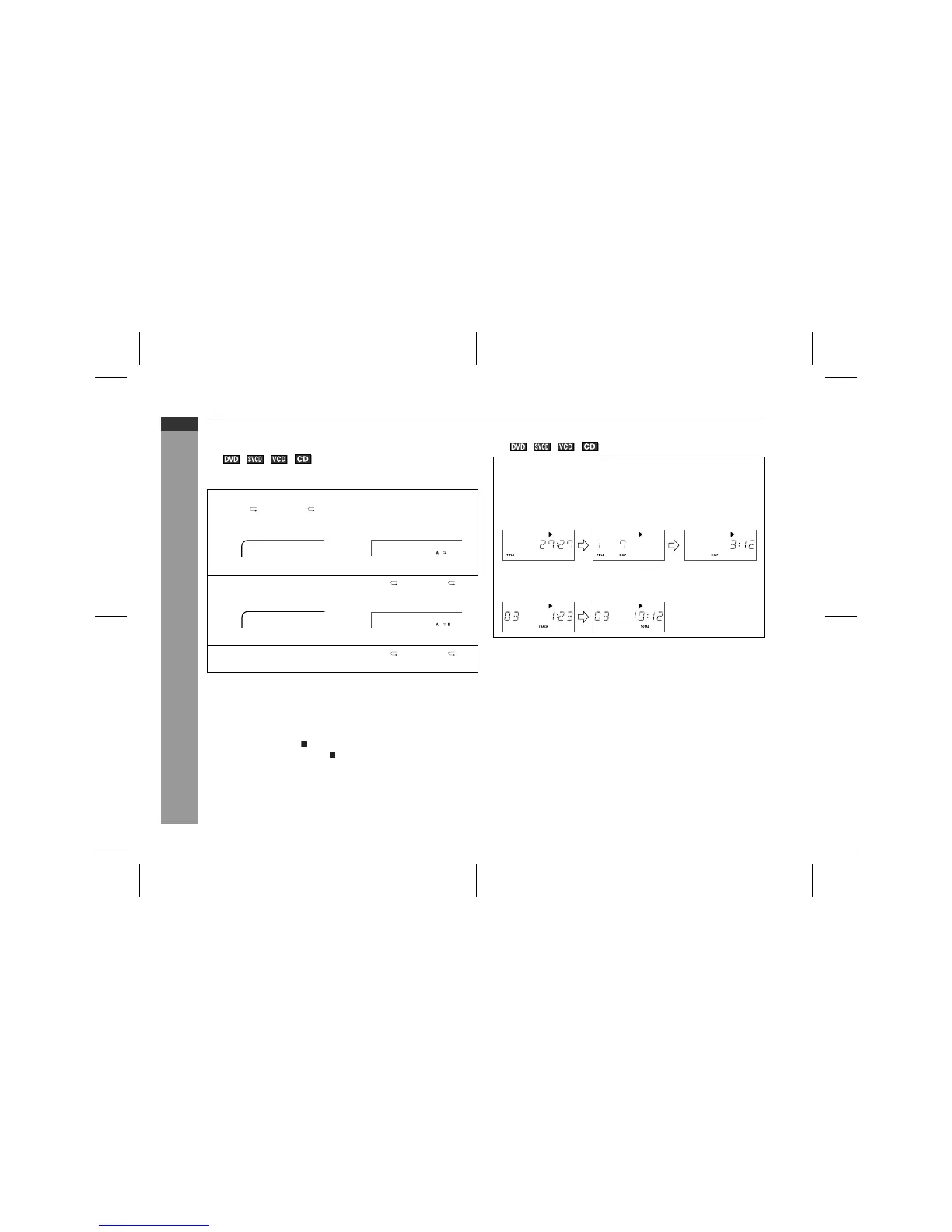
! To play the contents between the specified
points repeatedly (A-B repeat)
You can play the desired portion repeatedly by specifying it during
playback.
Notes:
"
A-B repeat play is disabled on some discs.
"
Some scenes in DVD may not allow A-B repeat play.
"
A-B repeat play for DVD is possible only within a title.
"
A-B repeat play for super video CD, video CD and audio CD are
possible only within a track.
"
When you press the button, the current A-B repeat play is can-
celled. (For DVD, press the button twice.)
! To change the display on the main unit
Notes:
"
Title/chapter numbers or elapsed time may not appear depend-
ing on the disc.
"
The playing time of the disc specified on the jacket, etc. may not
include silence between tracks, and may differ from that dis-
played on the main unit.
"
Elapsed time on the display does not indicate the actual time.
"
When operating super video CD or video CD with the P.B.C.
function, set the P.B.C. to off (see page 39).
1
Whilst a disc is playing, press the SHIFT button and then
the A B REPEAT/ button.
TV screen Unit display
This registers the start point (A).
2
Press the SHIFT button and then the A B REPEAT/ but-
ton again to enter the end point (B).
A-B repeat plays from the start point (A) to the end point (B).
3
Press the SHIFT button and then the A B REPEAT/ but-
ton to return to the normal playback.
A-B Set A
A-B Repeat on
During playback, press the DISPLAY/(-DIMMER) button.
Each time you press the button, the display will change as follows:
DVD:
Title elapsed time Title/Chapter
number
Chapter elapsed time
SVCD/VCD/CD:
Track elapsed time Total elapsed time


 To Next Page