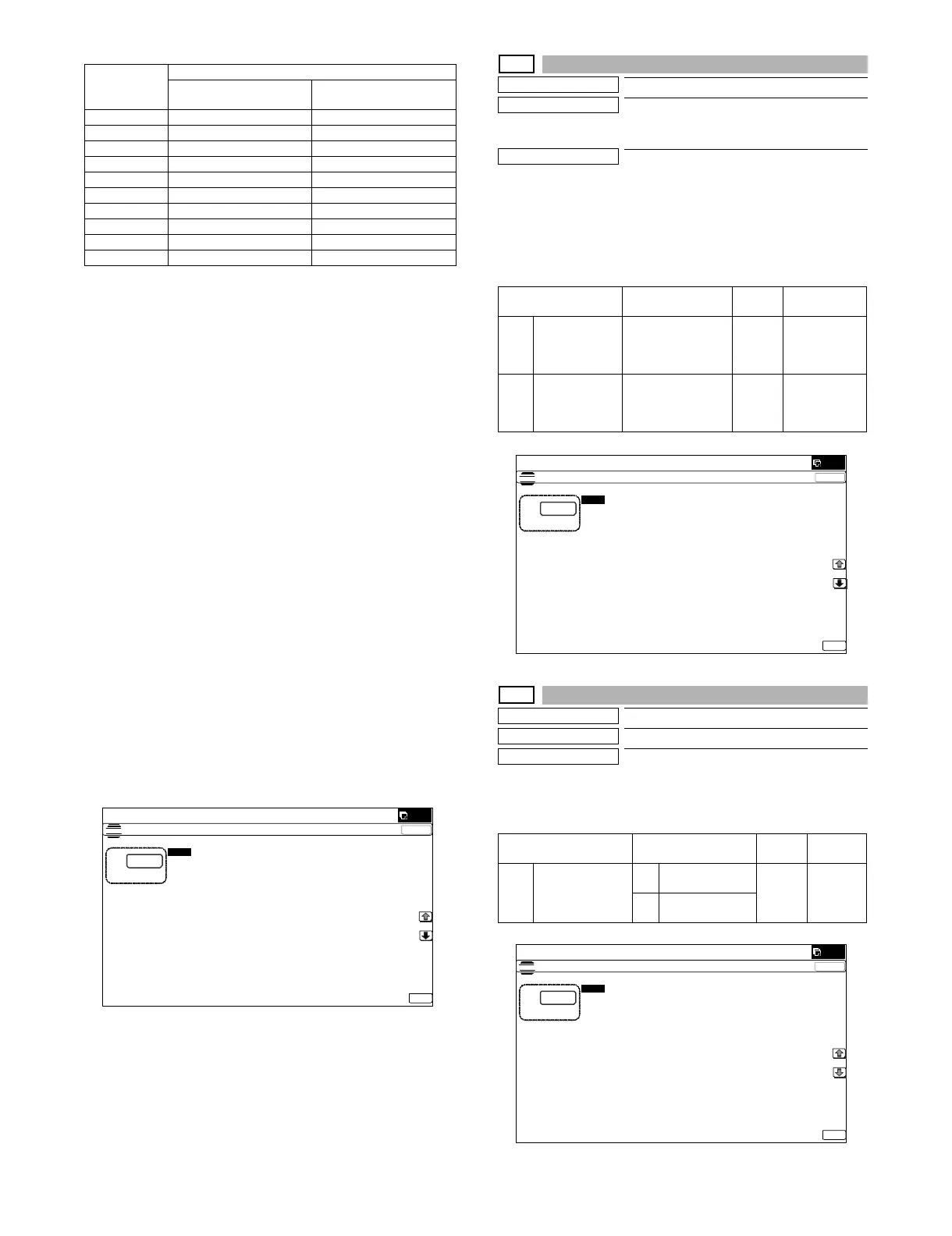
MX-5001N SIMULATION 6 – 38
<List of Default values and set values for each destination>
(Contents of set items)
A: Enable/Disable setting of the toner preparation message display
when the toner remaining quantity reaches 25%.
B: Enable/Disable setting of the toner preparation message display
when the toner near end status is reached.
C: Enable/Disable setting of the machine operation when the toner
end status is reached.
For except Japan, performs operation of set value "3" regardless of
the setting value.
D: Setting of the allowable quantity of copy/print/FAX after display-
ing the message when item B is set to "0" (the message is dis-
played at toner near end). (Range: 0 - 200 sheets)
The number of output print allowed in item D is based on the
assumption that the sheets are of A4 size with print ratio of 5%.
(The number of outputs allowed differs depending on the paper
size and the print ratio.)
Set values of Item D and the number of output print allowed
1: Print Disable after toner near end
2: 25 sheets print Enable after toner near end
3: 50 sheets print Enable after toner near end
4: 100 sheets print Enable after toner near end
5: 200 sheets print Enable after toner near end
NOTE: When item B is set to "0" and item D to a desired number,
printing can be made after toner near end. However, insuf-
ficient density, thin spots, or improper color balance may be
resulted depending on the using conditions. When item D
is set to "1" printing is disabled after toner near end. this
case, toner end display is made in the toner near end sta-
tus, and copy/print/FAX outputs are disabled.
26-73
Purpose
Setting
Function (Purpose)
Enlargement continuous shoot, A3 wide
copy mode image loss (shade delete quan-
tity) adjustment
Section
Operation/Procedure
1) Select an item to be set with [↑] [↓] keys.
2) Enter the set value with 10-key.
3) Press [OK] key.
When the adjustment value is increased, the image loss
(shade delete quantity) is increased.
26-74
Purpose
Setting
Function (Purpose)
Used to set the OSA trial mode.
Section
Operation/Procedure
1) Enter the set value with 10-key.
2) Press [OK] key.
Destination
Set value
Toner preparation
message
Toner near end message
U.S.A 0 (Displayed) 0 (Displayed)
CANADA 0 (Displayed) 0 (Displayed)
INCH 0 (Displayed) 0 (Displayed)
JAPAN 0 (Displayed) 1 (Not Displayed)
AB_B 0 (Displayed) 0 (Displayed)
EUROPE 0 (Displayed) 0 (Displayed)
U.K. 0 (Displayed) 0 (Displayed)
AUS. 0 (Displayed) 0 (Displayed)
AB_A 0 (Displayed) 0 (Displayed)
CHINA 0 (Displayed) 0 (Displayed)
ǂǂǂ6,08/$7,21
ǂǂ12
&/26(
7(67
721(51($5(1'6(77,1*
$˖
˷
˹
˖721(535(3$5$7,21
<(612
$˖
˖721(51($5(1'
<(612
%˖
˖721(5(1'
&˖
˖721(5(1'&2817
'˖
˖721(5(
0$,/$/$57
(˖
2.
Item/Display Content
Setting
range
Default value
A DELETING
SHADOW ADJ
(M)
Rear frame side
image loss quantity
(shade delete
quantity) adjustment
0 - 50 0
(Adjustment
amount:
0.1mm/step)
B DELETING
SHADOW ADJ
(S)
Lead edge image
loss quantity (shade
delete quantity)
adjustment
0 - 50 0
(Adjustment
amount:
0.1mm/step)
Item/Display Content
Setting
range
Default
value
A OSA TRIAL
MODE
(0 : YES 1 : NO)
0 Used to set the
OSA trial mode.
0 - 1 1
1 OSA trial mode is
canceled.
ǂǂǂ6,08/$7,21ǂǂ12
&/26(
7(67
'(/(7,1*6+$'2:$'-8670(17
$˖
˷˹
˖'(/(7,1*6+$'2:$'-0
$˖
˖'(/(7,1*6+$'2:$'-6
%˖
2.
ǂǂǂ6,08/$7,21ǂǂ12
&/26(
7(67
26$75$,$/02'(6(77,1*
$˖
˷˹
˖26$75,$/02'(˄<(6˖12˅
$˖
2.



 To Next Page