PN-K321/K322B OUTLINE OF THE PRODUCT 1 - 6
1 – 7.SUPPLIED COMPONENTS
PN-K321/K321H
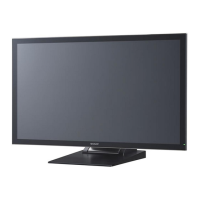
Liquid Crystal Display Monitor: 1
Power cord: 1(About 2m)
AC adapter: 1
CD-ROM (Utility Disk for Windows): 1
Setup Manual: 1
DisplayPort cable: 1(About 2m)
RS232C conversion cable (Φ3.5 mini-jack): 1
Pedestal (for stand): 1
Strut (for stand): 1
Attachment plate (for stand): 1 (preinstalled on monitor)
Countersunk screws (M4 x 6 without washers): 5
Screws (M4 x 10 with washers): 4
Hex wrench: 1
Cable clamp: 2
Cable clamp (small): 1
Cable clamp (large): 2
Vertical sticker (Logo): 1
Vertical sticker (Operation buttons): 1
Vertical sticker (Blank): 1
Horizontal sticker (Operation buttons): 1
Cover Sharp logo: 1
Place this sticker onto the SHARP logo to cover the logo
PN-K322B
Liquid Crystal Display Monitor: 1
Touch pen: 1
Cable cover: 1
Power cord: 1(About 2m)
AC adapter: 1
CD-ROM (Utility Disk for Windows): 1
Setup Manual: 1
DisplayPort cable: 1(About 2m)
RS-232C conversion cable (Φ3.5 mini-jack): 1
USB cable (for touch panel, miniB): 1
Cable clamp: 2
Cable clamp (small): 1
Cable clamp (large): 3
Anti-toppling clamp: 2
Screws (for anti-toppling) (M4 x 10): 2
Vertical sticker (Logo): 1
Vertical sticker (Operation buttons): 1
Vertical sticker (Blank): 1
Horizontal sticker (Operation buttons): 1
Cover Sharp logo: 1
Place this sticker onto the SHARP logo to cover the logo.
* Sharp Corporation holds authorship rights to the Utility Disk
program. Do not reproduce it without permission.
: ’13/Dec



 To Next Page